
There 3 ways for the hiring manager to submit their candidates screening feedback:
A. From the email invitation sent by your HR recruiter (via the HirePlanner platform)
B. From the "Provide Feedback" link sent by your HR recruiter (via traditional email/calendar such as Outlook).
C. From your HirePlanner account (available only for hiring managers).
_____________________________________________________________
A) FROM THE EMAIL SCREENING INVITATION (sent by HR via the HirePlanner system):
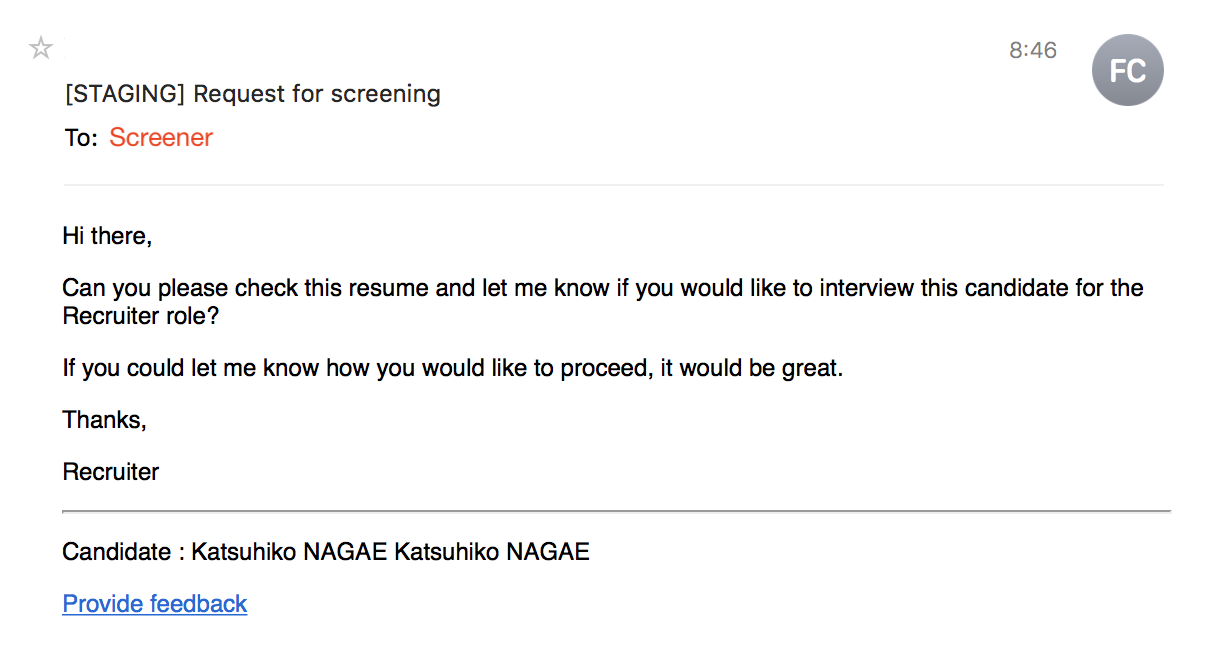
STEP 1: Click on the "Provide Feedback" link located at the bottom of the email invite (see example attached below).
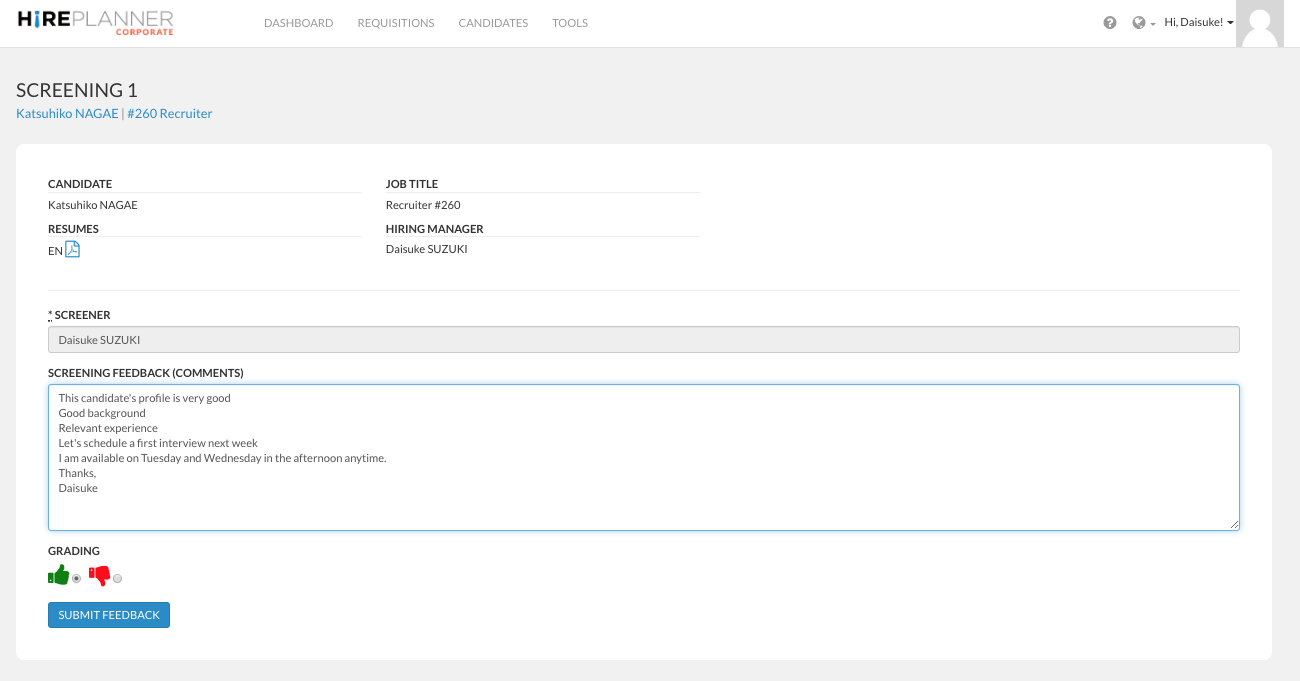
STEP 2: Type in your feedback and comments about the candidate profile and let your HR know if you would like to move forward or not with the interview. Click on the "SUBMIT FEEDBACK" button to send your feedback and let your HR know.
Please note that the HR Recruiter and supporting recruiter in charge of the search (requisition) will be notified via email and receive a copy of your feedback and comments.
IMPORTANT NOTE - COMPLIANCE: When providing candidate feedback to your HR, remember to avoid making any defamatory, offensive, derogatory, racial, gender oriented, religious and/or politically oriented comments that may reflect poorly on the company and your business partners.
_____________________________________________________________
B) FROM THE "PROVIDE FEEDBACK" link sent by your HR recruiter (via traditional email/calendar such as Outlook):
If you receive a screening request from your HR recruiter outside of the HirePlanner system (via Outlook, Gmail or other traditional email system), the screening requests should include two types of links:
_____________________________________________________________
C) FROM YOUR HIREPLANNER ACCOUNT:
If you are a hiring manager (person in charge of the candidate(s) who will be hired), you can submit your feedback directly from your HirePlanner account:
STEP 1: Sign in your HirePlanner Account
STEP 2: Select the candidate application you wish to submit your feedback for
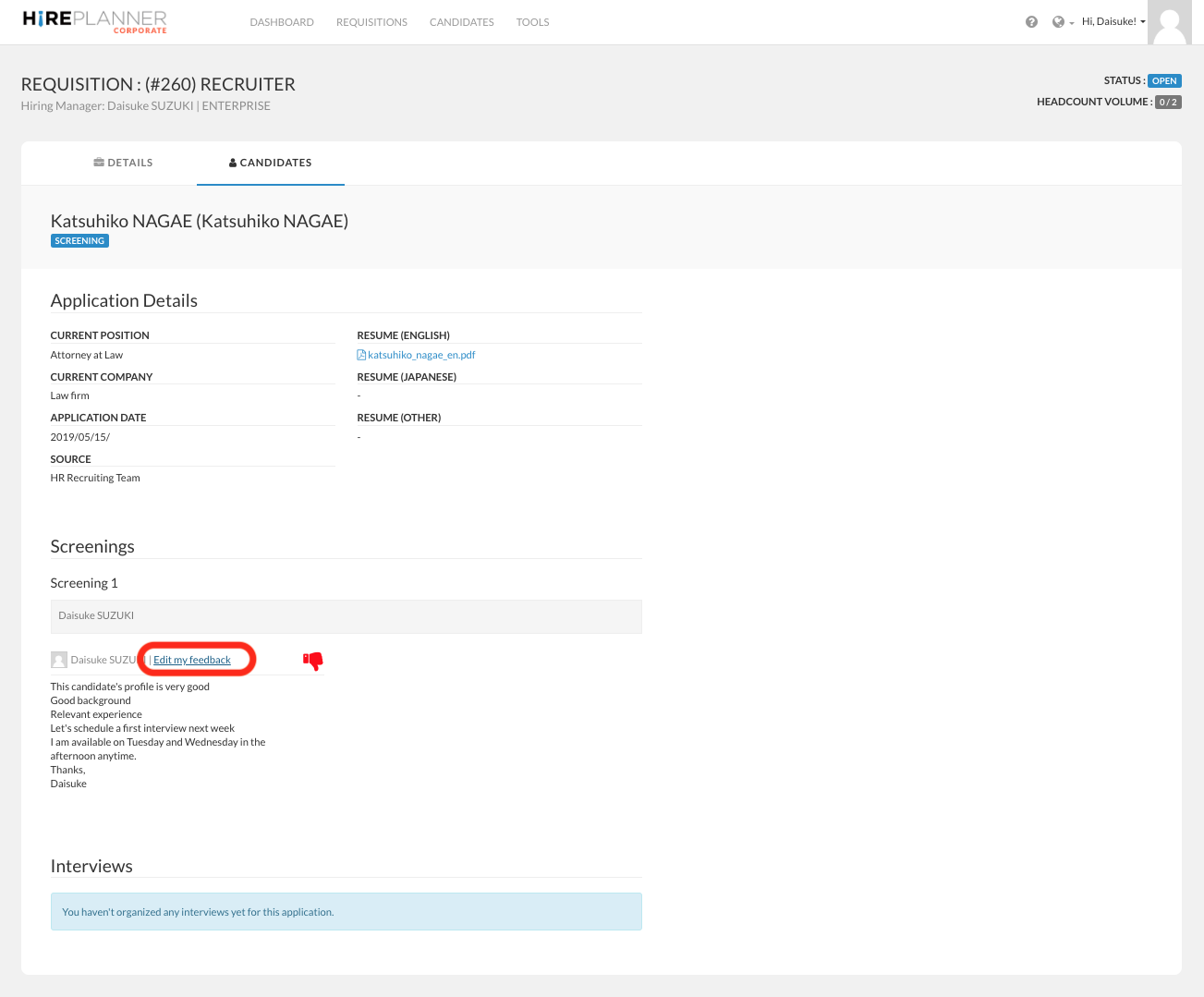
STEP 3: Click on "Edit my feedback"
STEP 4: Type in your feedback and comments about the candidate profile and let your HR know if you would like to move forward or not with the interview. Click on the "SUBMIT FEEDBACK" button to send your feedback and let your HR know.
Please note that the HR Recruiter and supporting recruiter in charge of the search (requisition) will be notified via email and receive a copy of your feedback and comments.
IMPORTANT NOTE - COMPLIANCE: When providing candidate feedback to your HR, remember to avoid making any defamatory, offensive, derogatory, racial, gender oriented, religious and/or politically oriented comments that may reflect poorly on the company and your business partners.
Comments
0 comments
Please sign in to leave a comment.