
Hireplanner provides you with a dedicated QR code (1 QR code per company) linking directly to your career website (where your branding page and job postings are located).
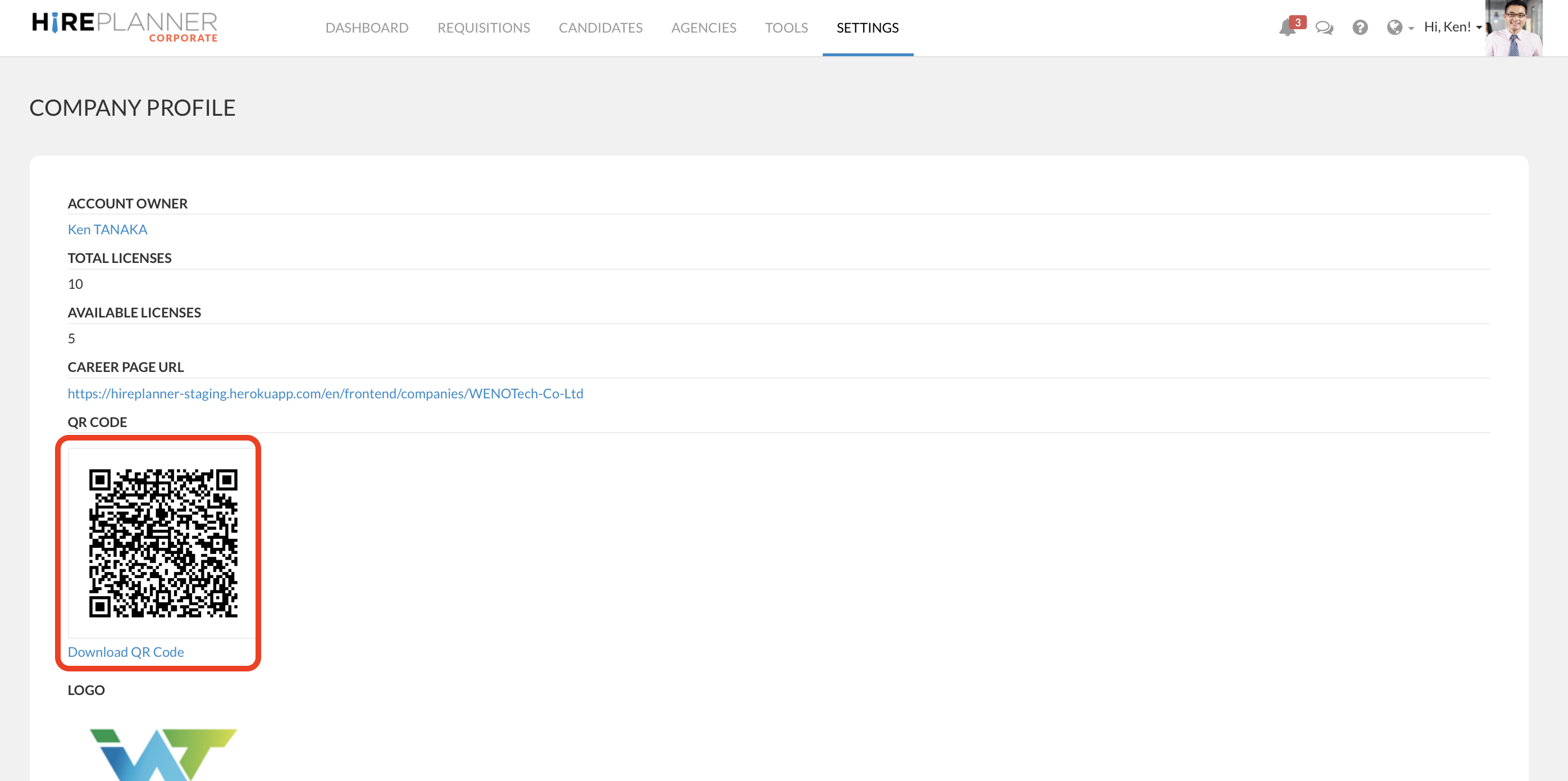
You can find and download your own QR code in the "COMPANY PROFILE" section located under the "SETTINGS" tab (located on the top navigation menu). Because the QR code is accessible only in the "SETTINGS" area, you will need to ask your Master Admin User to provide it for you.
HOW CAN I USE MY QR CODE?
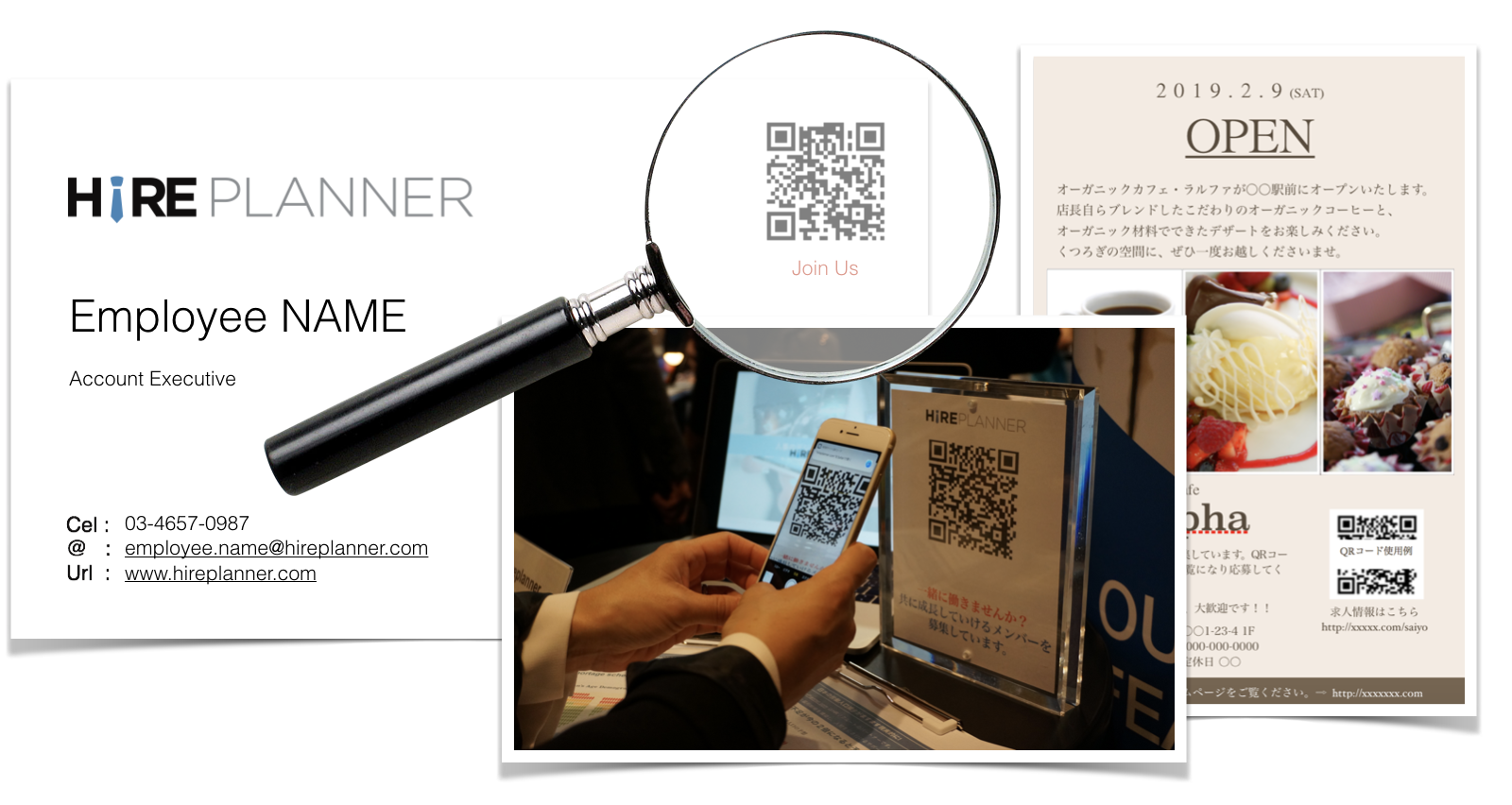
Your QR code can be used in many different ways to help your collect more direct applications. Here are just a few examples of how some of our clients currently use and leverage of our QR code technology:
- Display QR code on your employees' business cards. This will help you leverage of your employees' network and connections and get more out of your referral program.
- Display your QR code on flyers, brochures and other recruiting marketing materials that you may display in your office(s), store(s) and other locations.
- Display your QR code at career events and job fairs to avoid collecting paper resumes and keep all your candidate confidential information secure on HirePlanner database.
Comments
0 comments
Please sign in to leave a comment.