
When you sign in HirePlanner, you will first access the "Dashboard" (see screenshot below). From this page, you can get an overview of your recruiting projects:
1) Your new applications will be located on top
2) Your most recent requisitions will be displayed in the middle and,
3) Your closed requisitions will be visible at the bottom
From HirePlanner, you will be able to view and access all jobs that belong to the department you manage. If you manage other managers, you will also be able to view open jobs that are assigned to your direct reports.
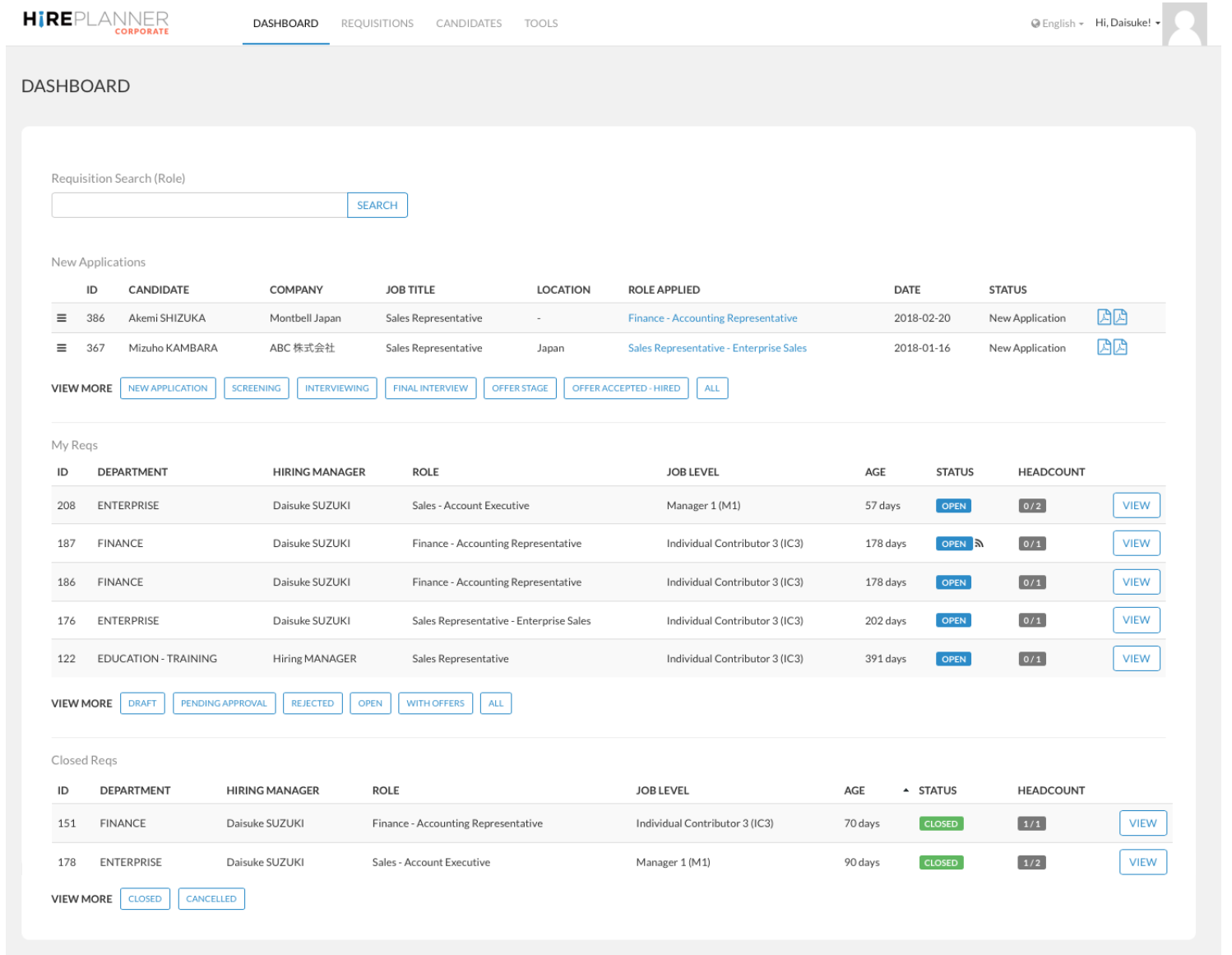
You will find attached below a short explanation on each item available on your Dashboard (starting from the top):
REQUISITION SEARCH (ROLE):
Search and find requisitions that belong to your organization when you are either the hiring manager in charge or when the hiring manager is reporting to you and you are the person in charge of the department. 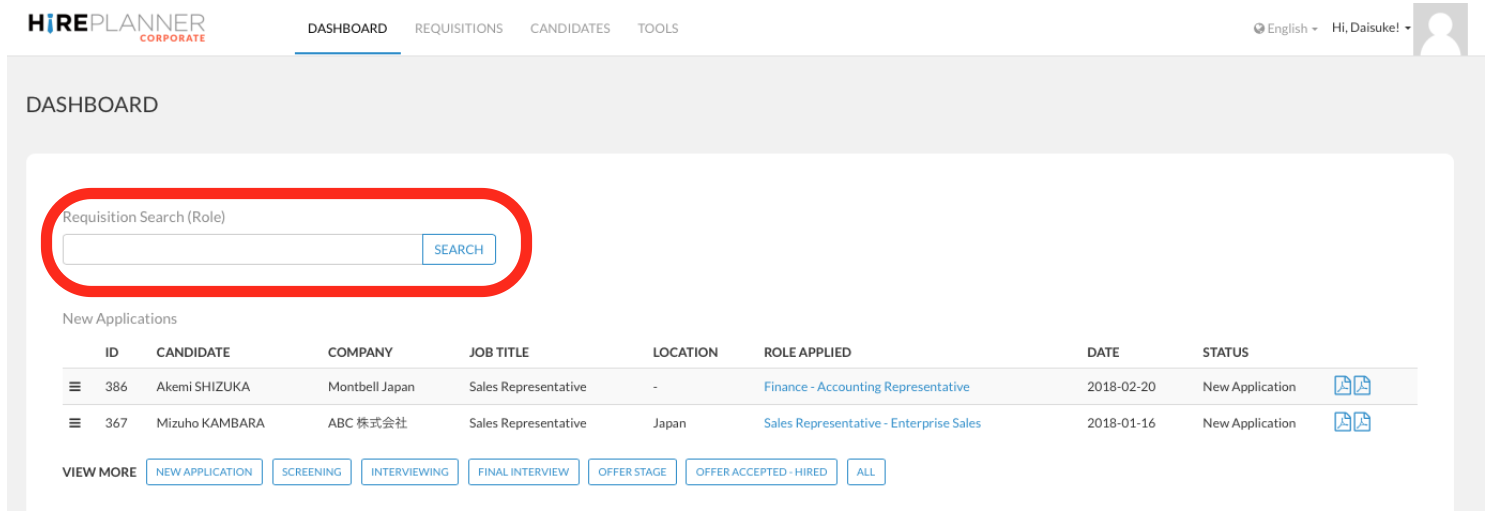
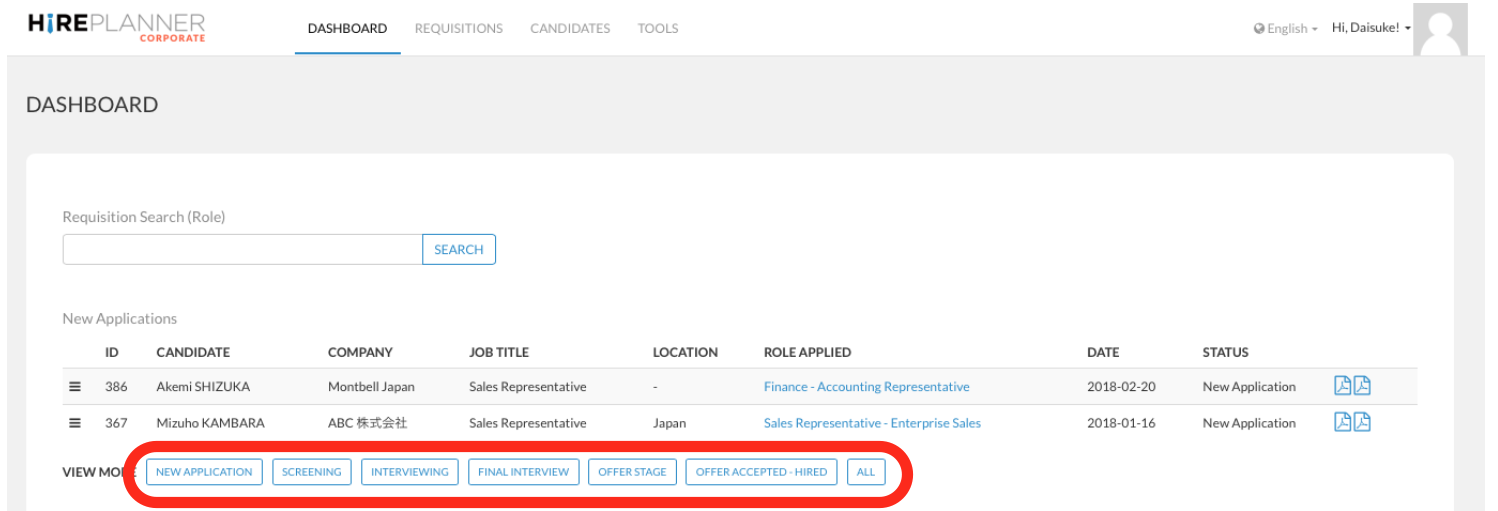
NEW APPLICATIONS:
Access to all your most recent candidate applications. From this section, you can also access your candidate applications based on their status:
- New application
- Screening
- Interviewing
- Final Interview
- Offer stage
- Offer accepted - hired
- All
Note that you can only have access to candidates who have applied to your roles.
MY REQUISITIONS (REQS):
Access to all your most recent recruiting projects (requisitions). From this section, you can also access all your reqs based on their status:
- Draft
- Pending approval
- Rejected
- Open
- With offers (when the requisition includes some candidates at offer stage and beyond).
- All
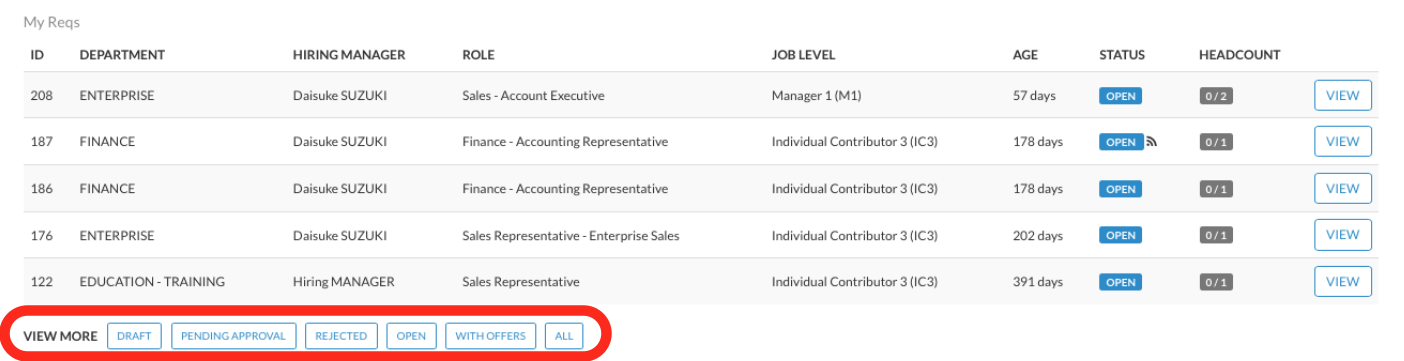
Published/Not Published: Note that the following mark (displayed in the "Status" column) indicates that the recruiting project (requisition) is made public and advertised online on your career website and when synched on other local search engines such as Indeed.com and Recruit.net. The mark displayed below is not displayed online when job postings are not published online.
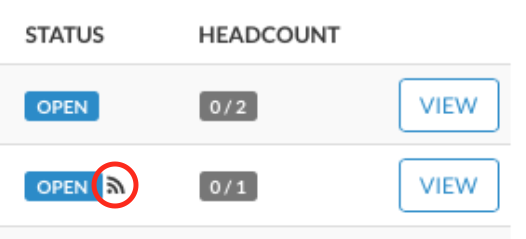
Headcount volume: Under the headcount column, you can visualize how many headcount are assigned (to be hired) per requisition.
CLOSED REQS:
Access to all the most recent requisitions which have been closed (completed). Those requisitions can either be closed because they have been "cancelled" projects or because the vacancies have been filled and "closed". 
Comments
0 comments
Article is closed for comments.