
With HirePlanner, you can automatically posts and update your job vacancies on your dedicated career webpage. You can easily access your career website and connect it to your corporate website by following the instructions below:
ACCESS YOUR CAREER WEBSITE:
-
Login your HirePlanner account (as Account Owner)
-
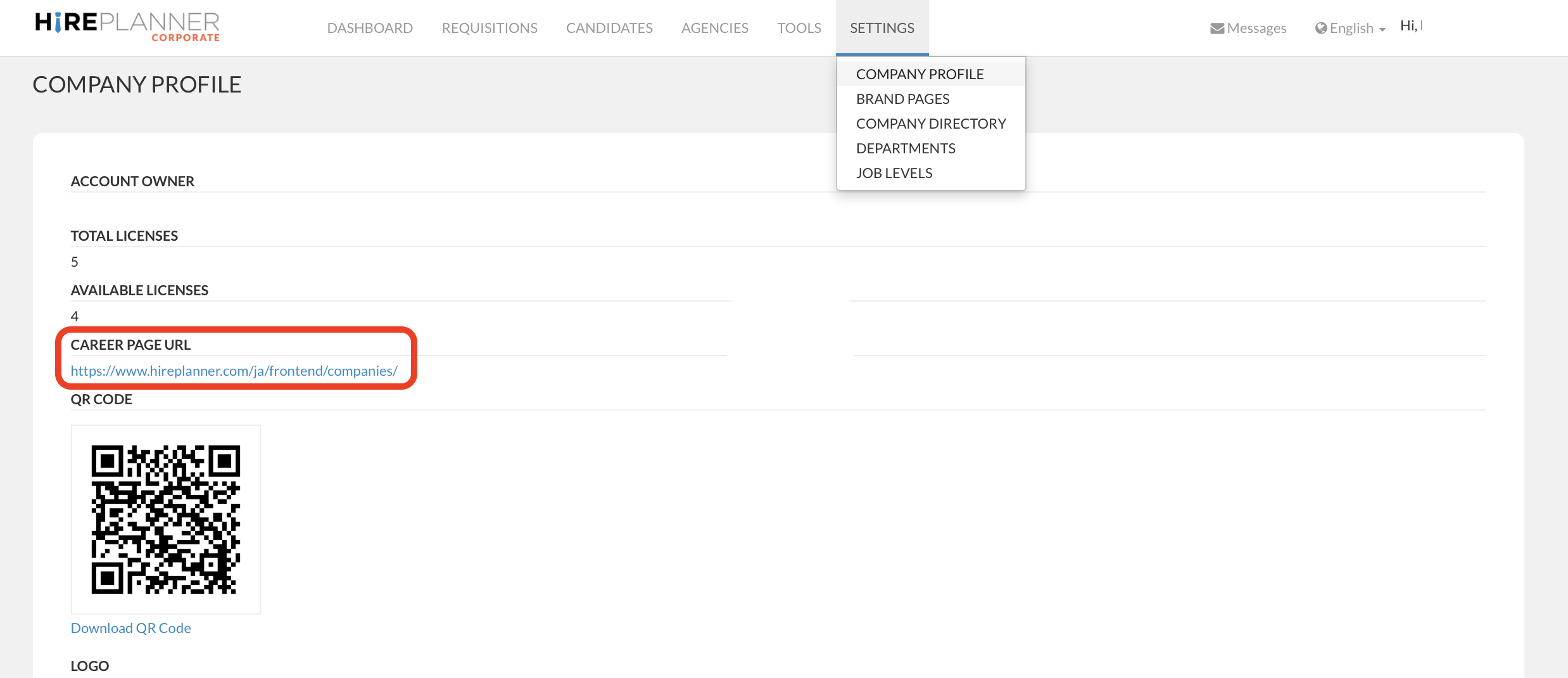
Click on the “SETTINGS” tab located on your top menu bar
-
Select “COMPANY PROFILE”
-
Click on the URL displayed below “CAREER PAGE URL" to view your job listing (see screenshot attached below).
CONNECT YOUR CAREER PAGE TO YOUR CORPORATE WEBSITE:
-
Copy the URL from your HirePlanner Career Page URL
-
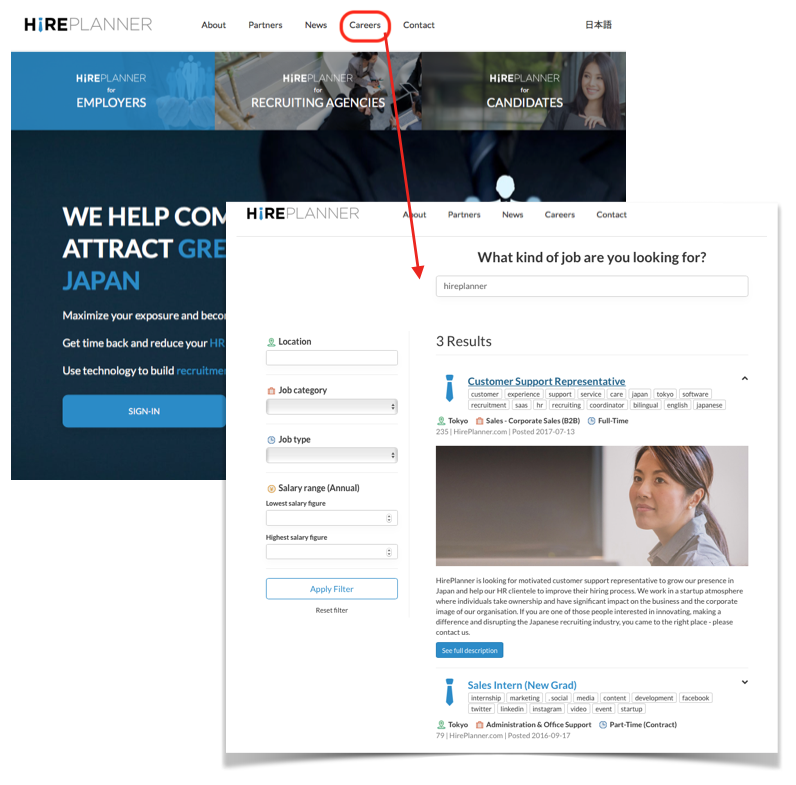
Share it to your Webmaster and have him/her create/update the "careers" link on your corporate website. Your "Careers" link should directly connect to the CAREER PAGE URL provided on your HirePlanner account.
-
Once the link on your website is updated, your candidates can access all your job opportunities and easily apply online.
Comments
0 comments
Article is closed for comments.