
STEP 1: You can submit your interview feedback in two ways:
A) You can click on the "PROVIDE FEEDBACK" link located on the invite notification email or on your calendar.
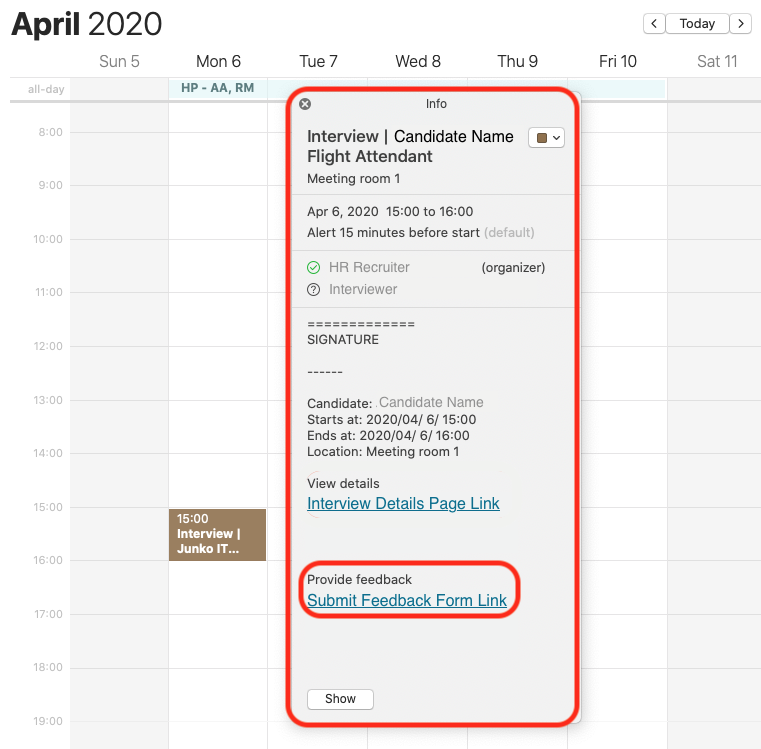
or
B) You can access your "TASK MANAGEMENT" area and click on the tab called "INTERVIEWS". From there, you will be able to access all your latest action items.
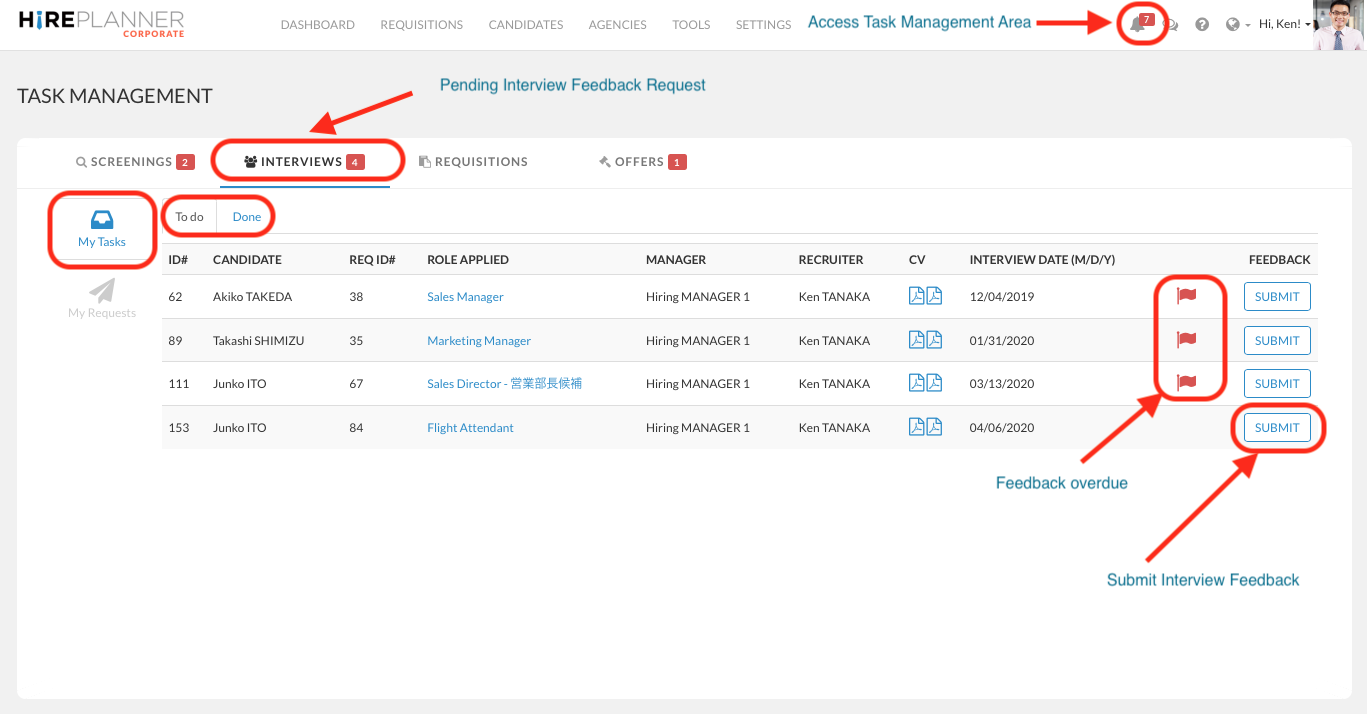
STEP 2: SUBMIT YOUR FEEDBACK
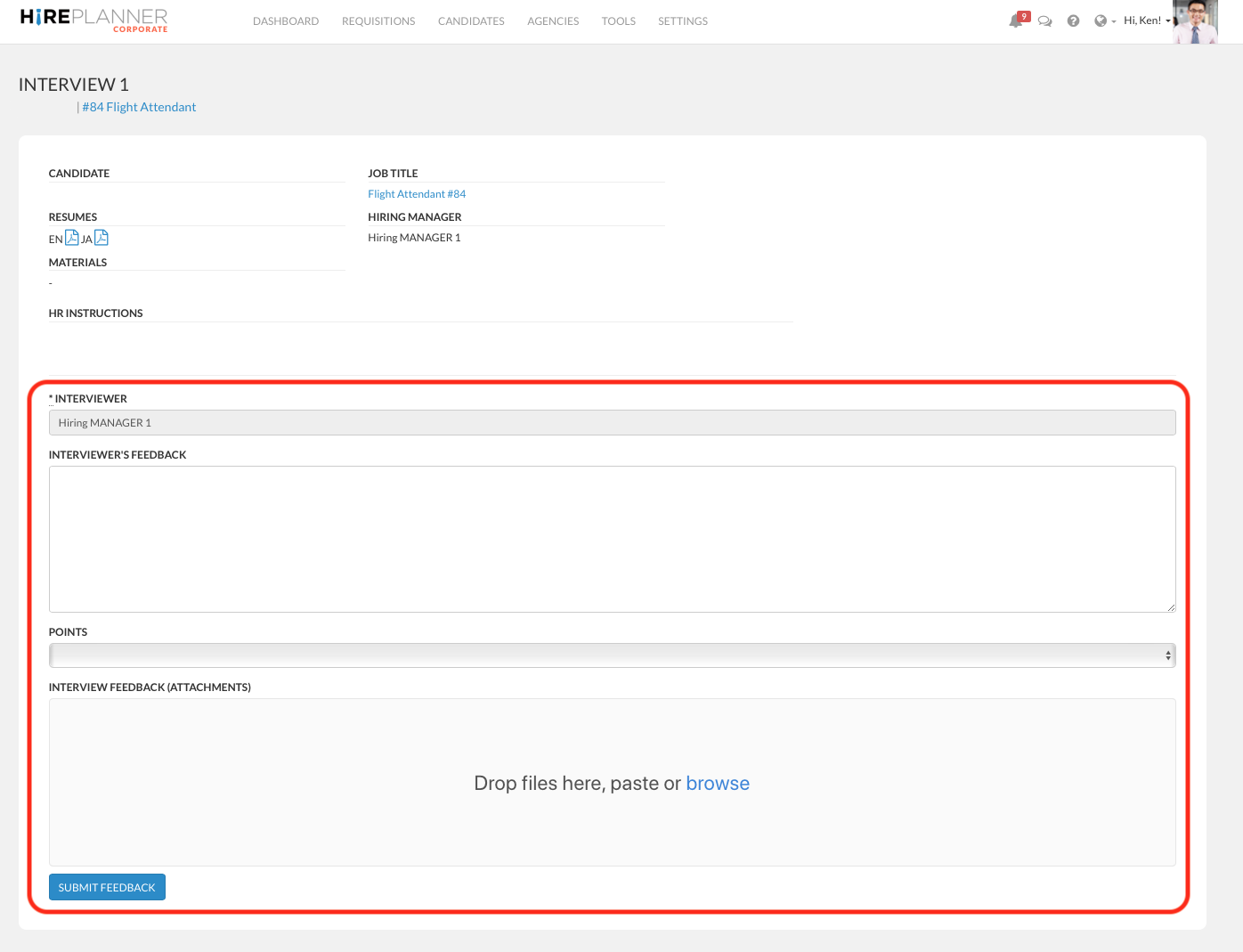
When the interviewer clicks on the "SUBMIT" link to provide their feedback, they will have access to the following form (see screenshot attached below).
Both the recruiter and the supporting recruiter in charge of the requisition will receive an email notification when the interviewer submits his/her feedback online.
Comments
0 comments
Article is closed for comments.