
On HirePlanner, you can customise your interview panel (List of interviewers) for a given requisition (job search). To create your interview panel, please follow the steps below:
STEP 1: Click on "REQUISITIONS" on the top navigation bar
STEP 2: Select the requisition of your choice by clicking on the "VIEW" buton
STEP 3: From the "DETAILS" tab of the requisition (where the job description fields are located), please scroll down to the "INTERVIEWERS (INTERVIEW PANEL)" field under the TEAM section.
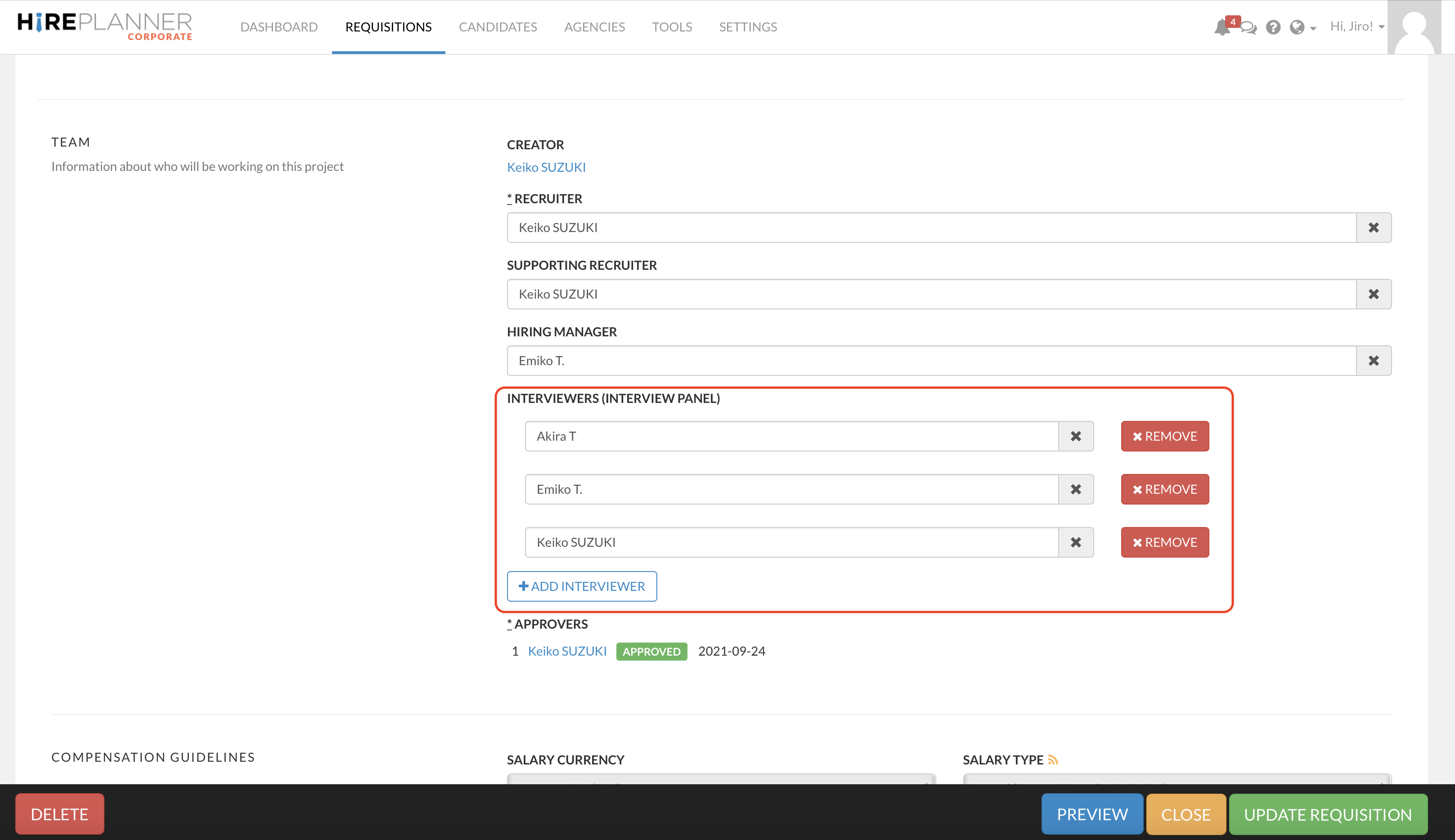
STEP 4: Click "UPDATE REQUISITION" to make sure to save your changes.
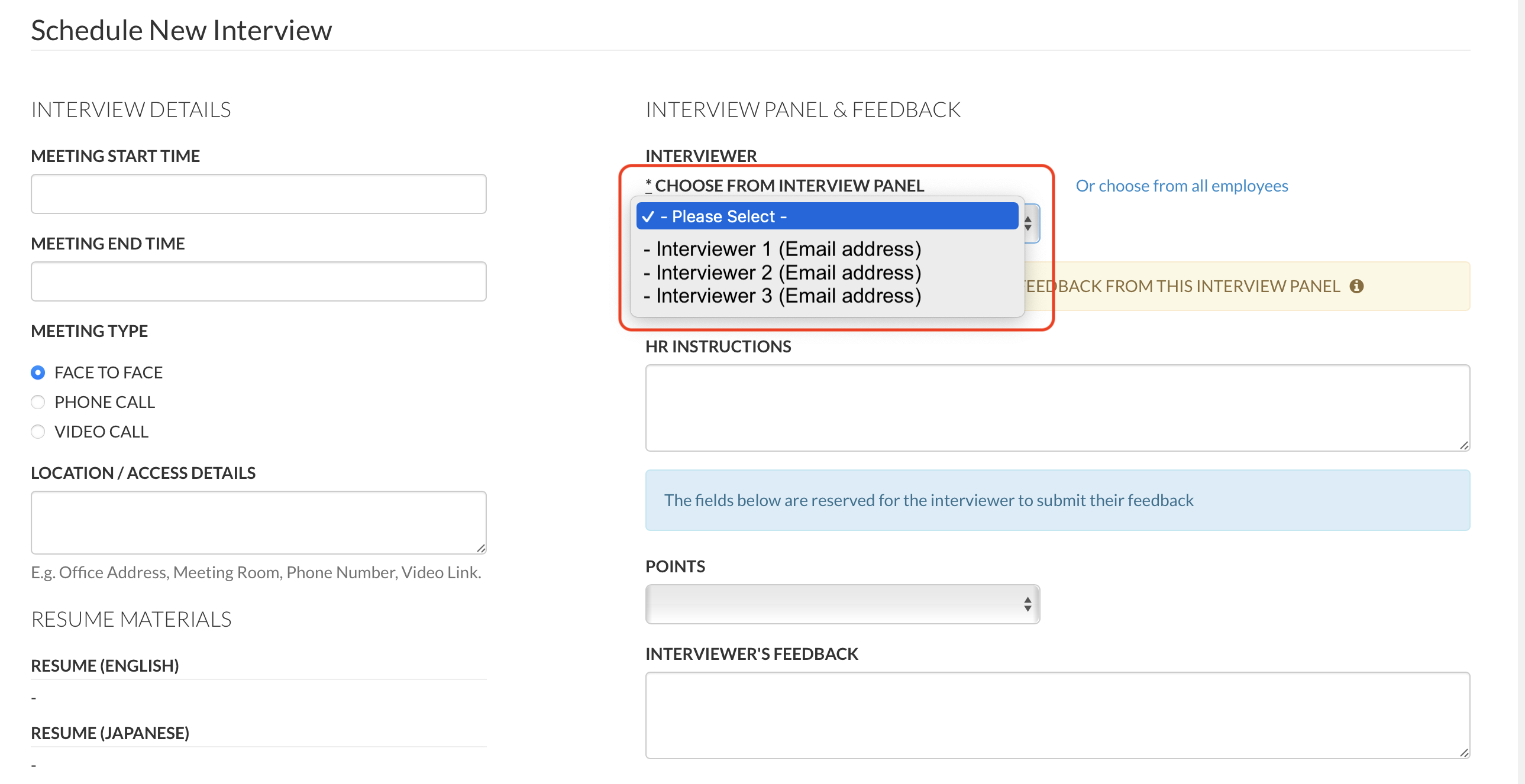
STEP 5: When you create an interview record, you will be able to select easily the adequate interviewer of your interview panel that appears in the "CHOOSE FROM INTERVIEW PANEL" drop down (see screenshot example attached below).
Comments
0 comments
Please sign in to leave a comment.