
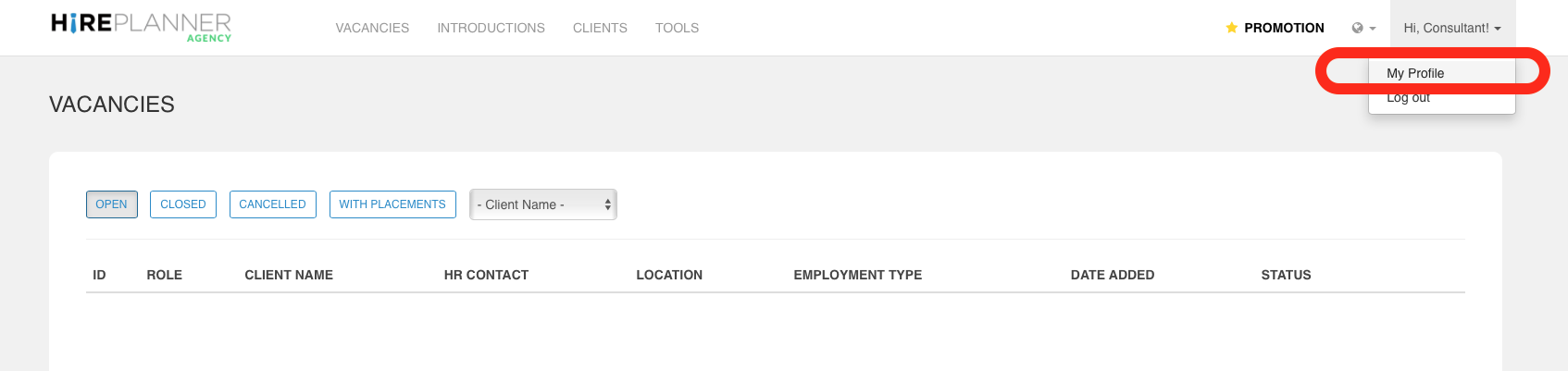
Once you are logged in your HirePlanner Agency account, please first start by updating your USER PROFILE by clicking on your name and then select “MY PROFILE” in the drop down menu.
!! IMPORTANT !!
Keep in mind that, once you start collaborating with your HR clients on HirePlanner (once you activate them), they will be able to view your profile details (Name, email address and speciality).
Your HR clients will then be able to more easily assign you relevant jobs based on your speciality and field of expertise.
For this reason, it is important for you to:
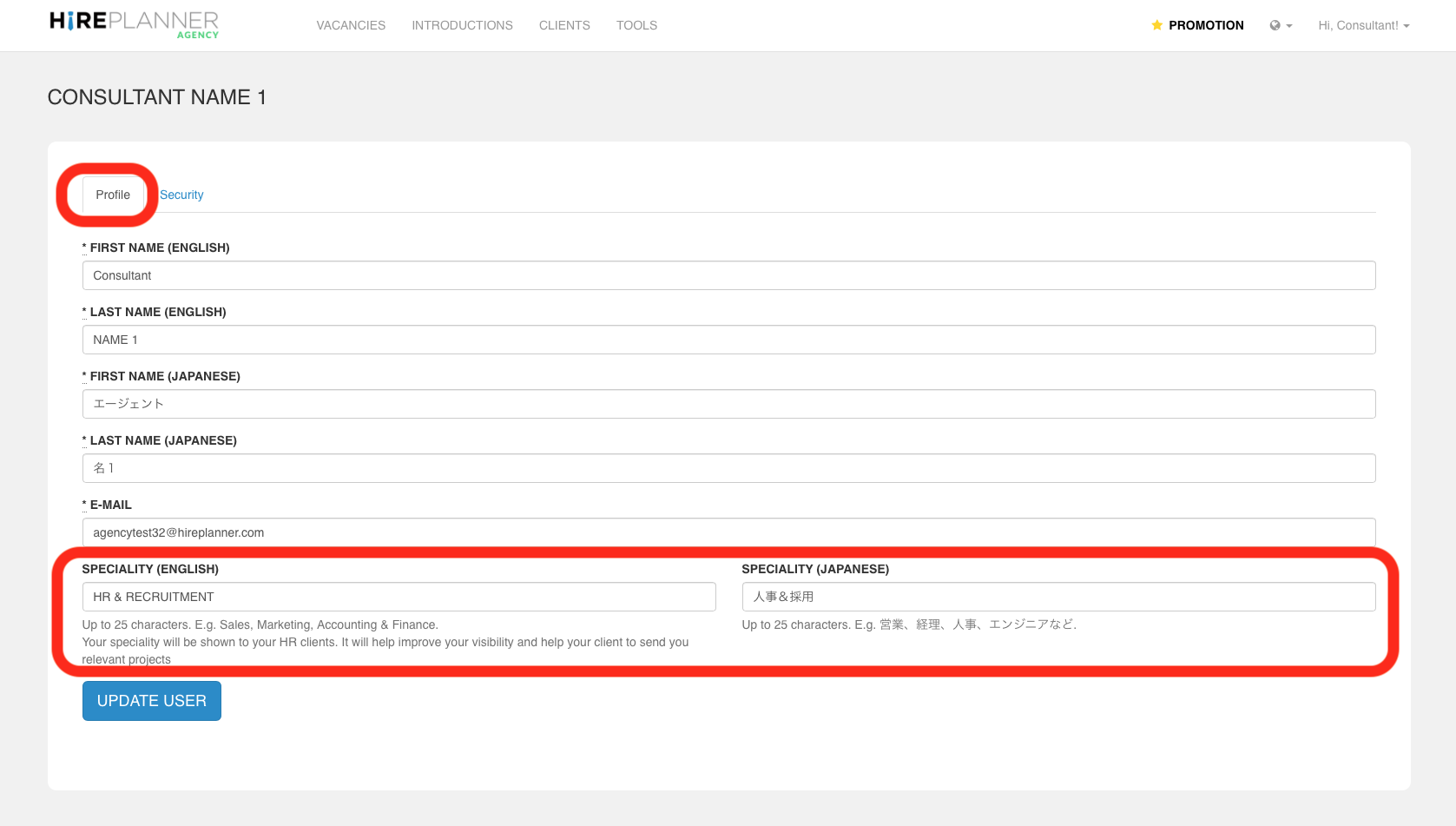
1) Fill out ALL THE FIELDS from your profile and indicate your SPECIALITIES.
If you do not indicate your speciality, HR clients may not assign any roles to you. If you do not specialize in any sector and would like to receive any type of roles, please type in something like “All” or “All specialities” so your HR clients understand it is the case.
2) Fill out all your information in both ENGLISH & JAPANESE
Most of our HR clients use HirePlanner in Japanese so we advise you to take the time to input your details in both English and Japanese. This will help your clients to more easily assign you the right search projects.
It all comes down to making things easier for your clients right?! :-)
HOW WILL IT LOOK ON THE HR CLIENT SIDE?
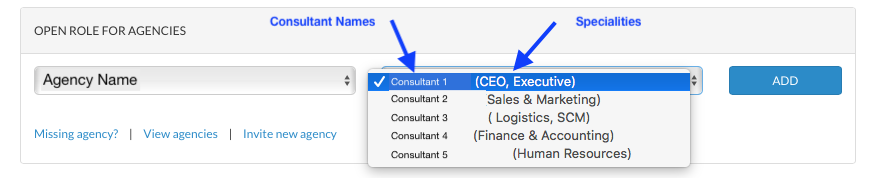
Once your consultant profile is up to date, your HR clients will be able to view your details as seen on the screenshot below.
When HR clients assign a new role to an agency consultant, they will:
1) select the agency,
2) select the consultant they wish to assign the role to
If you do not indicate a speciality, the space will appear as blank (making it difficult for your clients to know which job to assign you).
Comments
0 comments
Please sign in to leave a comment.