
EMPLOYER BRANDING has become more important than ever to attract and retain top talent in Japan. With the aging population and the decreasing volume of available talent in Japan, it's now critical for companies to get creative and invest time to brand themselves as an employer of choice.
With Hireplanner's branding pages, you can now easily create creative content, customize it to your corporate culture, promote your benefits and values, and present your organization in the most inspiring way.
The "BRAND PAGE" feature can only be created by the "Account Owner" or "Admin" user.
1) What can be displayed on my HirePlanner branding page?
2) How to create my branding page
3) What type of content should I include on my branding page?
===============================================
1) WHAT CAN BE DISPLAYED ON MY HIREPLANNER BRANDING PAGE:
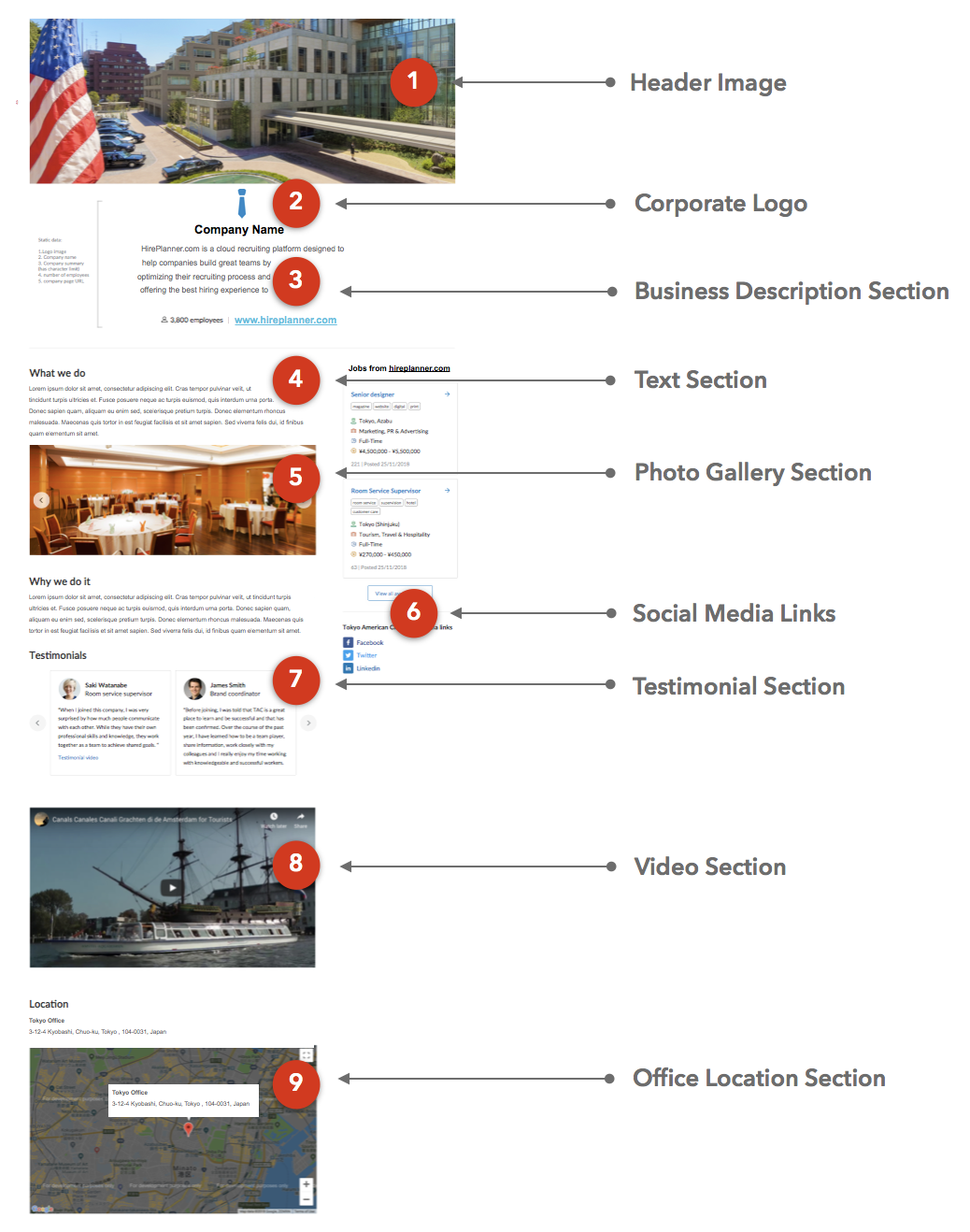
Career branding pages on HirePlanner are fully customizable (in both English and Japanese), mobile optimized and can include the following type of content:
- One image header (.jpg or png file up to 5MB)
- Your corporate logo
- A short description and introduction about your business
- Random text sections,
- Photo galleries,
- Social media links,
- Testimonials from employees,
- Videos links (from YouTube) and,
- Multiple office locations.
Think SEO (Search Engine Optimization) and keywords: When building your branding content on Hireplanner.com, please make sure to include keywords you would want to appear on search engine results when candidates search for them in Google. The most important keywords should be included in the content section titles.
===============================================
2) HOW TO CREATE MY BRANDING PAGE:
-
Login your HirePlanner account (as Account Owner)
-
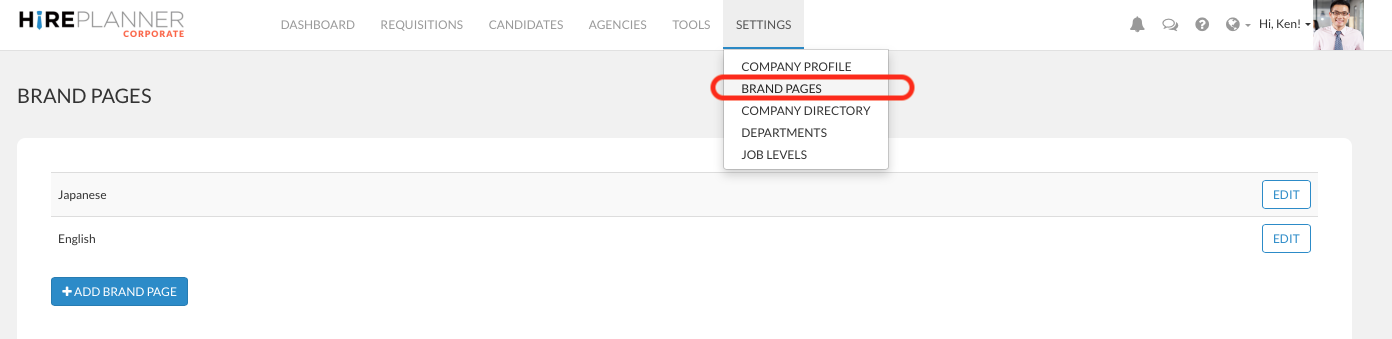
Click on the “SETTINGS” tab located on your top menu bar
-
Select “BRAND PAGES”
-
Click on the “ADD BRAND PAGE”
-
Select the “LANGUAGE” of your brand page and click “CREATE BRAND PAGE”
-
You are now ready to start creating great content for your candidates
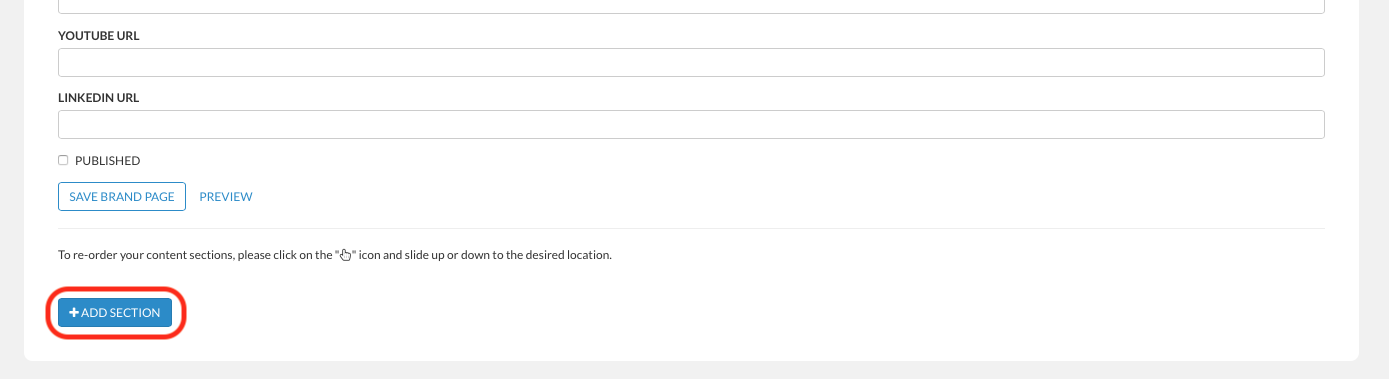
- To add a new content section, click on the blue button "+ ADD SECTION" at the bottom of the page.
- Select the type of content you would like to add in your branding page:
- Text
- Image Gallery
- Videos
- Testimonials
- Location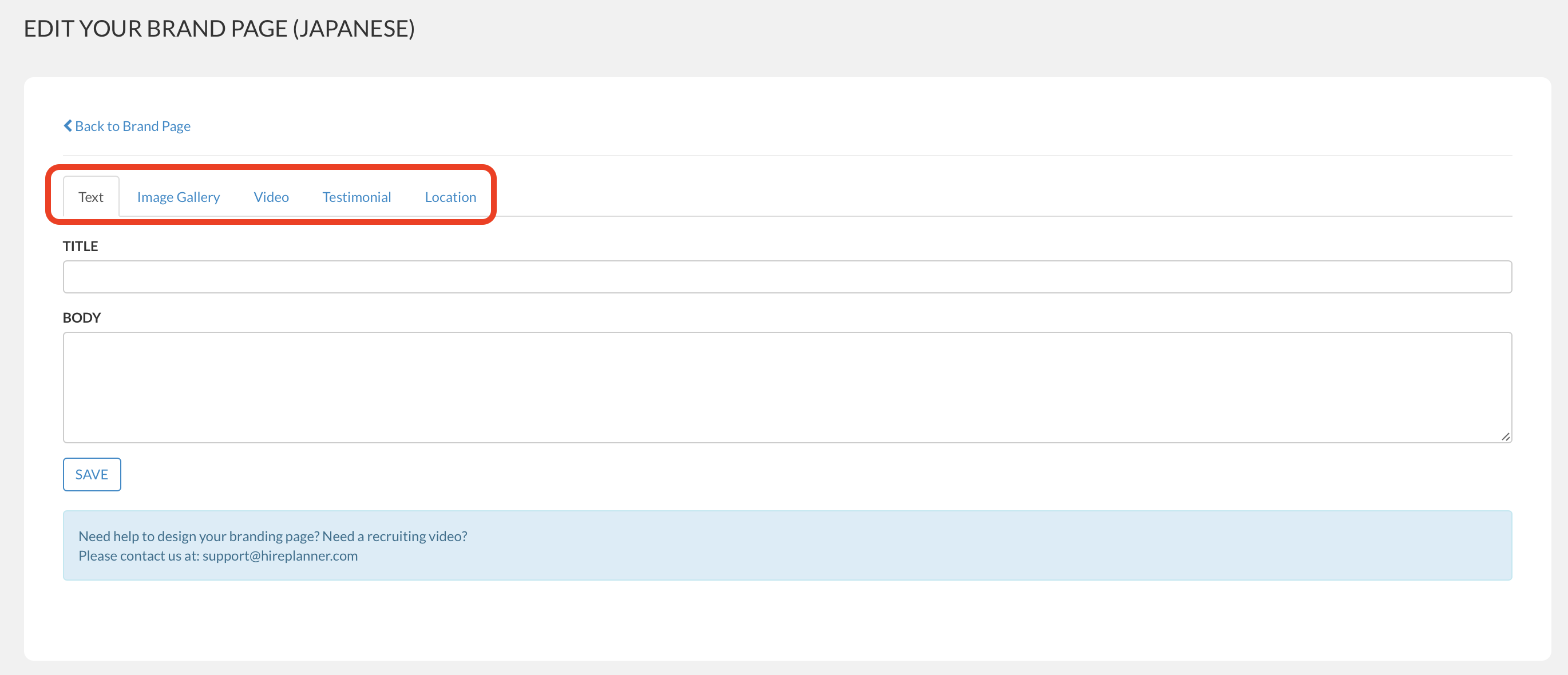
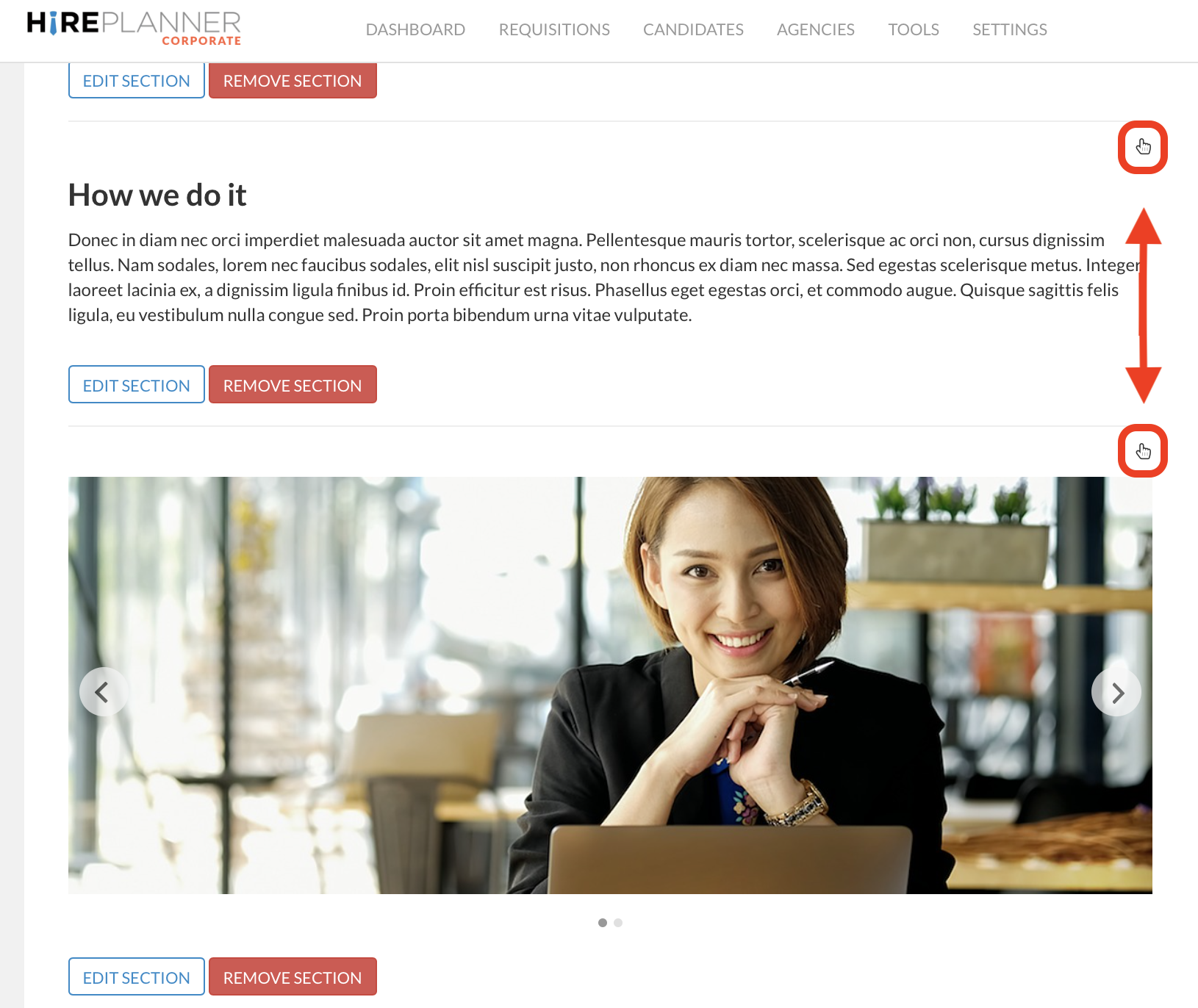
- If you wish to change the order of your content and move some sections up or down, please drag the "hand" mark located on the right hand side of the content section (see below).
-
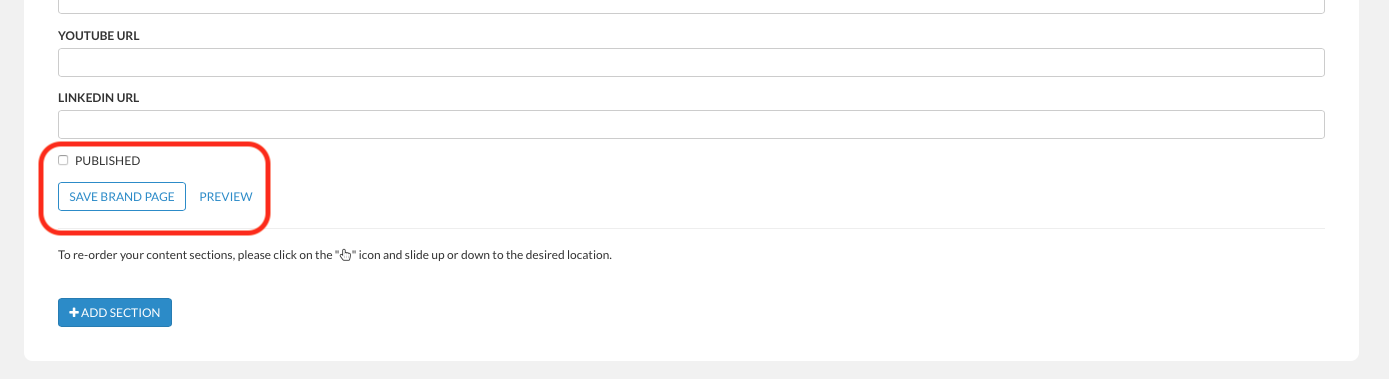
Once you are happy with your content and when you are ready to start advertising your brand page on your website and/or HirePlanner.com, please check the "published" check box and click on "SAVE BRAND PAGE".
When your branding page is published, it will be accessible to your candidates when they visit your career website or when they search for jobs on HirePlanner.com (See layout example attached below).
COMPANY BRAND PAGE EXAMPLE
===============================================
3) WHAT TYPE OF CONTENT SHOULD I INCLUDE ON MY BRANDING PAGE?
Introduce your company and explain what your business is about, which problem you are solving and how it impacts society. Make sure your candidates can understand what your business does in one single short paragraph.
Share your long term goals so that the candidates can understand your objectives and what you stand for. It's important to keep your vision concise and to the point. The easier it is for candidates to understand and support your vision, the higher the probability of them to apply.
Share photos of your working space: candidates do appreciate getting a glimpse of what your office looks like and where they would potentially work.
Don't hesitate to show your transparency and openness by sharing testimonials from your employees (or clients whenever suitable). This type of content is usually well perceived and can be very helpful in the process of building trust and re-assuring candidates before they apply online.
The location of your office could also influence your candidates in their decision to apply (or not) since it may impact their commute to work. We recommend you to display a Google access map to your office location to help candidates understand a) where their interviews will be taking place and b) where place of work will be located.
If you need any support or have any questions to build your branding page, please contact us anytime at support@hireplanner.com. We will be happy to assist you or introduce you our media partners (for video productions).
Comments
0 comments
Article is closed for comments.