
Once you are logged in your HirePlanner account, there are two ways for you to access and review your requisitions:
1- ACCESS FROM THE "DASHBOARD":
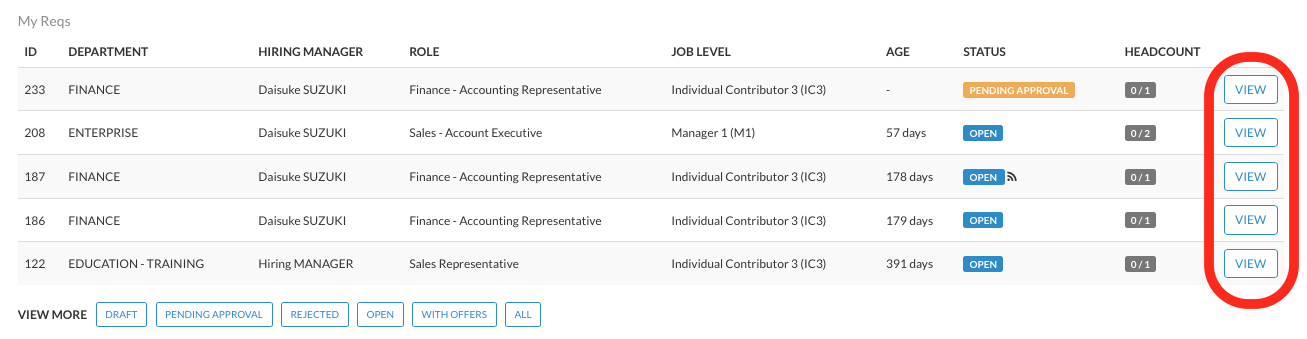
From the "Dashboard", click on the "VIEW" button located on the right side of the requisition you wish to access.
2- ACCESS FROM THE "VIEW REQUISITIONS" TAB:
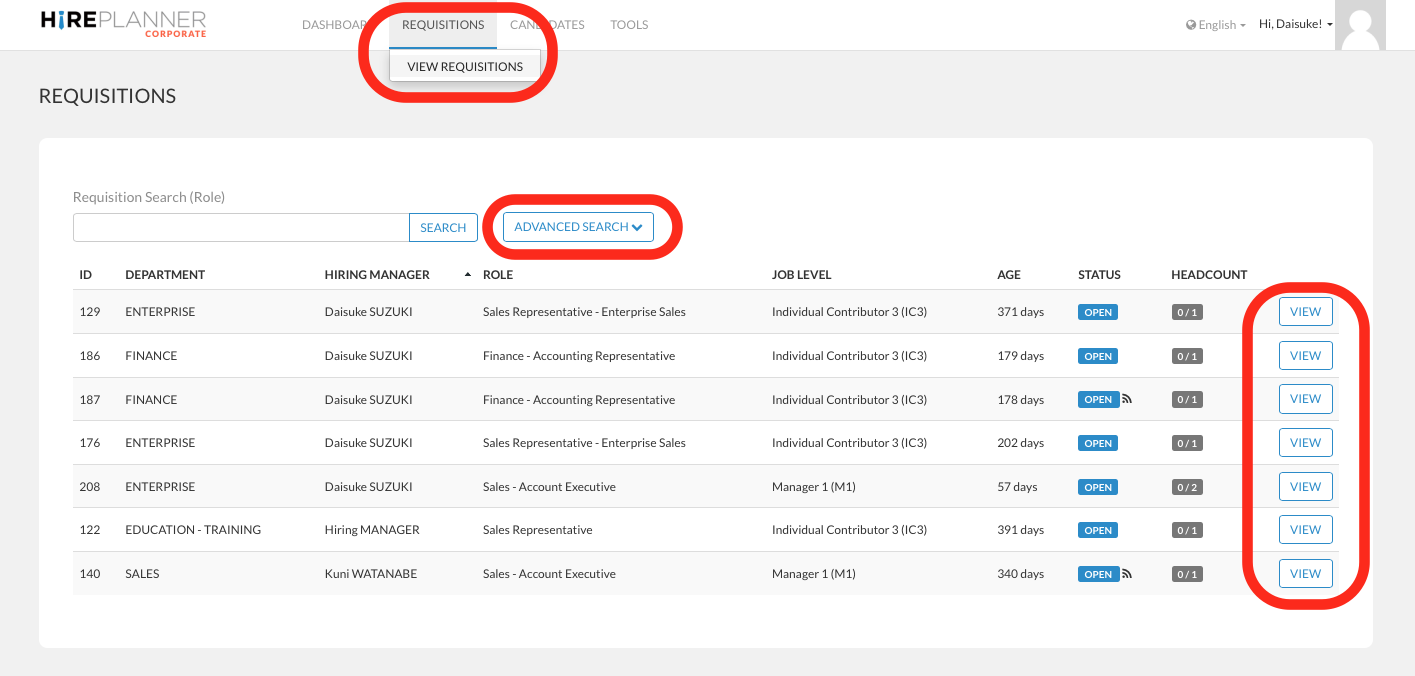
From the top menu bar, click on the "REQUISITIONS" tab and then select "VIEW REQUISITIONS" on the drop down.
From this section, you will be able to access all your requisitions
If you wish to sort your requisitions by their status, please click on "ADVANCED SEARCH" and select the status you wish to display on the search results.
When you have found the requisition you wish to access, click on the "VIEW" button located on the right side of the requisition you wish to review.
Comments
0 comments
Article is closed for comments.