
With HirePlanner, all hiring managers can easily access not only their requisitions' details but also their candidate pipeline for any requisitions at any time. As a hiring manager, you can now easily keep track of your HR team's efforts and review their progress in real time.
To access the candidate pipeline of a requisition, please first select the requisition of your choice (For more info on "How to access a requisition", please click is here).
1- CANDIDATES:
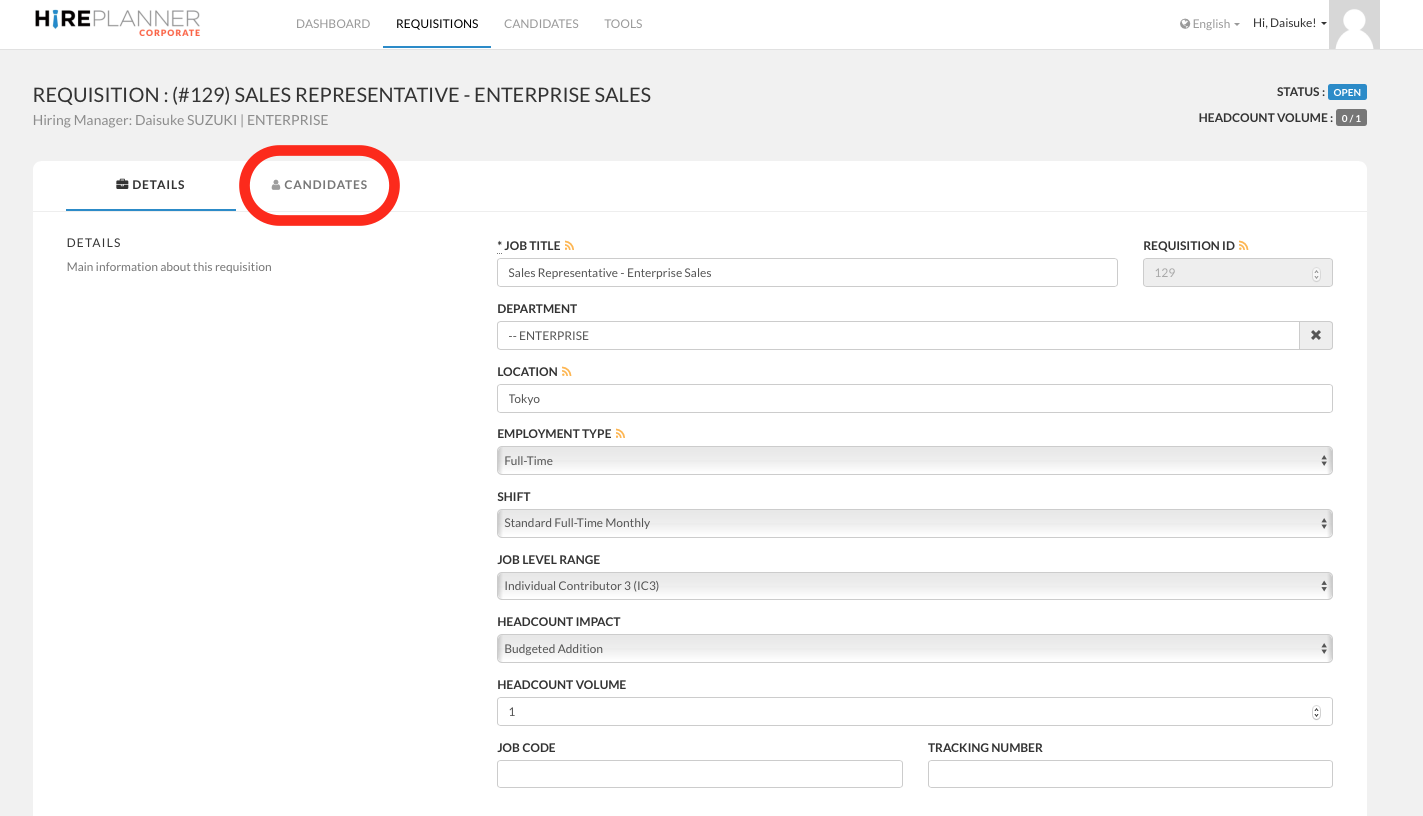
Once you have opened the requisition you wish to review, click on the "CANDIDATES" tab on the right side of the "DETAILS" tab.
2- CANDIDATE PIPELINE:
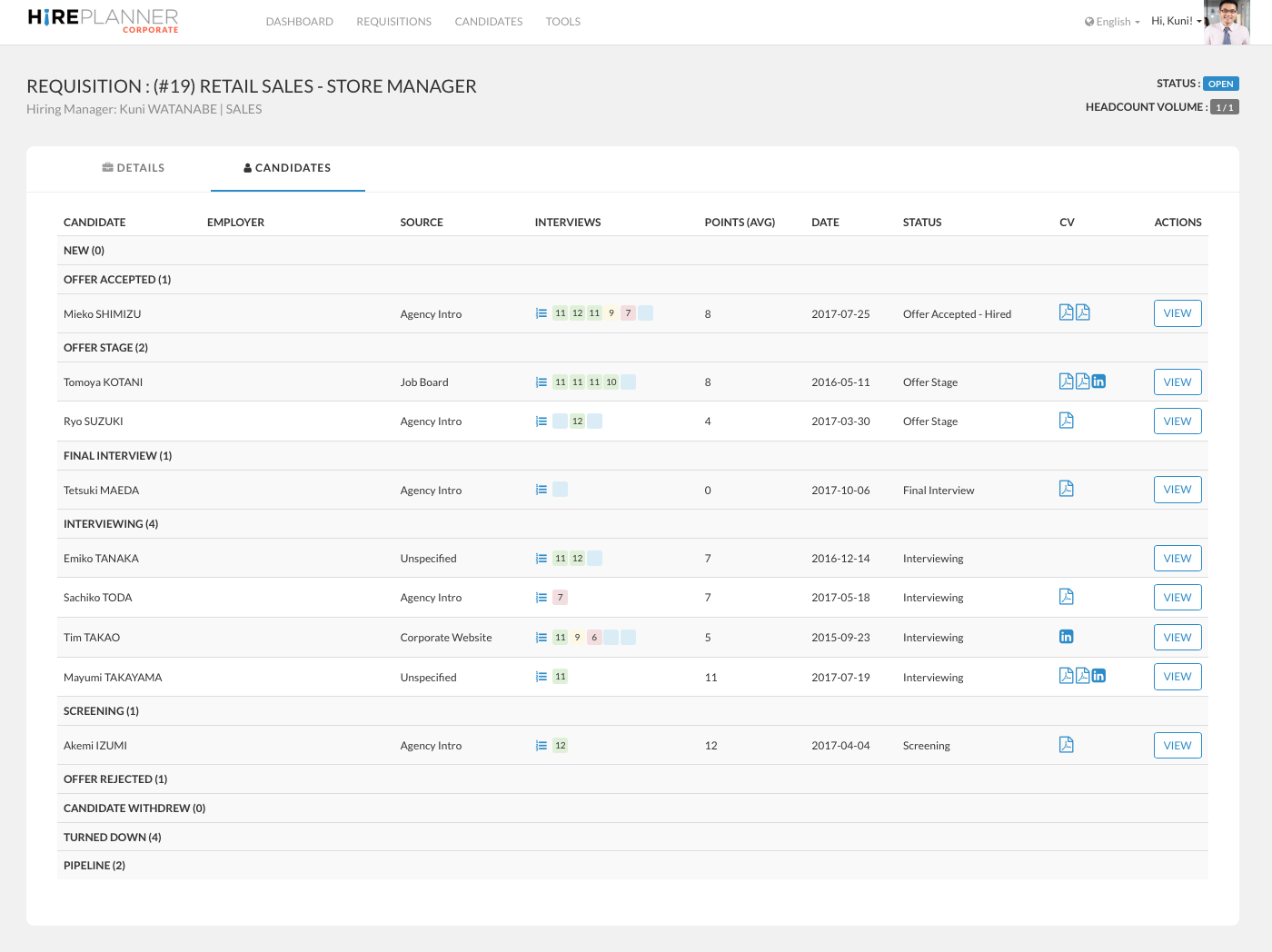
Under the "CANDIDATES" tab of the requisition, you will be able to review each candidate that has applied to your role and keep track of which stage they are at in the hiring process:
- New
- Screening
- Interviewing
- Final Interviewing
- Offer Stage
- Offer Accepted
- Offer Rejected
- Candidate Withdrew
- Turned Down
- Pipeline (candidates to keep in mind for future similar roles)
You will also be able to keep track of how many interviews have been conducted for each requisition and each candidate in the process (see "interviews" column on the screenshot attached below).
Comments
0 comments
Article is closed for comments.