
When checking one of your agency profiles, if you are missing one or several favorite consultants you would like to work with, not to worry!! You can invite easily add them onto your list of consultants by sending an email request to the "MAIN CONTACT" (person in charge) from the agency you have selected.
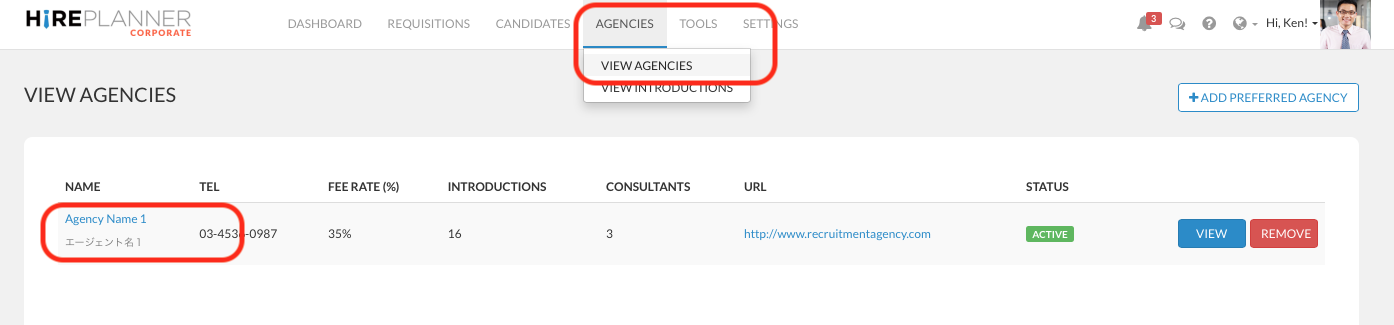
1) Click on the "AGENCIES" Tab from the top navigation menu
2) Click on the "VIEW AGENCIES" section that appears in the drop down
3) Click on the name of the agency you would like to add a consultant to
4) From the agency profile, please review the list of consultants the agency has already assigned to support you and determine the list of consultants you would like to add &/or remove from the list.
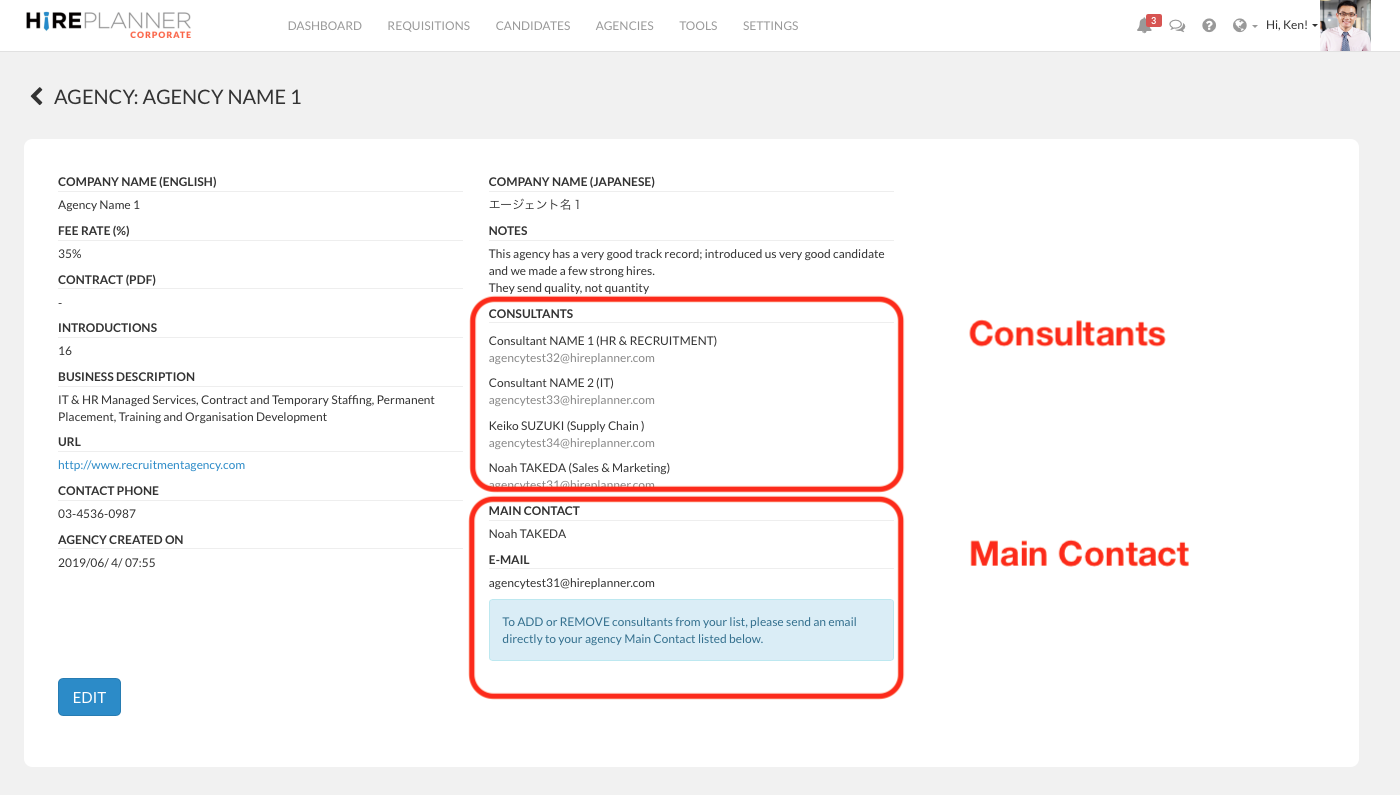
5) Send an email request to the MAIN CONTACT person and provide them with the name and email address of the consultants you would like add or remove.
6) The MAIN CONTACT person from the agency will then make the necessary changes and update the list of consultants assigned to support you with your recruitment needs.
7) If the agency you are contacting is not responsive, please contact us at: support@hireplanner.com
Comments
0 comments
Article is closed for comments.