
To disconnect your calendar from hireplanner, please follow the steps described below:
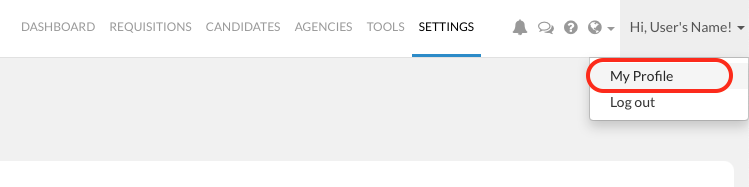
1) Click on your "First Name" on the top right hand side of the navigation bar
2) Click on "My Profile"
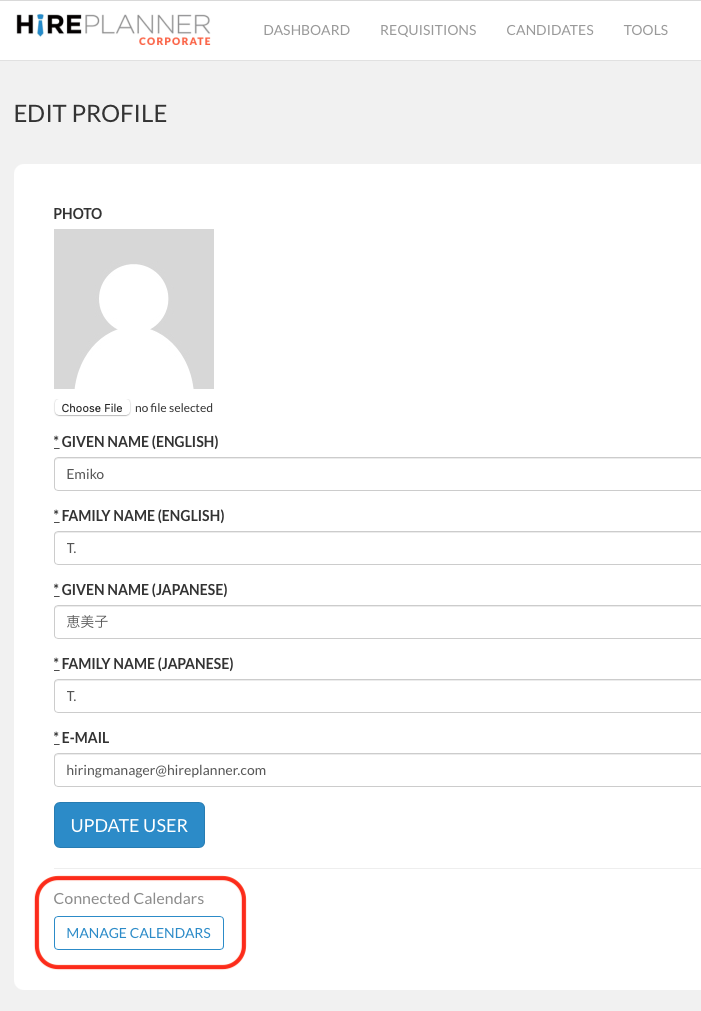
3) Scroll down to the bottom of your user profile and click on "MANAGE CALENDARS" under the section called "Connected Calendars".
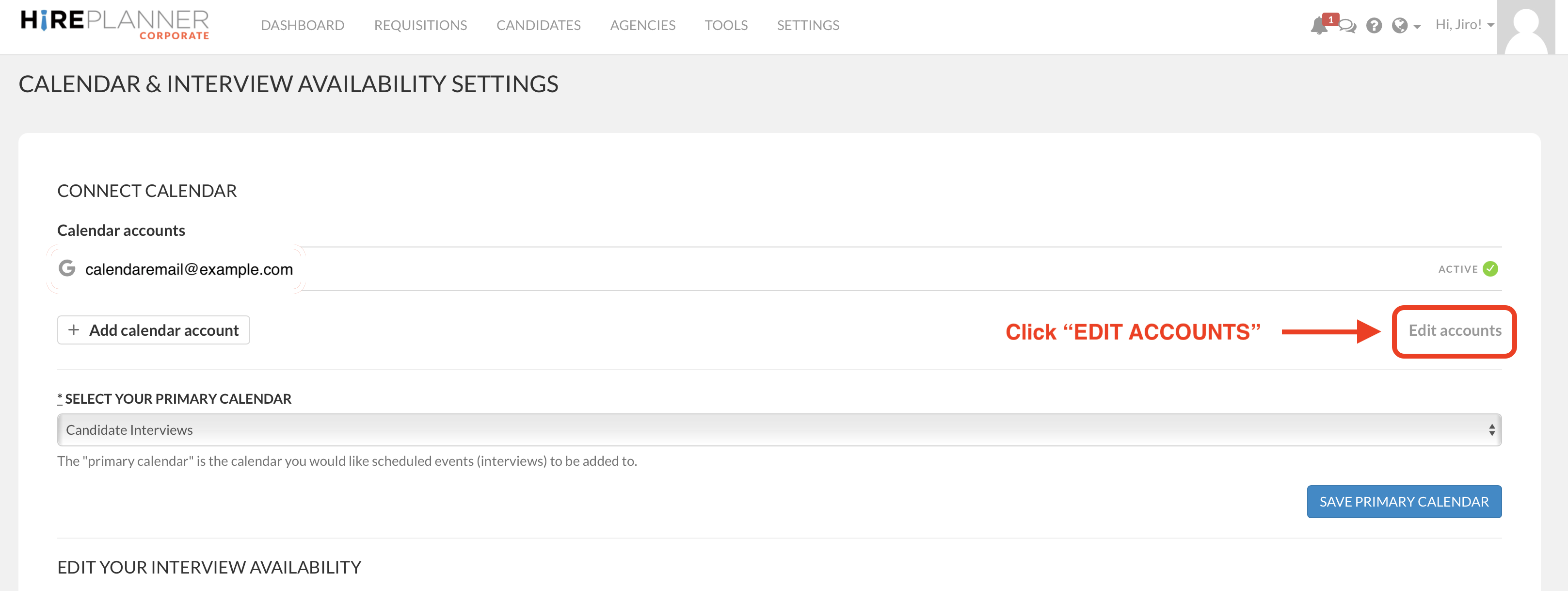
4) Click on "EDIT ACCOUNTS"
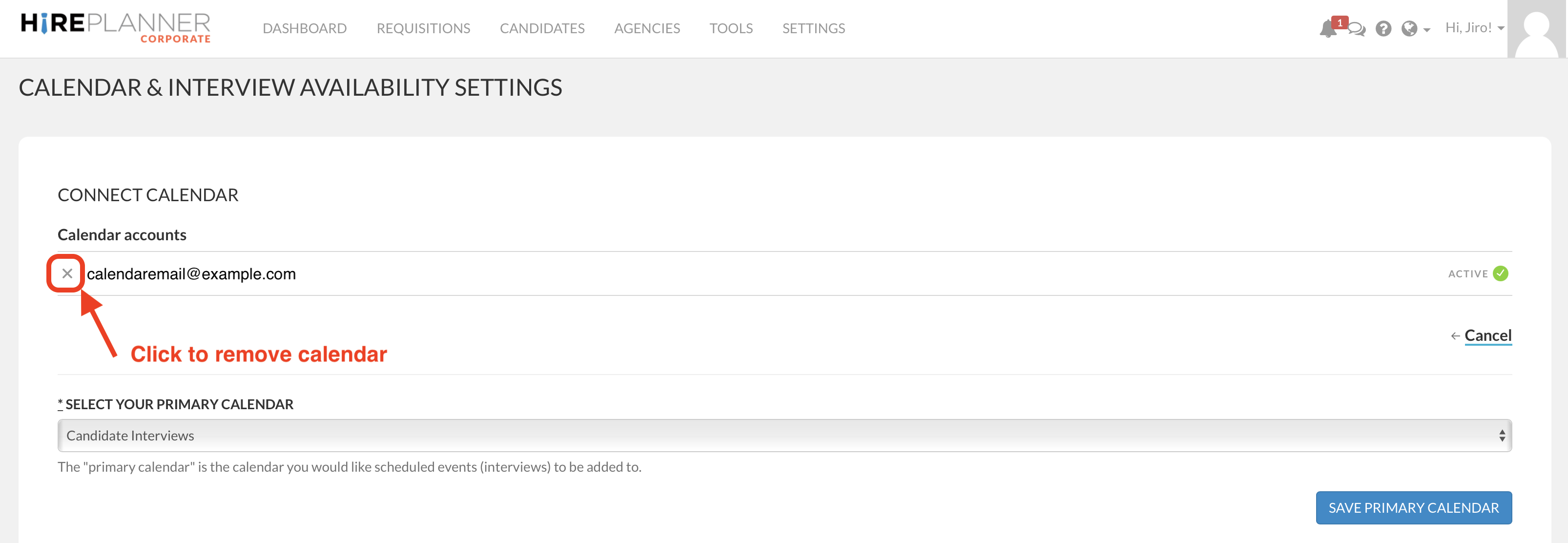
5) Remove the calendar by clicking on the cross (see visual attached below)
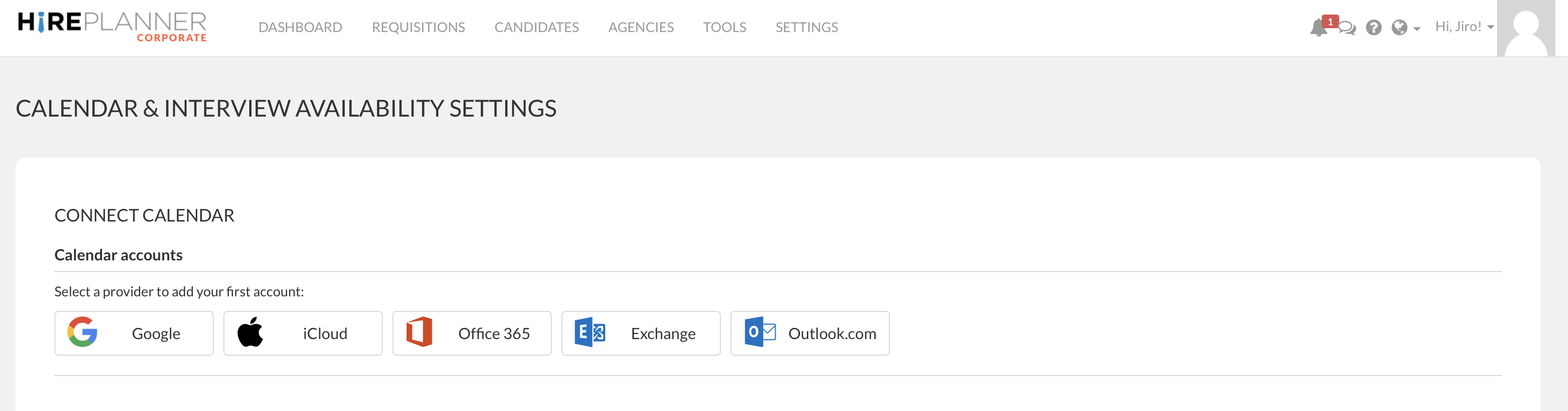
6) After your removed all your connected calendar, your screen should look as attached below (as it was originally).
Comments
0 comments
Please sign in to leave a comment.