
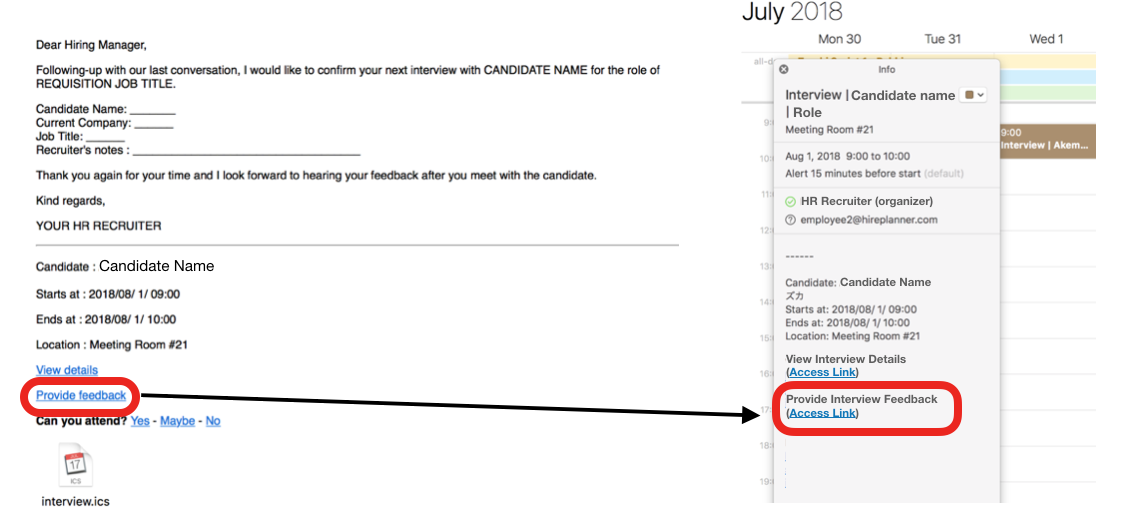
You can submit your interview feedback from either the email notification you received from your HR Recruiter or from the calendar invite you have added onto your schedule (see attached below).
SUBMIT INTERVIEW FEEDBACK
To submit your Interview Feedback:
1) Click on the "Provide Feedback" link (on your email notification or on your calendar invite)
2) Sign-In your HirePlanner.com account
3) Submit your candidate feedback after your interview is complete.
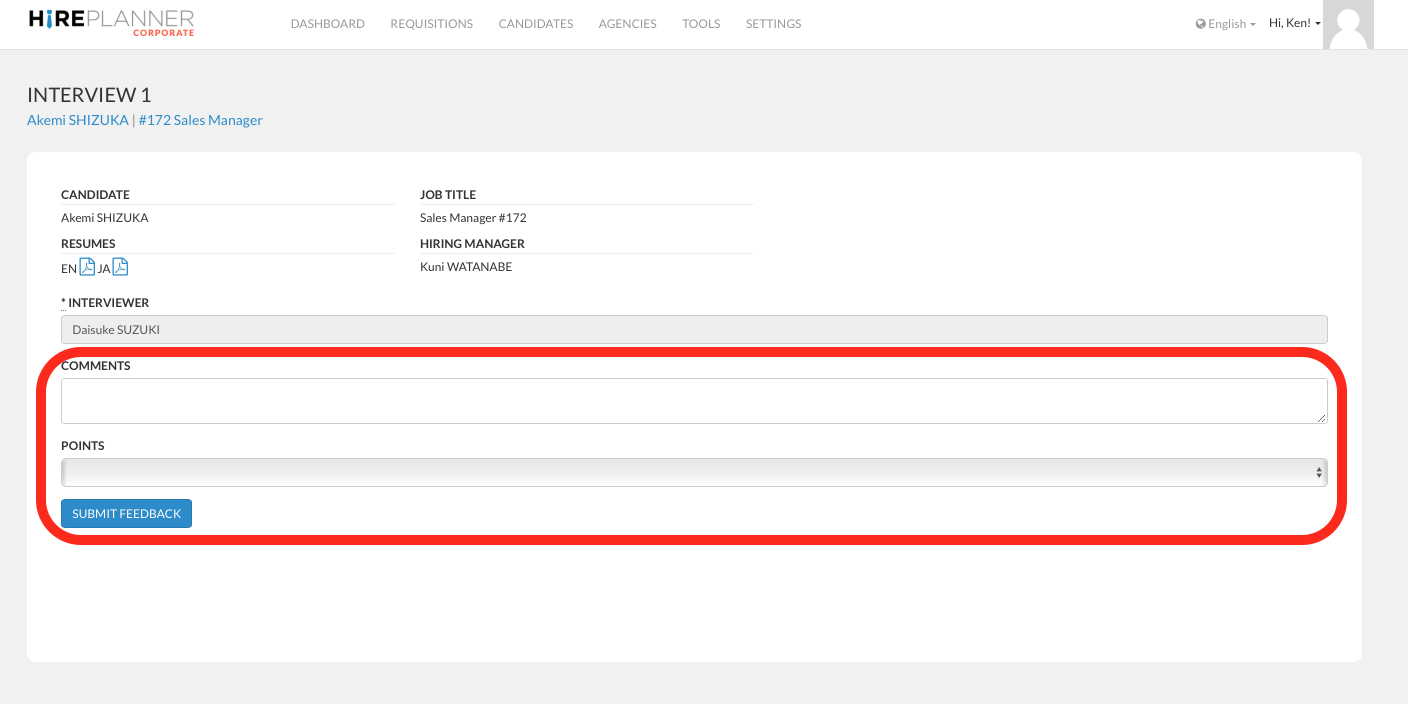
When providing your candidate feedback to your HR, please remember to keep constructive and professional in nature. Your comments should conform to your company's rules and regulations.
We advise you to avoid making any defamatory, offensive, derogatory, racial, gender oriented, religious and/or politically oriented comments that may reflect poorly on the company and your business partners.
When sending your feedback, an email notification will be sent to the HR Recruiter in charge to let them know you have added your interview comments.
For confidentiality reason, by default, the feedback you submit on a candidate interview will only be shared with the Hiring Manager of the role and the HR Recruiter in charge. Other members of the interview panel will not have access to your feedback via the system.
GRADING YOUR INTERVIEW
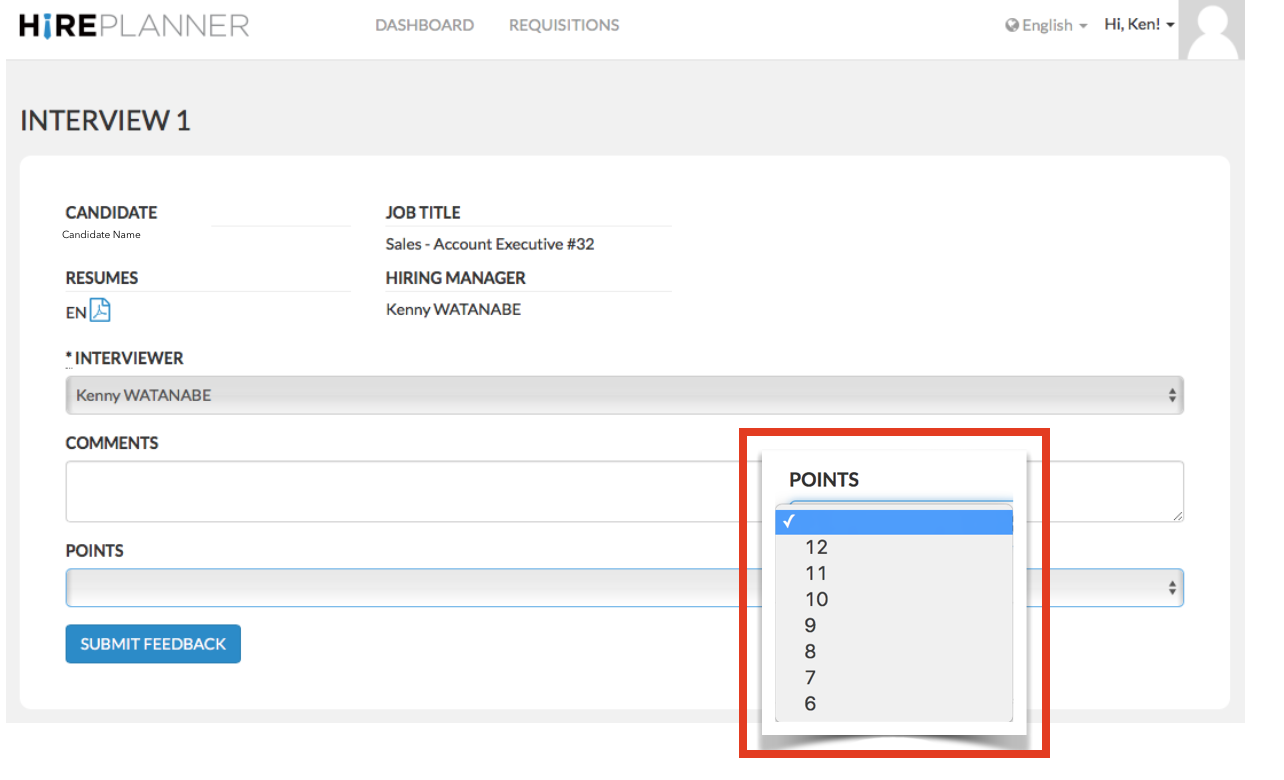
The default grading system we provide is a very simple one. It rates from 6 to 12. We call it the “Thumbometer” where the lowest rating would indicate 6 o’clock (Thumbs Down) and the highest rating would refer to 12 o’clock (Thumbs Up).
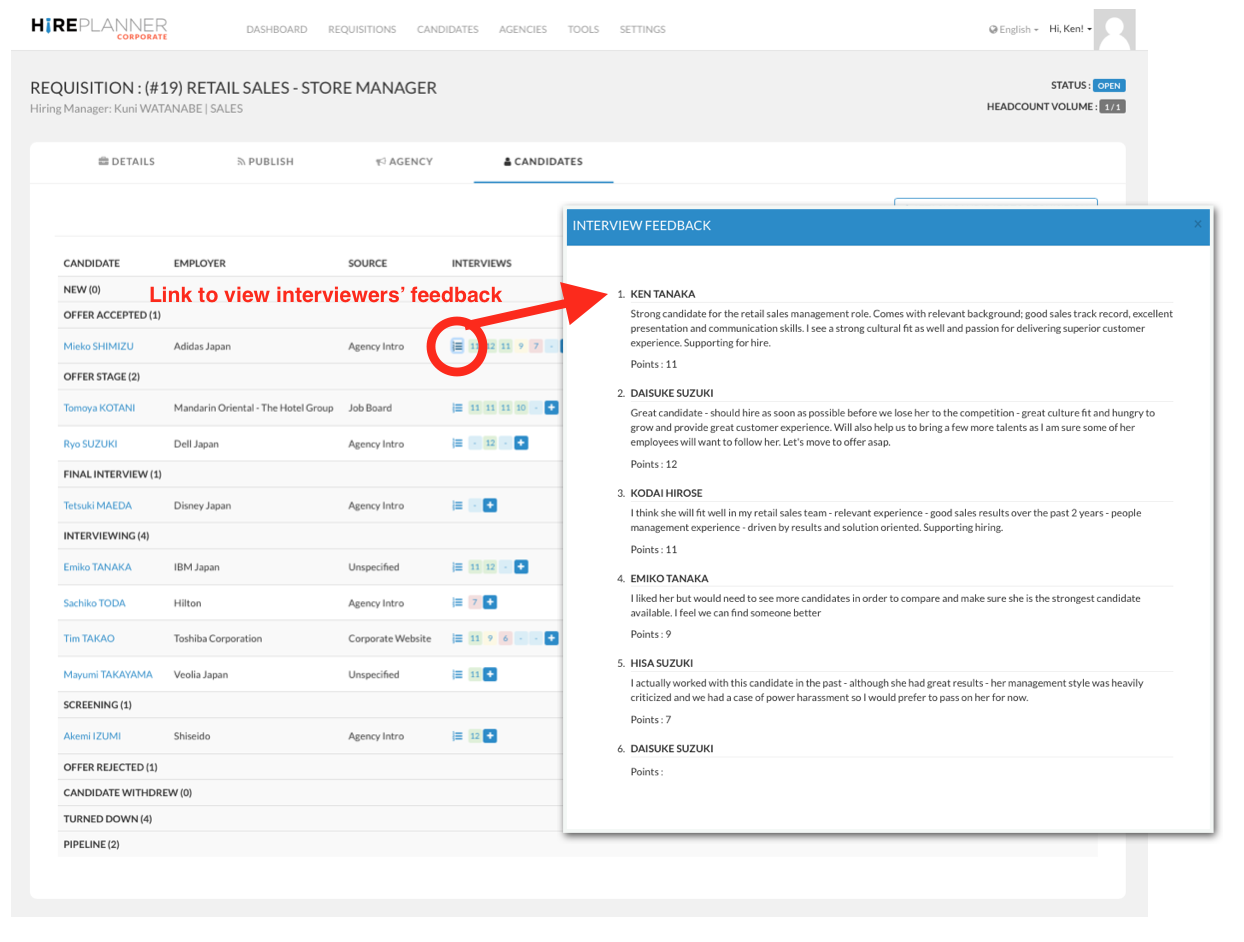
Once the grades and comments are submitted into the system, you will notice that they will be colour coordinated based on the rating that has been assigned.
- The lowest rating (6 to 8) will be marked as red,
- The average rating (9) will be marked as yellow and,
- The highest rating (10 to 12) will be marked in green (see screenshot attached below for reference).
Comments
0 comments
Article is closed for comments.