
From the HirePlanner system, your HR recruiting team will be able to send you "interview meeting invites".
An interview invite may include access to confidential information such as:
- The name of the candidate you are invited to interview
- The role he/she is being interviewed for
- A link to his/her resume
- The date, time and location the interview will be taking place
1- RECEIVE INTERVIEW INVITE:
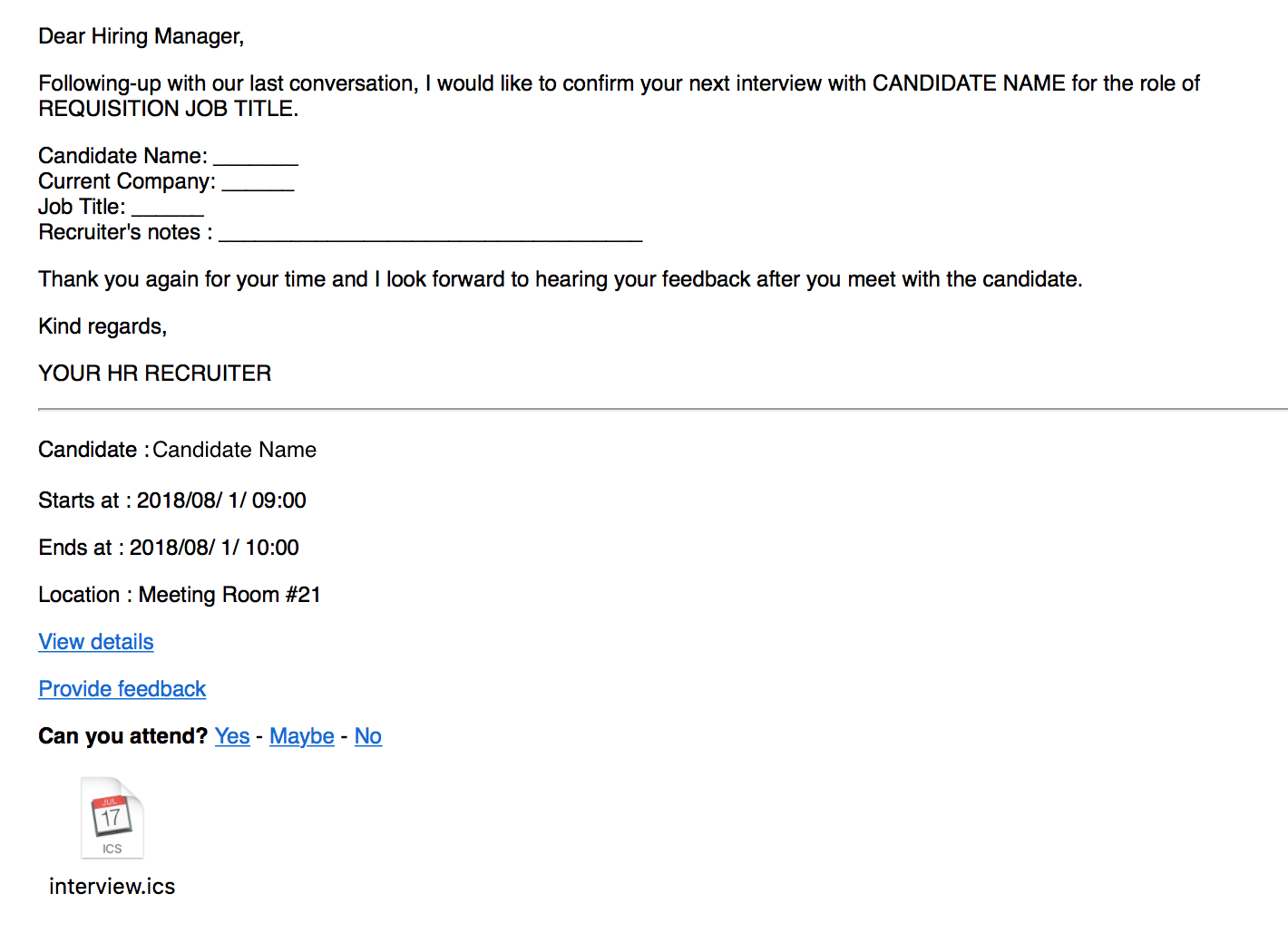
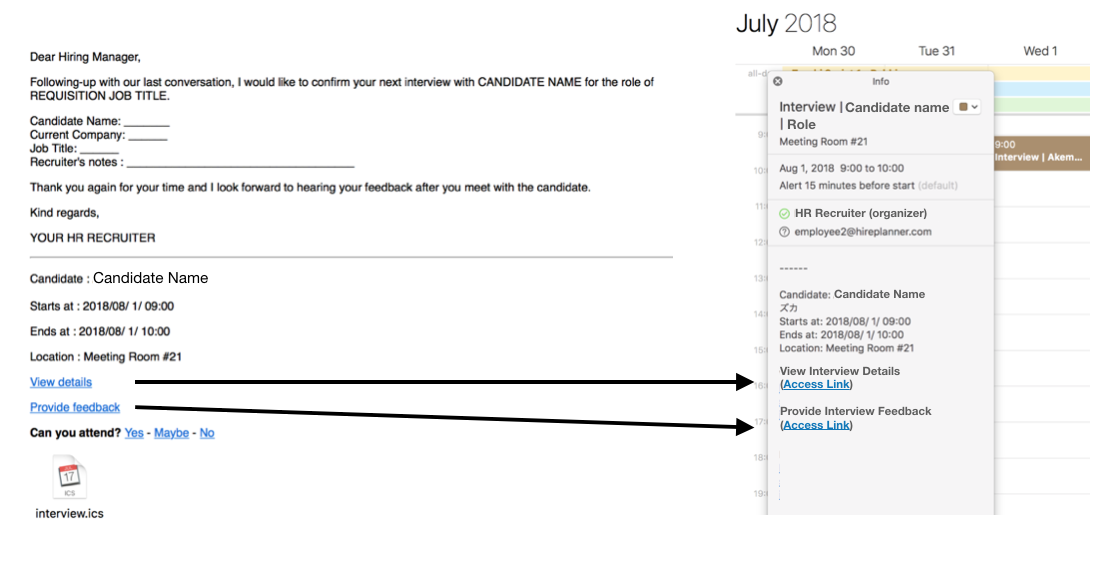
Each time your HR recruiter sends you an interview invite, you will receive an email notification which includes:
1- a copy of the message from the recruiter followed by
2- the interview schedule details (Candidate Name, Location, Date and Time),
3- a link to access all the interview details (including the candidate's resume files)
4- a link for you to submit your feedback online after your meeting with the candidate
5- a link for you to confirm you will be able to attend the interview event
6- a link for you to add the interview event to your calendar
2- ACCEPT INTERVIEW INVITE:
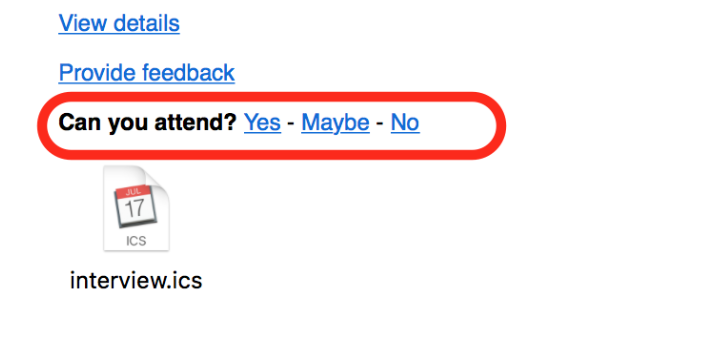
To accept the interview invite, click on "YES" next to the "Can you attend" question. This will let your HR know that you are confirmed to attend the interview.
3- ADD INTERVIEW DETAILS TO CALENDAR:
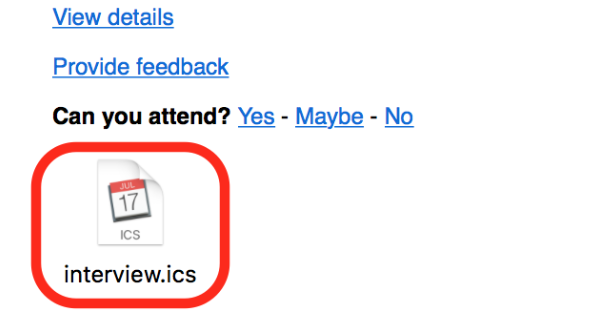
To block your schedule and add your interview invite onto your schedule, double-click on the "Interview.ics" icon.
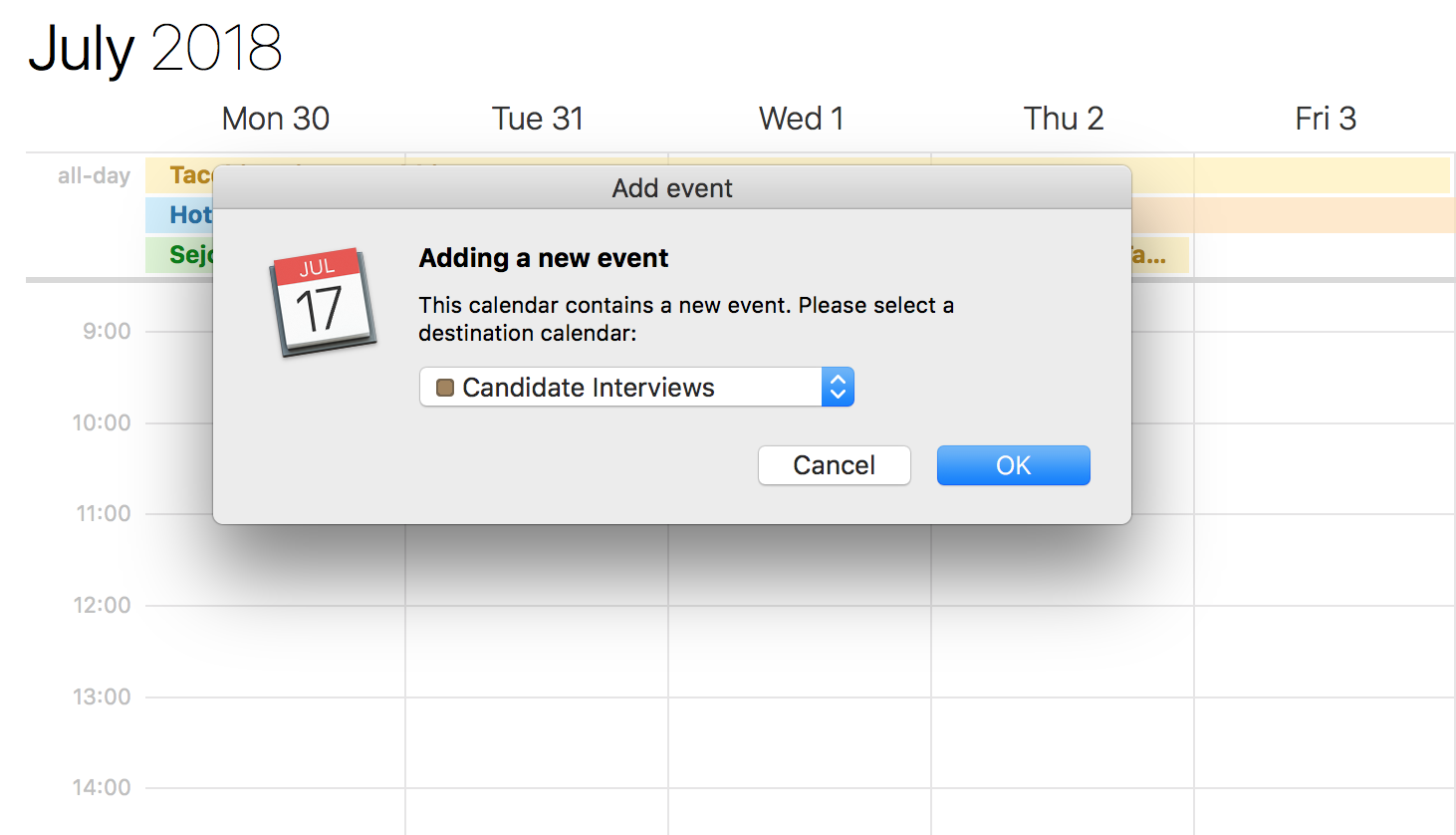
And add the interview to your calendar
Comments
0 comments
Article is closed for comments.