
You can access your interview event details page from either the email notification you received from your HR Recruiter or from the calendar invite you have added onto your schedule (see attached below). 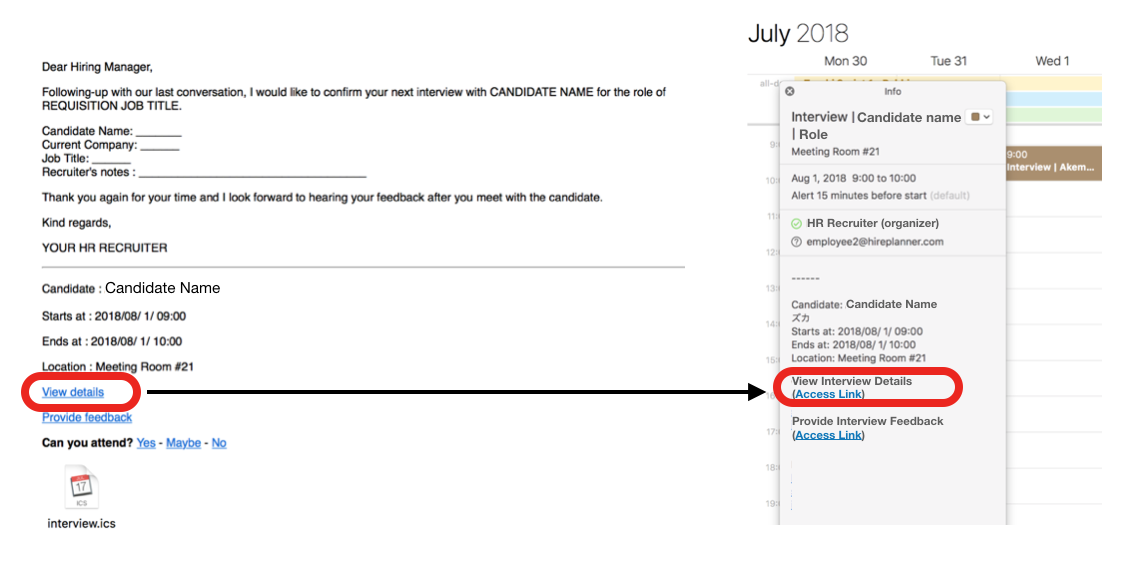
ACCESS YOUR INTERVIEW DETAILS
To access your Interview Details:
1) Click on the "View Details" link
2) Sign-In your HirePlanner.com account
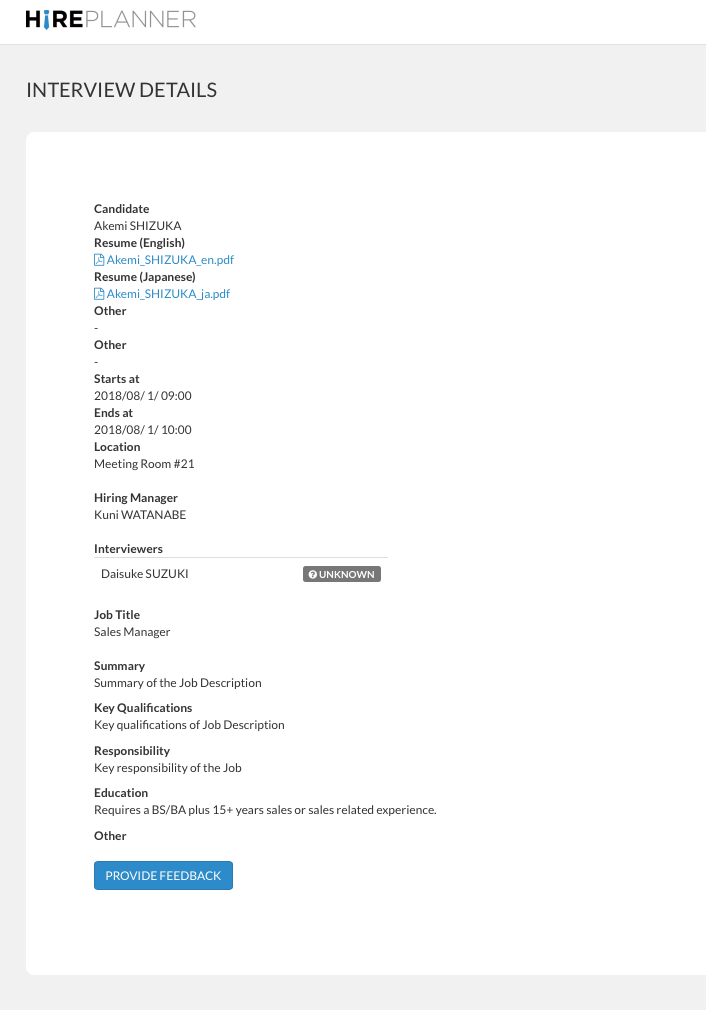
3) Review your interview event details and prepare for your meeting beforehand.
Your interview details page will include the following information:
- Name of the candidate to interview
- Resume of the candidate
- Meeting date and time
- Location details
- Hiring manager (person in charge of the role you are interviewing for)
- Name of the interviewer(s)
- Job description about the role for your reference
and,
- A link to submit your feedback after the interview meeting
Comments
0 comments
Article is closed for comments.