
Please note that this section is accessible and can be modified ONLY by the "Account Owner" or the "Administrator" user of your company. If you are a recruiter user without "Admin" access rights, you will not be able to access this part of the website.
When you create or edit a department, you will have the possibility to assign a manager to the department that is being created.
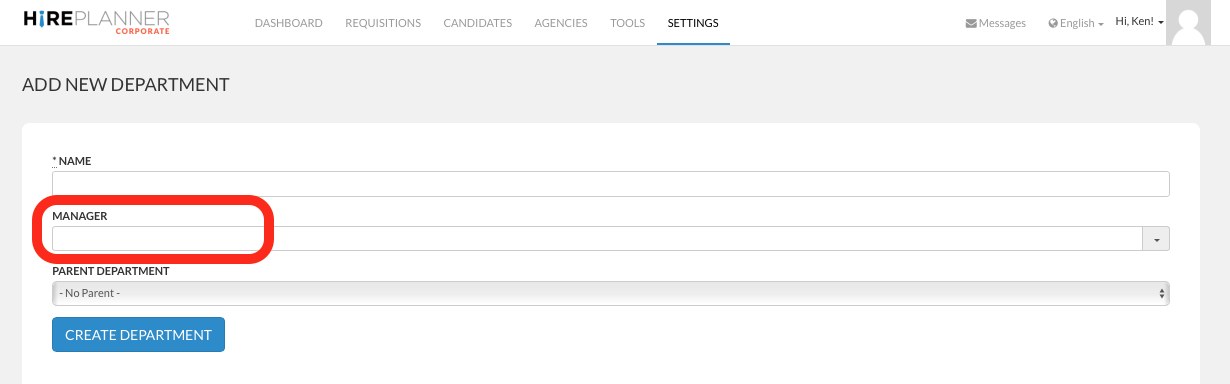
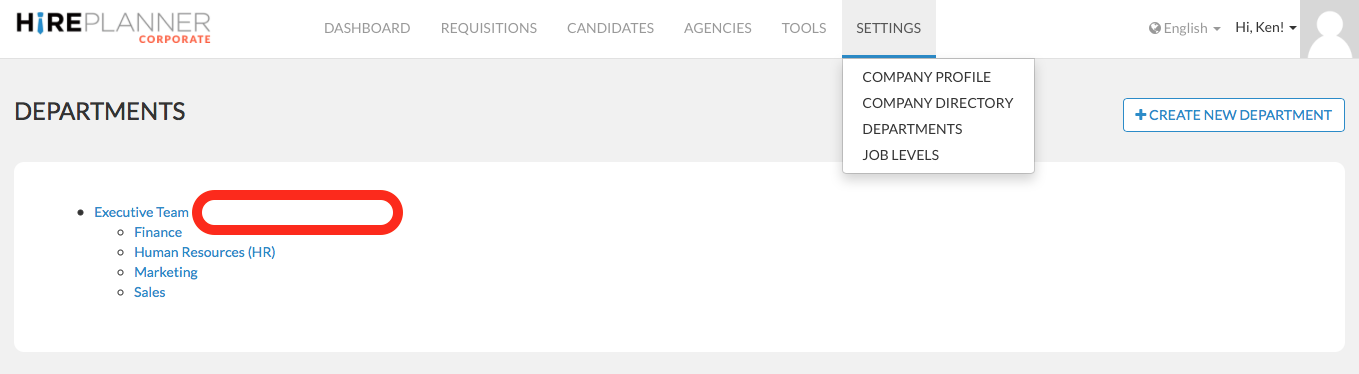
If you choose to NOT ASSIGN a manager to a department, the departments page will NOT show any manager's name on the right side of the department's name (see screenshot below).
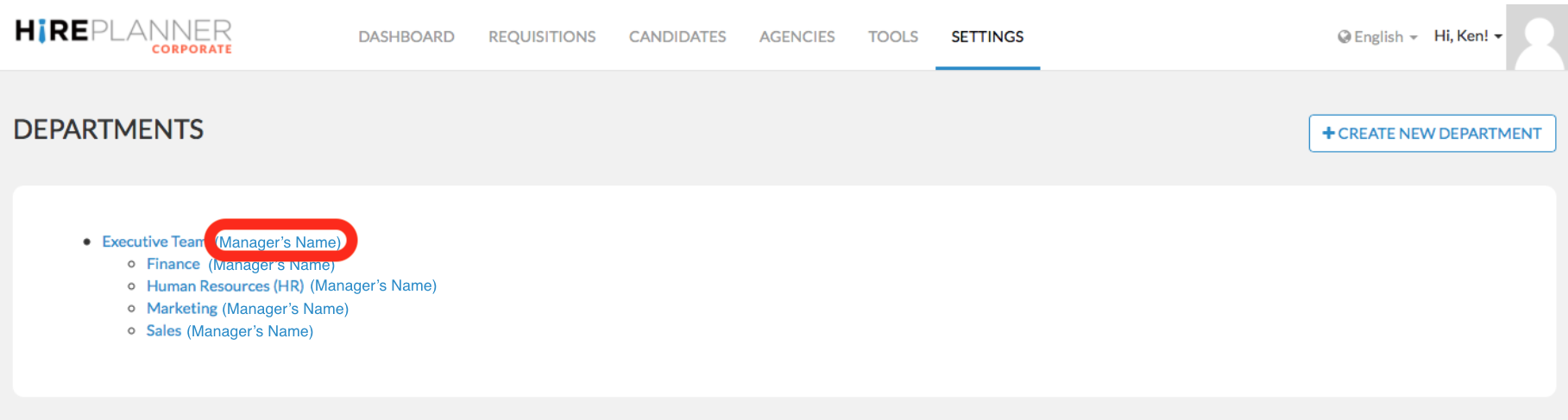
If you choose to ASSIGN a manager to a department, the departments page will show the name of the manager on the right side of the departments' name (see screenshot below)
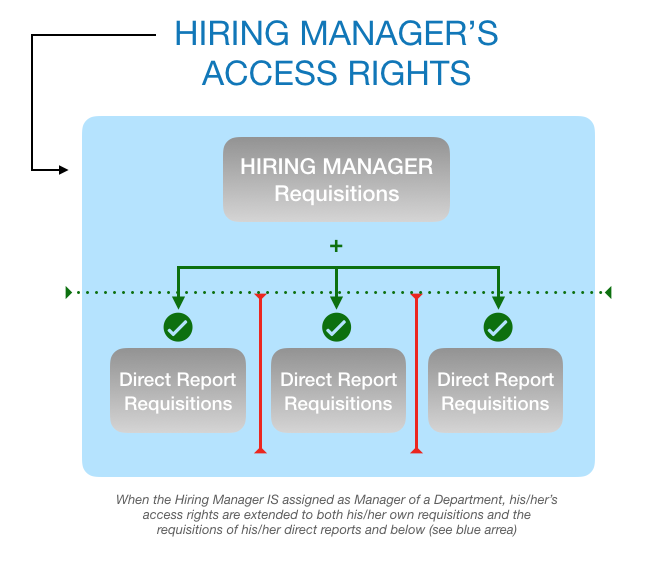
Assuming you choose to grant HirePlanner access to one of your Hiring Manager User:
- When you set your Departments, if the Hiring Manager IS assigned as the manager of a department, he/she will be able to have ACCESS TO ALL REQUISITIONS THAT BELONG TO HIS/HER TEAM (INCLUDING HIS/HER OWN REQUISITIONS AND THE ONES FROM HIS DIRECT REPORTS AND OTHER SUBORDINATES FURTHER DOWN THE ORGANIZATION).
The Hiring Manager will only have a "read only" access right which means they will not be able to make any edits. The access right granted to the hiring manager is purely to help them get more visibility on the status of their projects and keep track of the progress of their requisition(s).
- On contrary, if the Hiring Manager IS NOT assigned as the manager of the department, he/she will only be able to have access to his/her own requisitions but WILL NOT be able to get visibility on other recruiting projects inside the team reporting to this manager.
If you have any doubts or need any clarifications on how to set your department access rights, please contact us anytime at: support(at)hireplanner.com.
Comments
0 comments
Article is closed for comments.