
There are several ways to access your offers created with HirePlanner:
1. From your requisition (candidate pipeline)
2. From your candidate's profile
3. From the candidate's application page
1. FROM YOUR REQUISITION PAGE
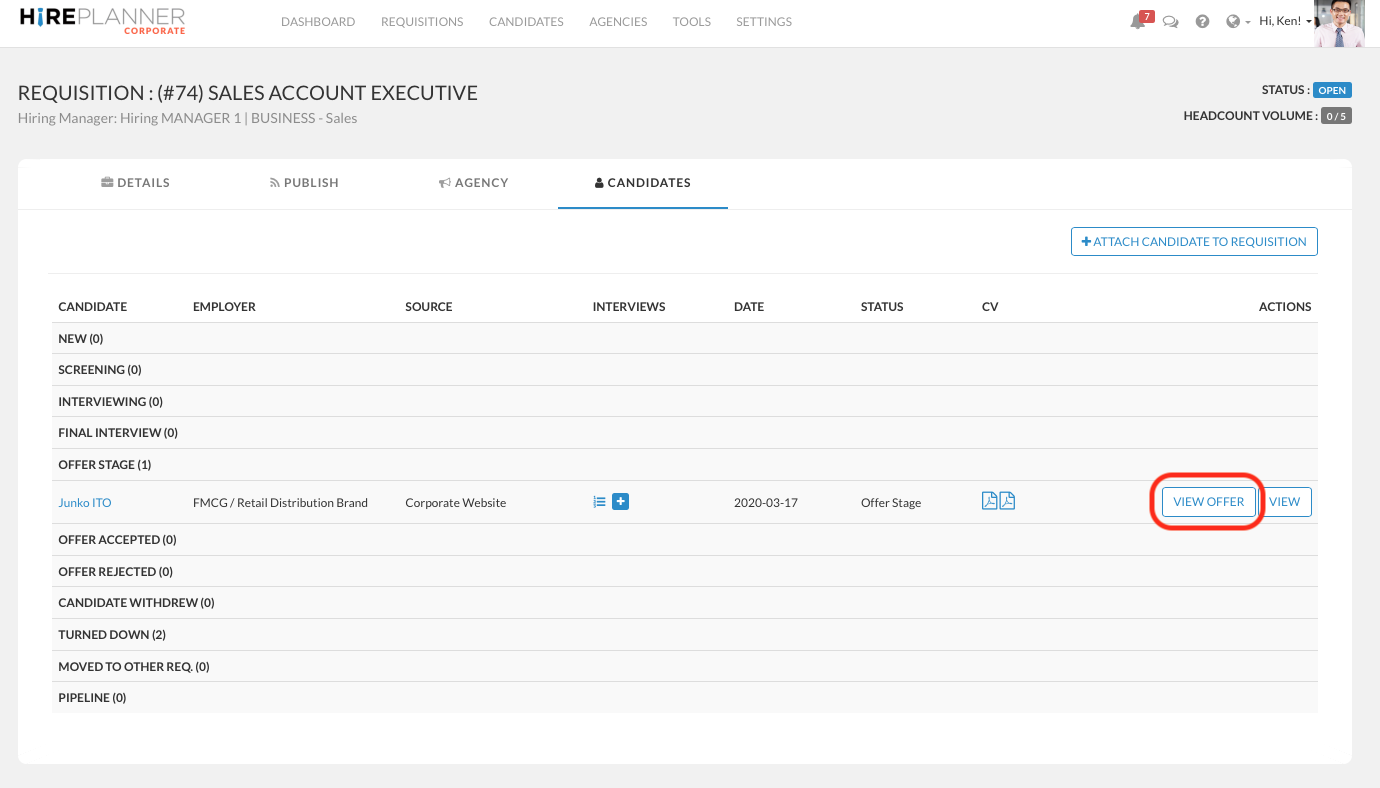
- Select the requisition of your choice (VIEW REQUISITIONS)
- Click on the CANDIDATES tab to access the candidate pipeline
- View the candidates that are listed under the status "OFFER STAGE"
- Click on "VIEW OFFER"
2. FROM YOUR CANDIDATE PROFILE:
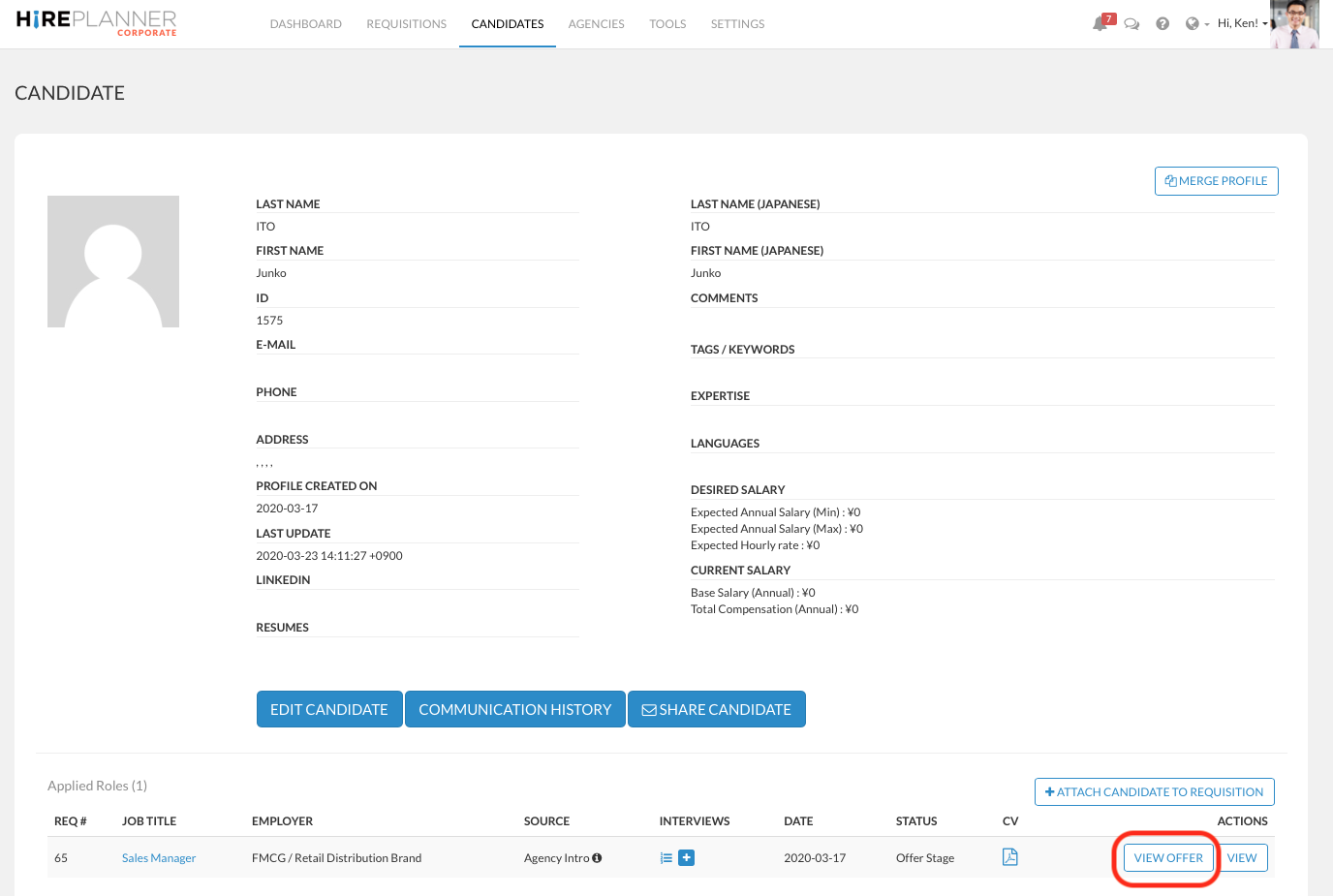
- Search for your candidate (VIEW CANDIDATES) and click on "VIEW" to access his/her profile
- Under the "Applied Roles" section (which shows the history of the candidates' applications), click on "VIEW OFFER" to access the offer details.
3. FROM THE CANDIDATE'S APPLICATION PAGE:
- Search for your candidate's application (VIEW APPLICATIONS)
- Select the OFFER STAGE status to identify your candidate more easily
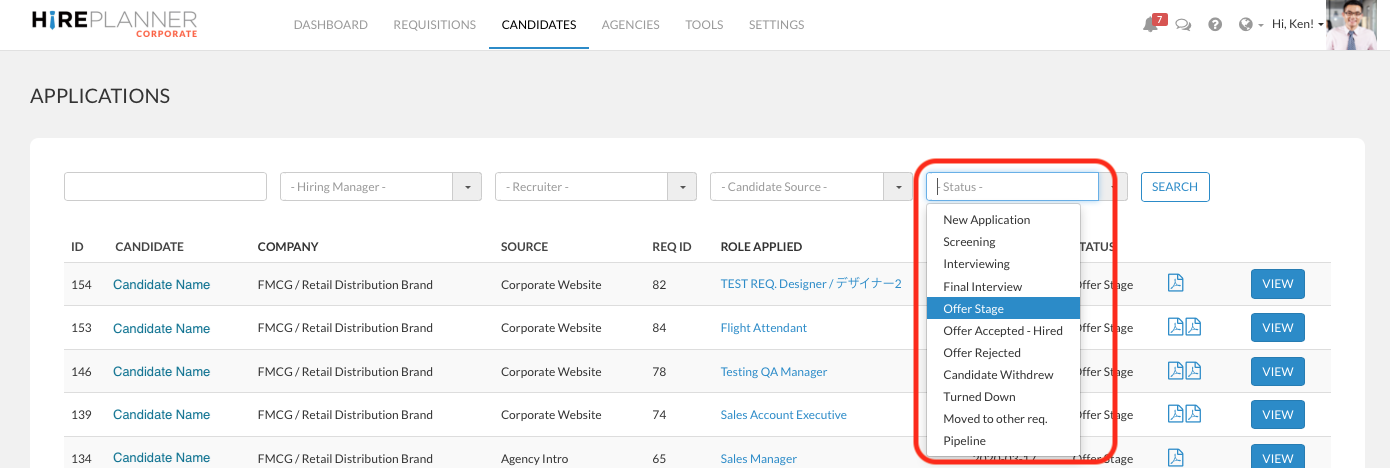
- Click on "VIEW" to access the candidate application of your choice
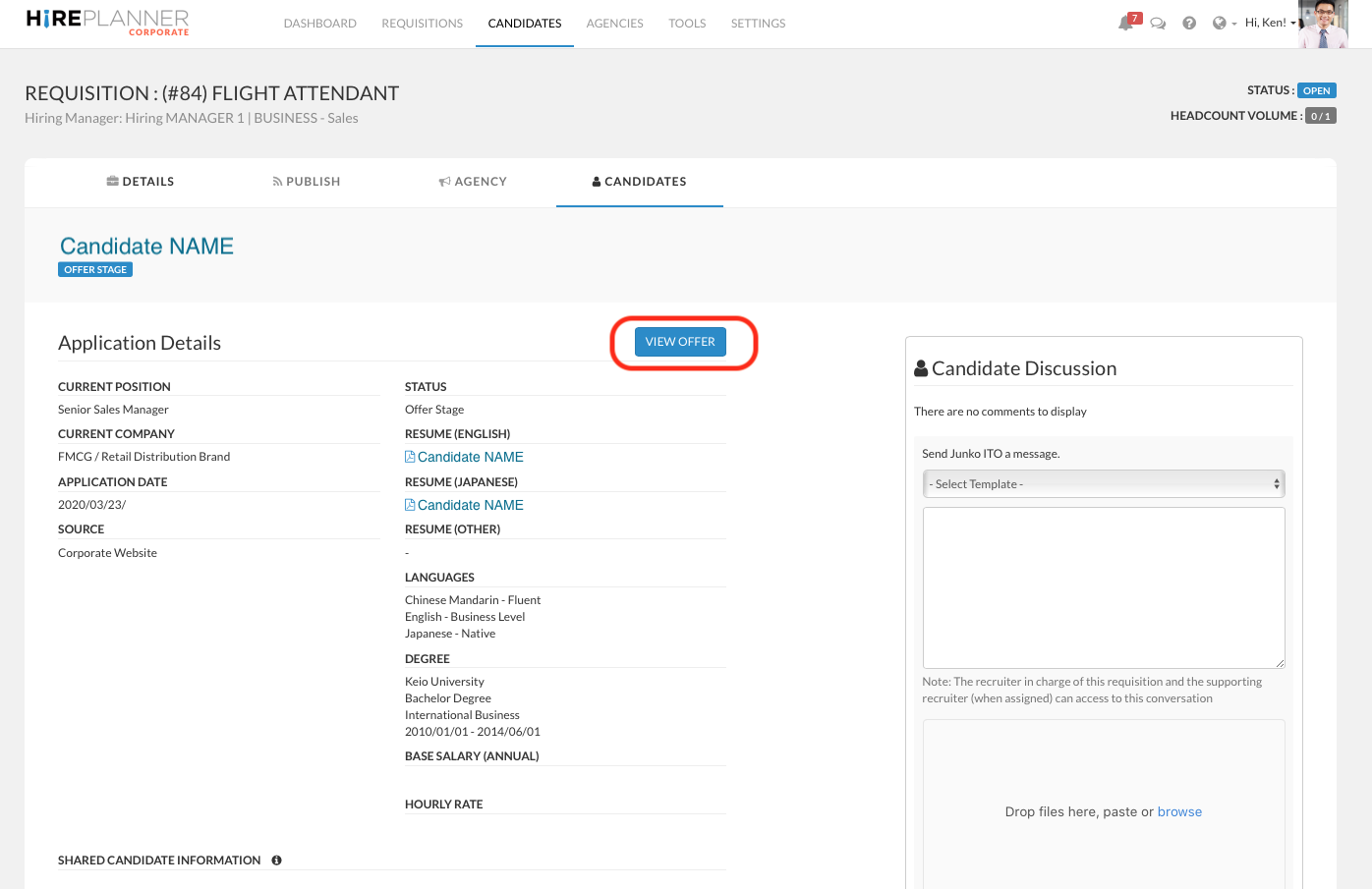
- From the candidate application page, click on "VIEW OFFER" to review the offer details
Comments
0 comments
Article is closed for comments.