
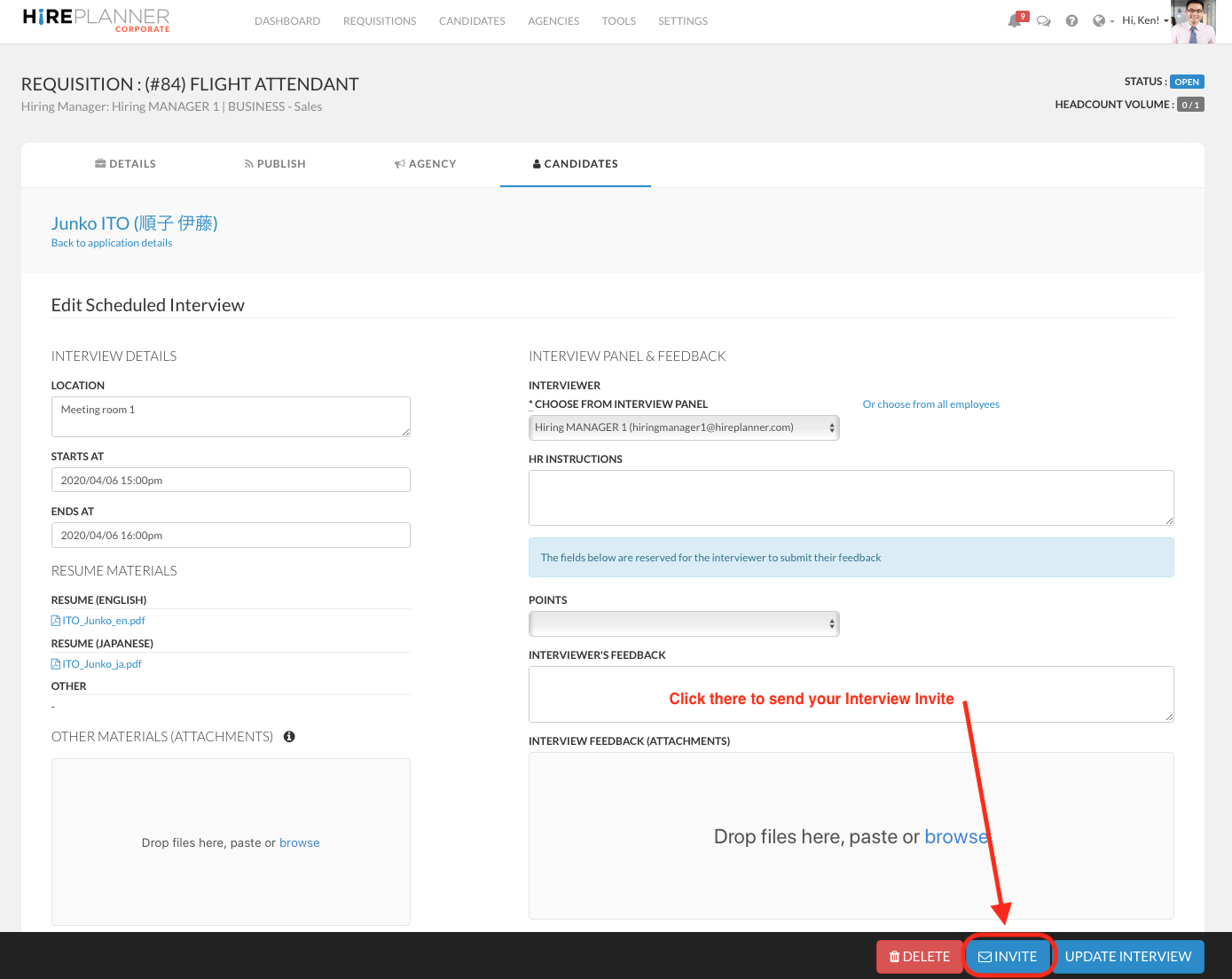
Before you can send an interview invite to one of your colleague, you first need to create an interview record
STEP 1:
Once your interview record is ready, please click on "INVITE" (see blue button  located at the bottom of the screen) to email the interview details to the interviewer.
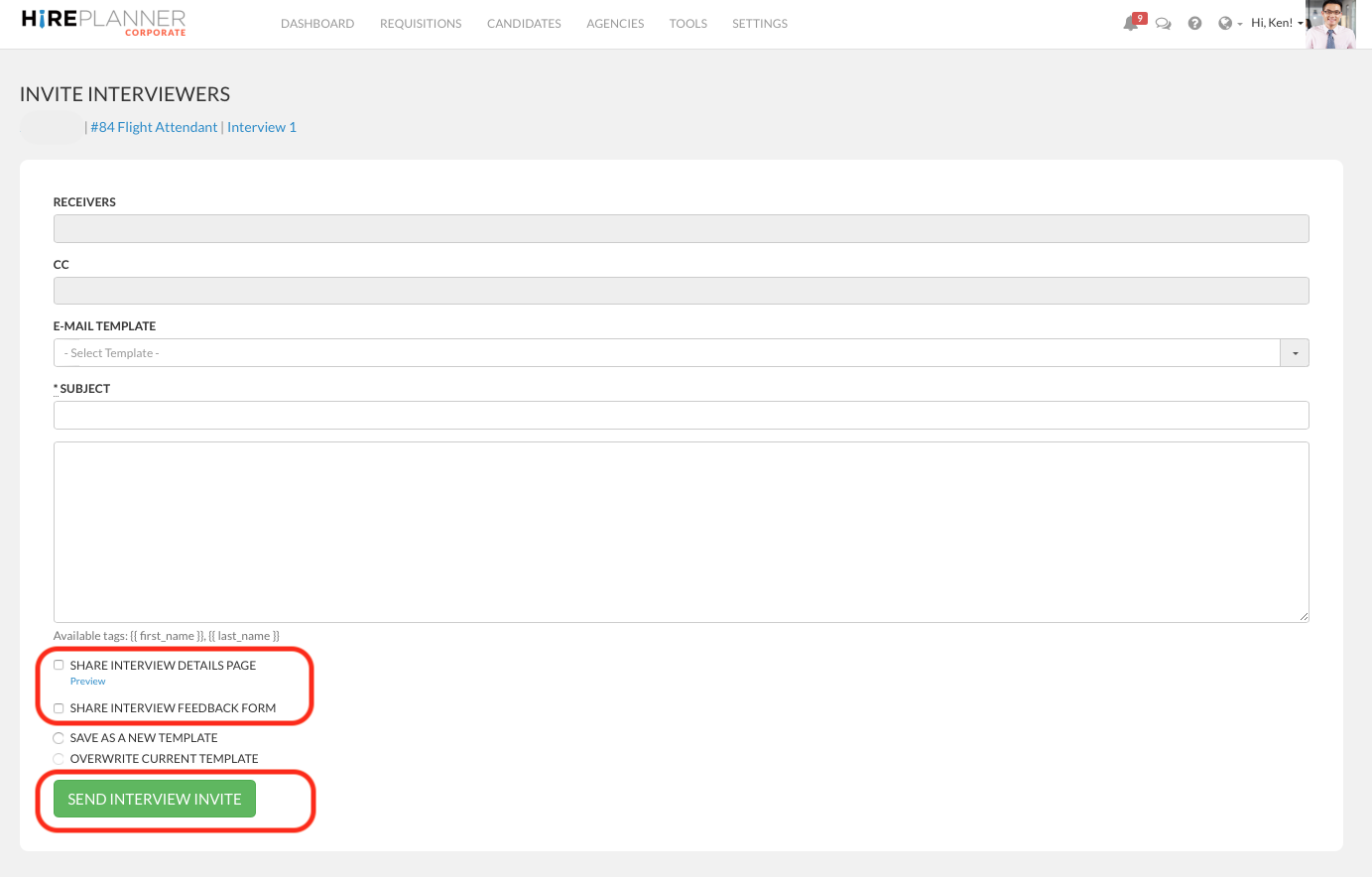
STEP 2: Please make sure the receiver's email matches the email of the interviewer you have selected, type in your email subject and message
STE 3: Click on the check box "Share Interview Details Page" if you wish to include all the interview details in your email invite
STEP 4: Click on the check box "Share Interview Feedback Form" if you wish to include a link for the interviewer to easily access the feedback form to submit their feedback after the they complete the interview.
STEP 5: Click on the "SEND INTERVIEW INVITE" green button.
STEP 6: The interviewer you have selected will then receive an email notification including all the details listed below (see example attached below):
- Your message for the interview(s)
- Name of the candidate to be interviewed
- Start date and time
- End date and time
- Location where the interview will take place
- A link for the interviewer to access the interview details page
- A link for the interview to submit their feedback after the interview
- A link to confirm their attendance
- A link to add the interview details onto their calendar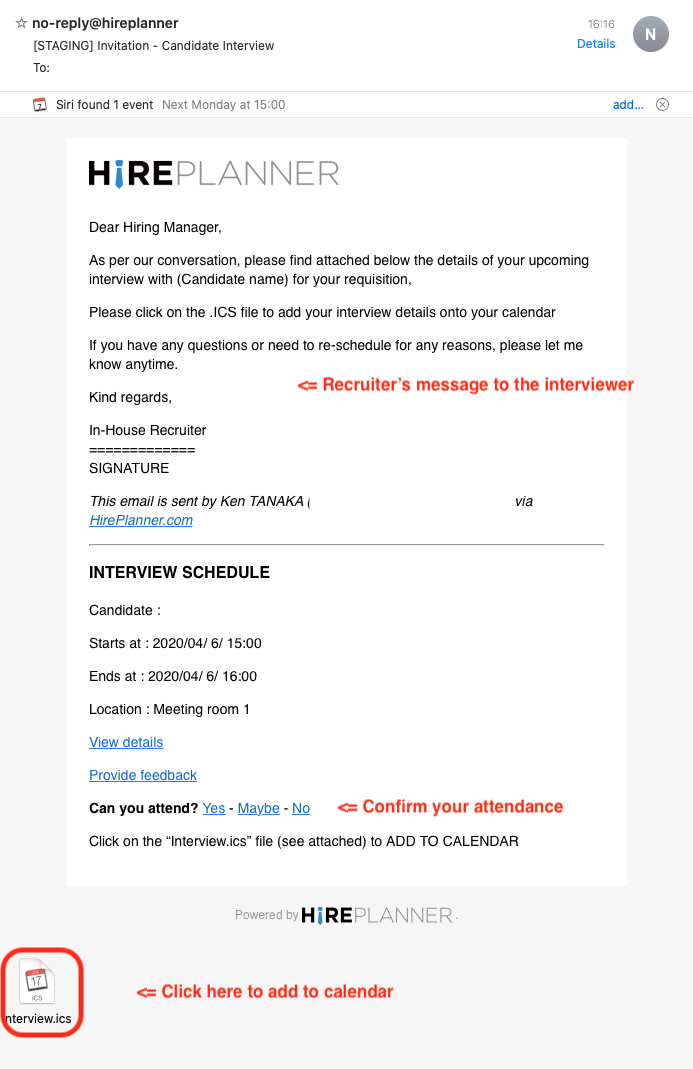
STEP 7: ADD INTERVIEW TO CALENDAR
Click on the .ICS file to add the event details onto your calendar.
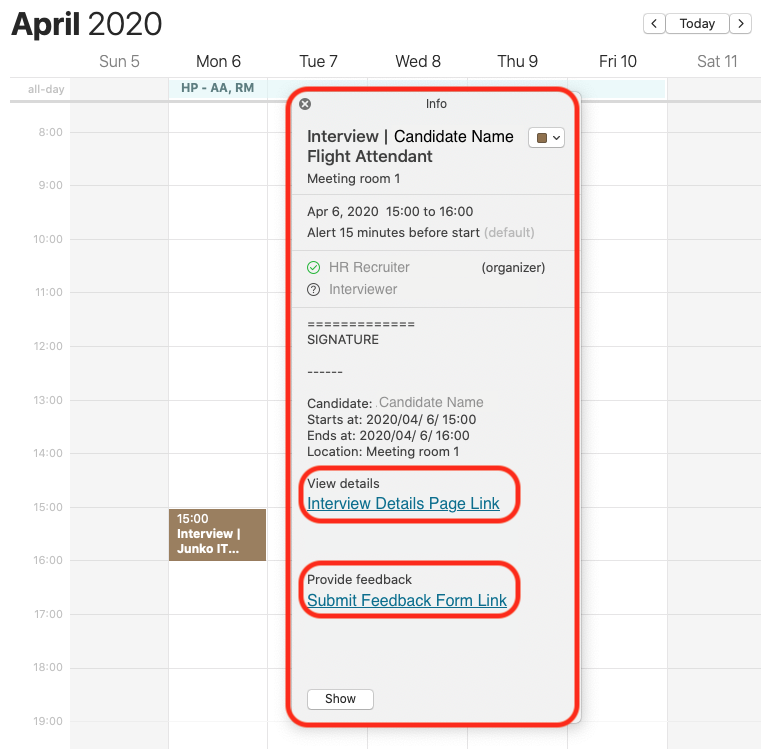
BEFORE the interview, the interviewer will be able to easily access the interview details page by clicking on the "VIEW DETAILS" link.
AFTER the interview is completed, the interviewer will be able to easily submit their feedback by clicking on the "PROVIDE FEEDBACK" link
(see example attached above)
NEXT STEP:
>>> HOW TO SUBMIT YOUR INTERVIEW FEEDBACK?
PREFER TO SEND INTERVIEW INVITES VIA EMAIL?
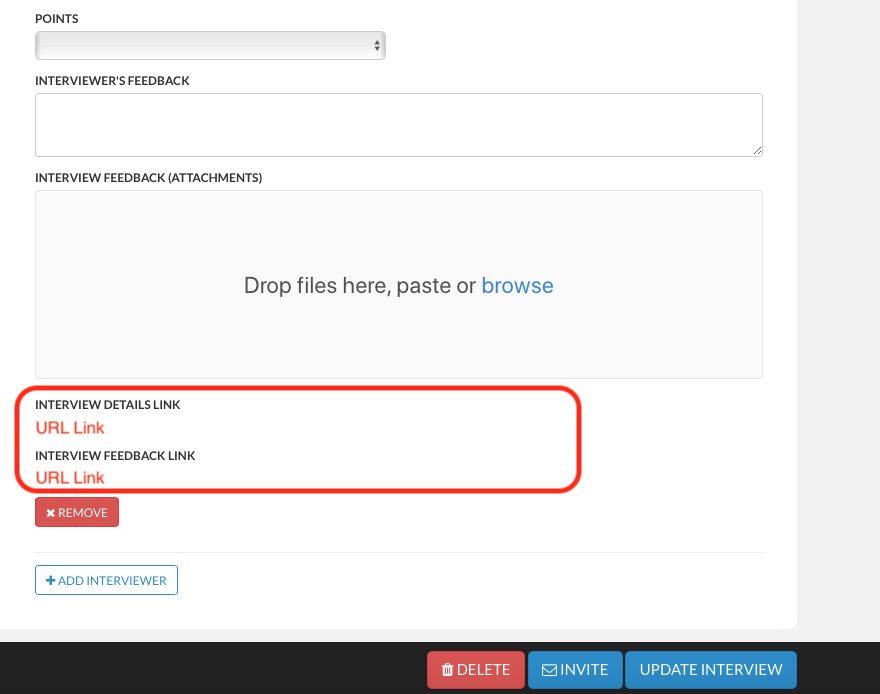
If, for any reason, you are not able to send an email via the Hireplanner system or if you prefer to send your interview invites via email separately, you can also copy the "Interview Details Link" and/or the "Interview Feedback Link" and paste them in your calendar invites.
Please note that each link is unique and is accessible only by the screener you have assigned so please be careful not forwarding the wrong links (if you choose to share them manually).
Comments
0 comments
Article is closed for comments.