
1) To use the candidate messenger on HirePlanner, you need to make sure the candidate you wish to communicate with has one application record. In other words, the candidate must have applied for an open job and should have been attached to a requisition pipeline. HR can then access the CANDIDATE DISCUSSION window from the candidate application page to send their messages (see below).
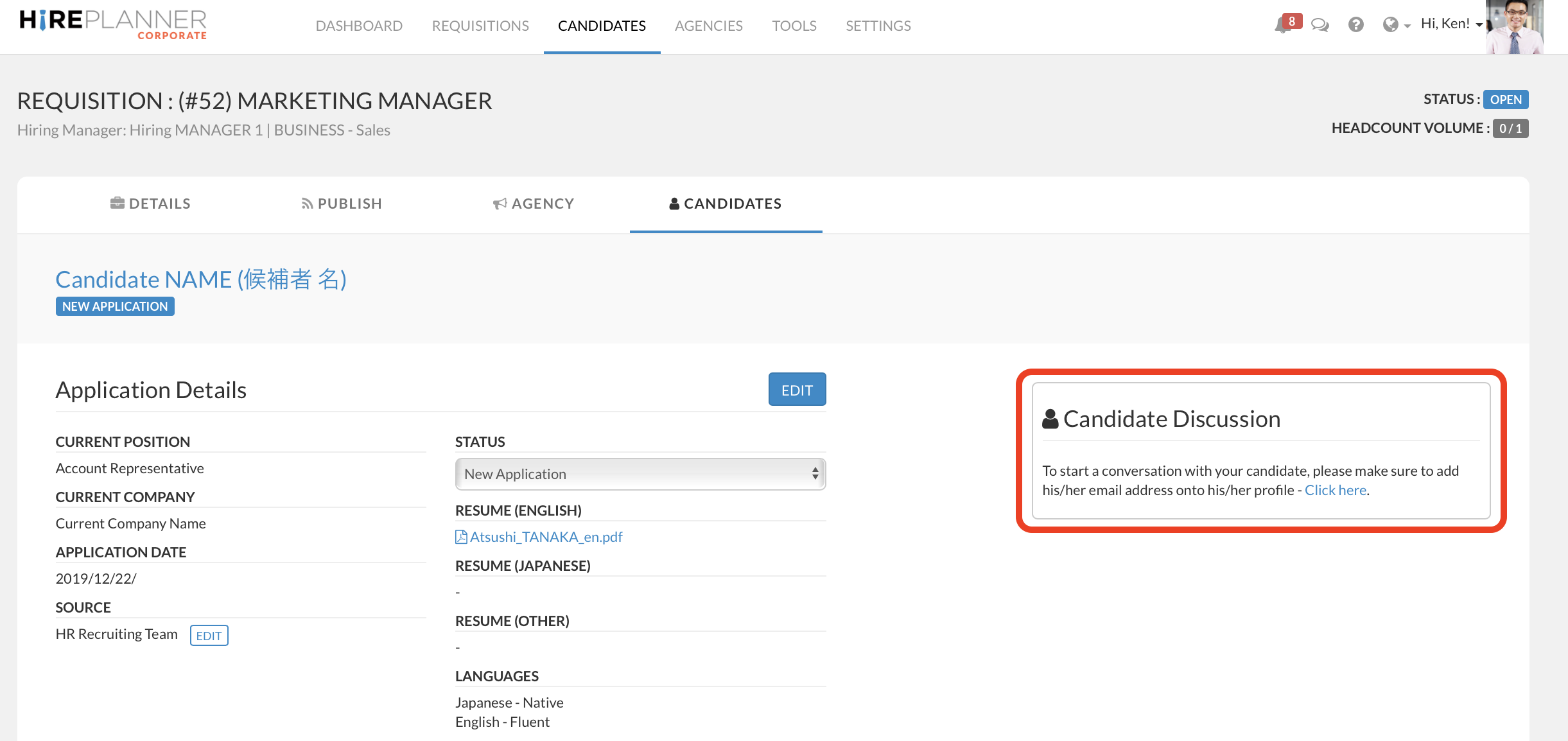
2) To communicate directly with a candidate, you also need to make sure an email address is available on his/her candidate profile. If your candidate's profile does not include a valid email address, you will not be able to access our messenger tool (see screenshot below).
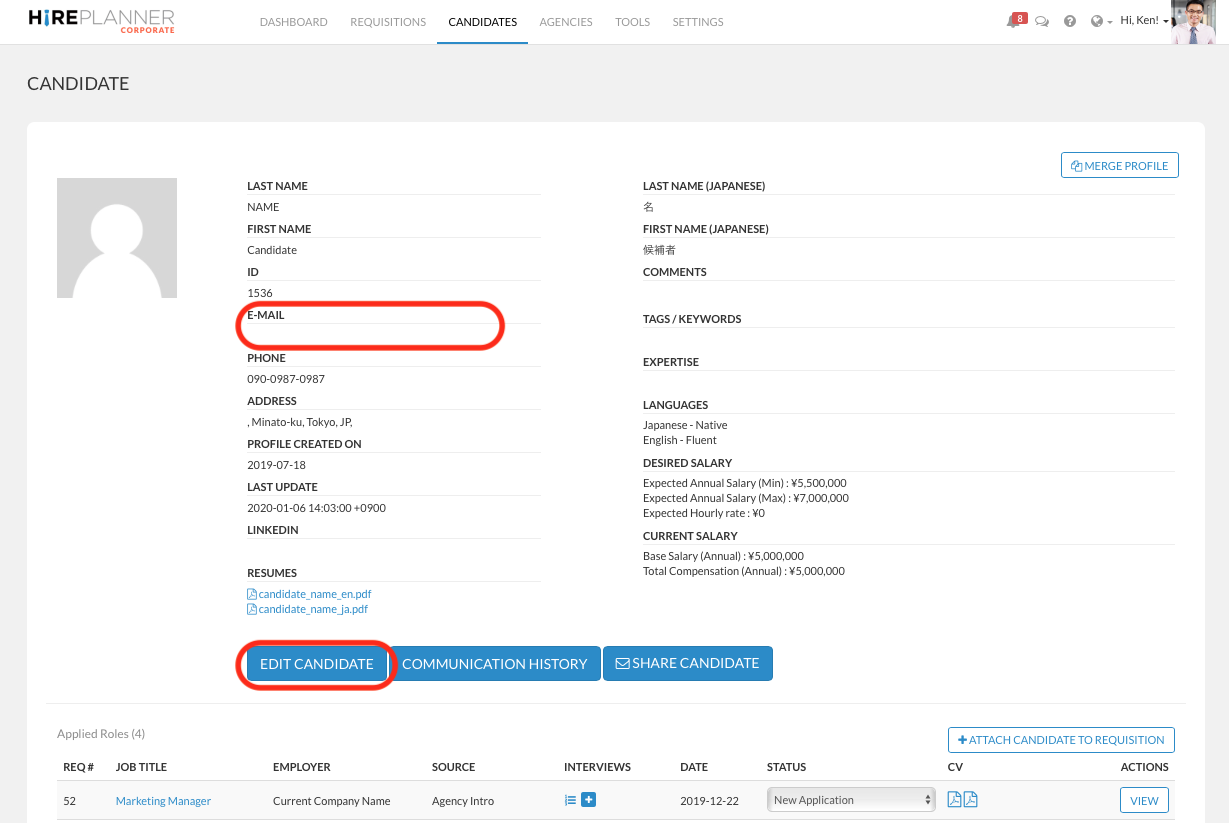
3) To add an email address on a candidate profile, please access the candidate profile page and click on "EDIT CANDIDATE" (see screenshot below).
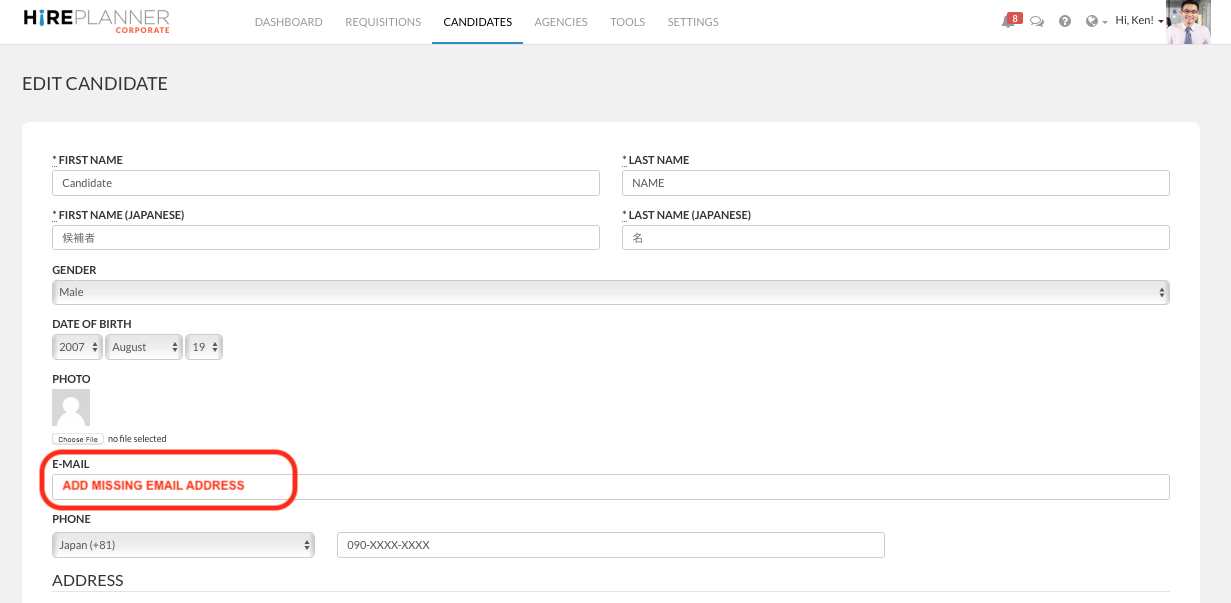
4) Add a valid email address and click on the "UPDATE CANDIDATE" blue button at the bottom of the page to save your changes.
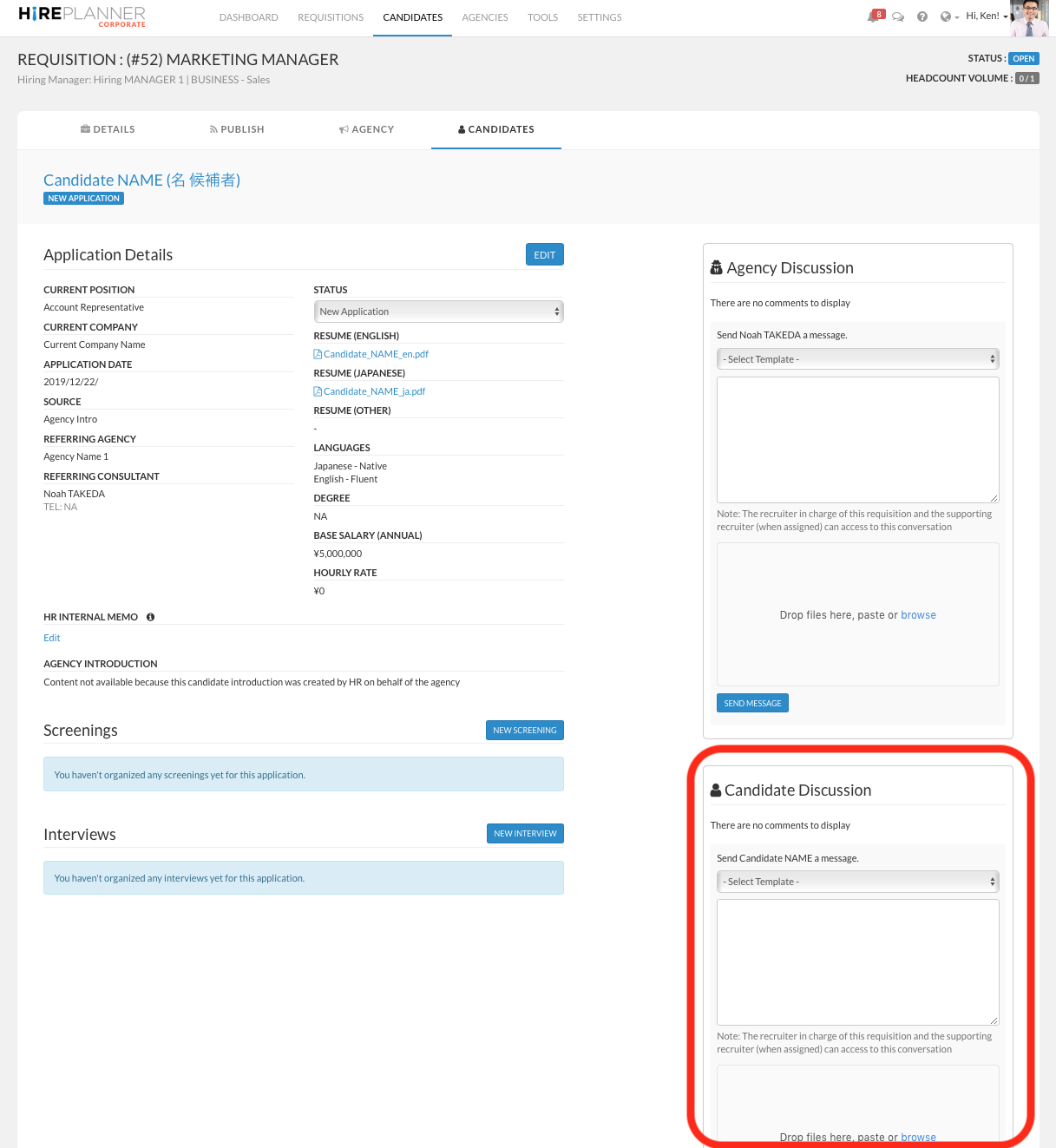
5) Once the candidate's email address is added onto his/her profile, the CANDIDATE DISCUSSION window will appear on the right side of the application page. If the candidate was introduced by an agency consultant, the CANDIDATE DISCUSSION window will be displayed below the AGENCY DISCUSSION window and you will be able to converse directly with the candidate (see below).
Comments
0 comments
Article is closed for comments.