
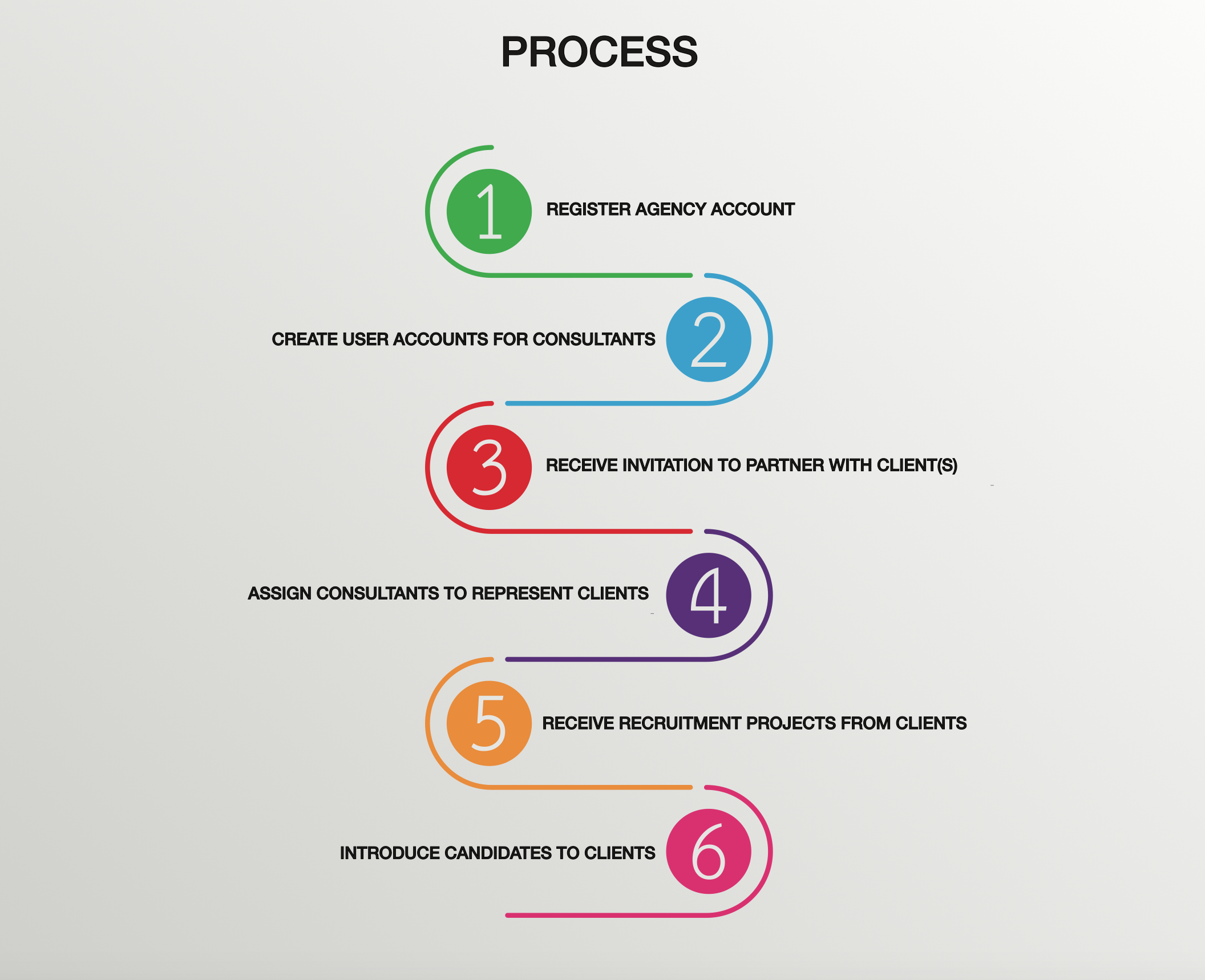
HIREPLANNER AGENCY PORTAL - PROCESS:
- STEP 1: REGISTER YOUR AGENCY ON THE HIREPLANNER DIRECTORY (FREE REGISTRATION)
Before you register your agency, please make sure it has not been already registered on the HirePlanner directory at: https://www.hireplanner.com/en/agency_directory
If you register your agency for the first time, you will automatically be assigned as the Account Owner (Admin user) for your agency.
For more information on what the "Account Owner" can do, please click <HERE> or visit the section called AGENCY USERS: CONSULTANTS VS ACCOUNT OWNER.
Once your agency is registered and validated, it will be advertised on the HirePlanner agency directory at the following URL:
https://home.hireplanner.com/recruiting-agencies/
- STEP 2: CREATE USER ACCOUNTS FOR YOUR AGENCY CONSULTANTS
Once your agency account has been validated and added on the agency directory, your "account owner" can (and will be responsible to) create your user accounts for each one of the consultants in your team (1 account per consultant).
More details on how to create new users available HERE
- STEP 3: RECEIVE INVITATION TO PARTNER WITH NEW HR CLIENTS (EMPLOYERS)
Once your agency is registered and validated, it will appear online on our official list of Recruiting Agency Partners. This "Agency Directory" will be available to all our HR clients (Employers) for them to select and manage their preferred list of vendors.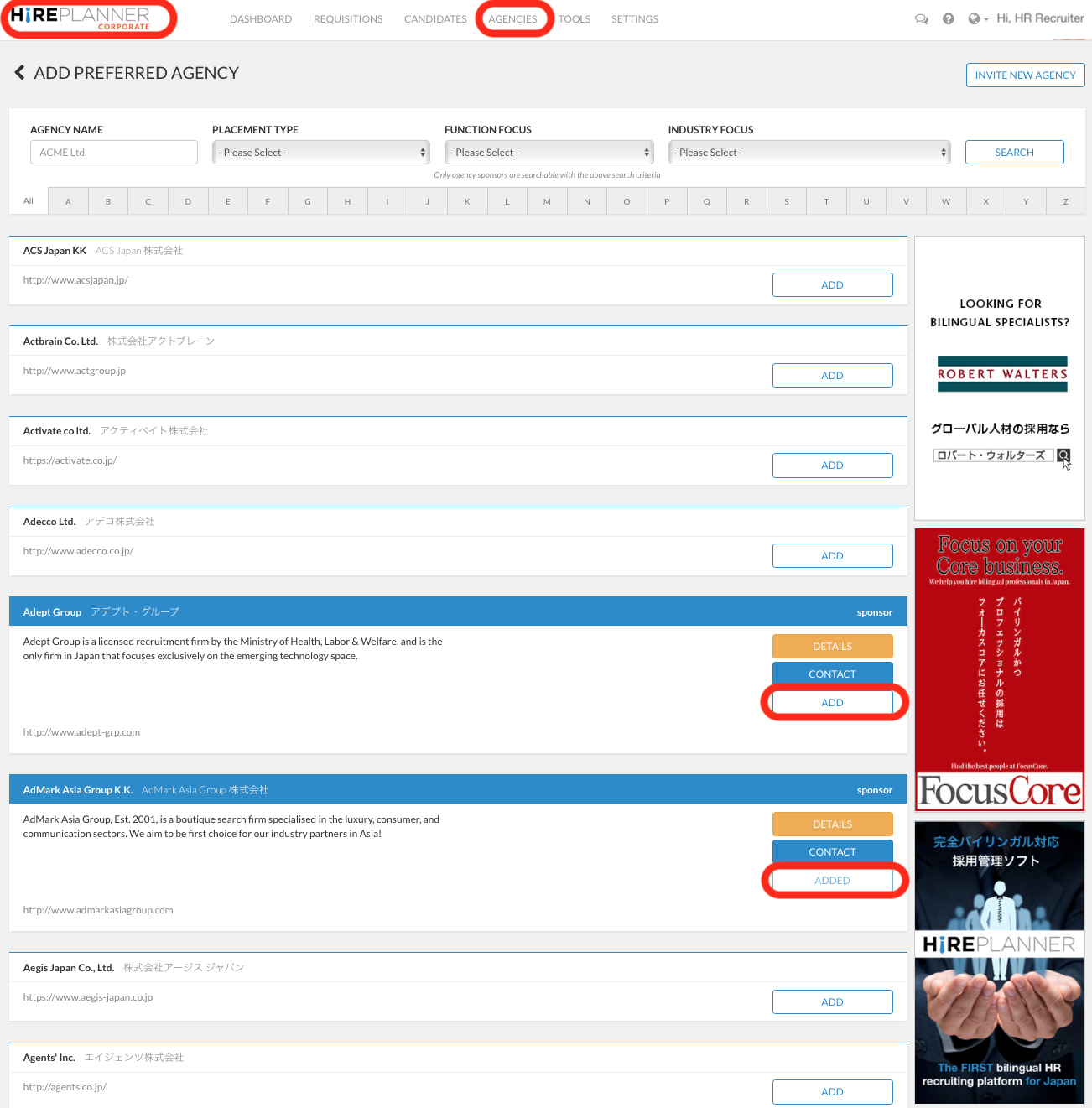
HirePlanner Agency Directory - View from the HR Employer App
When an HR client decides to send you an invite and add your agency on their preferred list of vendors, your agency "Account Owner" (main representative of the agency) will receive an automatic email notification informing him/her about the new client interested in using your recruiting services. The agency account owner will then need to confirm whether the agency wishes to collaborate with the HR client by assigning consultants to support them.
- STEP 4: ASSIGN CONSULTANTS TO REPRESENT AND SUPPORT YOUR CLIENT(S)
Once your HR clients have added your recruitment agency onto their official list of vendors, your agency consultants can login their agency account and activate the HR clients they wish to support and receive jobs from.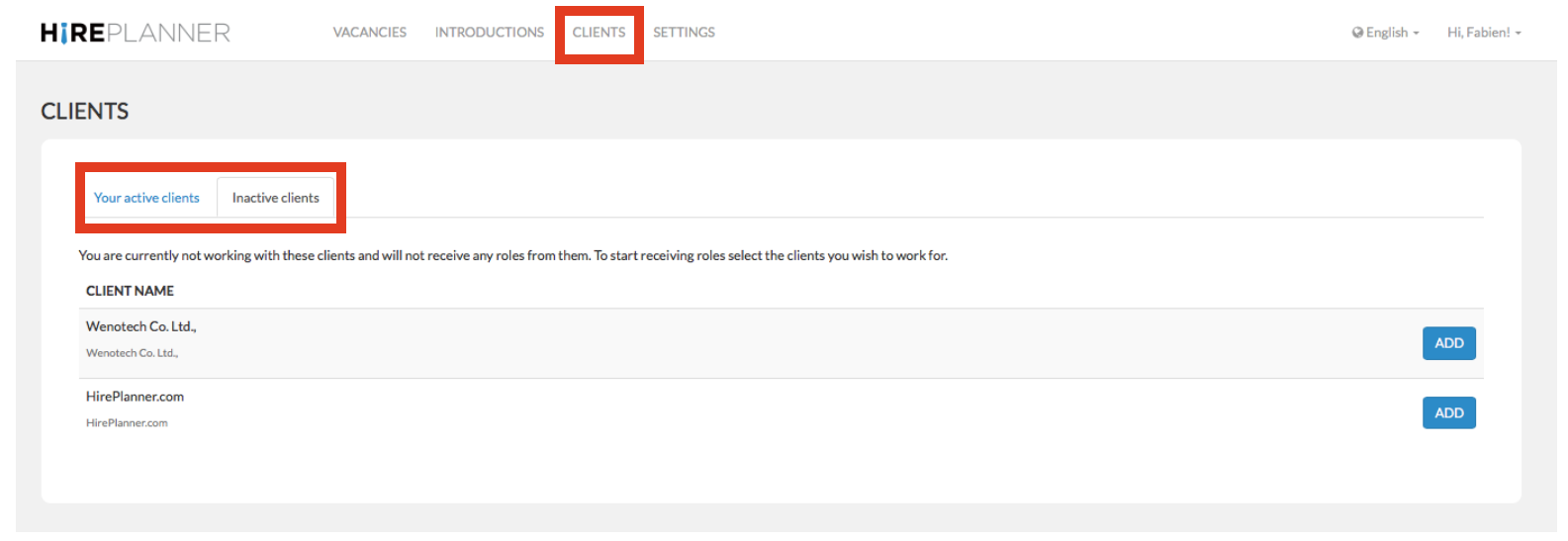
Please make sure you have a service agreement in place with the client before you start collaborating with them. For more details on “How to Activate your HR clients”, please click HERE
- STEP 5: RECEIVE VACANCIES FROM YOUR CLIENT(S)
Your HR clients will then be able to select relevant consultants for their roles and assign them new recruitment projects based on their field of expertise and speciality.
- STEP 6: INTRODUCE CANDIDATES
Agency consultants can now collaborate more easily with their HR clients and introduce them great candidates to make their business successful!

Comments
0 comments
Please sign in to leave a comment.