
PLEASE NOTE THAT ONLY THE ACCOUNT OWNER (MASTER USER) CAN RESET THE PASSWORD OF OTHER USERS (CONSULTANTS) IN YOUR ORGANIZATION
IF YOU ARE LOGGEDIN AS A REGULAR USER (CONSULTANT), YOU WILL ONLY BE ABLE TO RESET YOUR OWN PASSWORD. YOU WILL NOT BE ABLE TO ACCESS THE "SETTINGS" AREA AND RESET PASSWORDS FOR OTHER CONSULTANTS.
THE BELOW INFORMATION IS ONLY APPLICABLE TO AGENCY "ACCOUNT OWNER".
- STEP 1: Please log into your agency account
- STEP 2: Please click on “Settings” and select the “Company Directory” category.

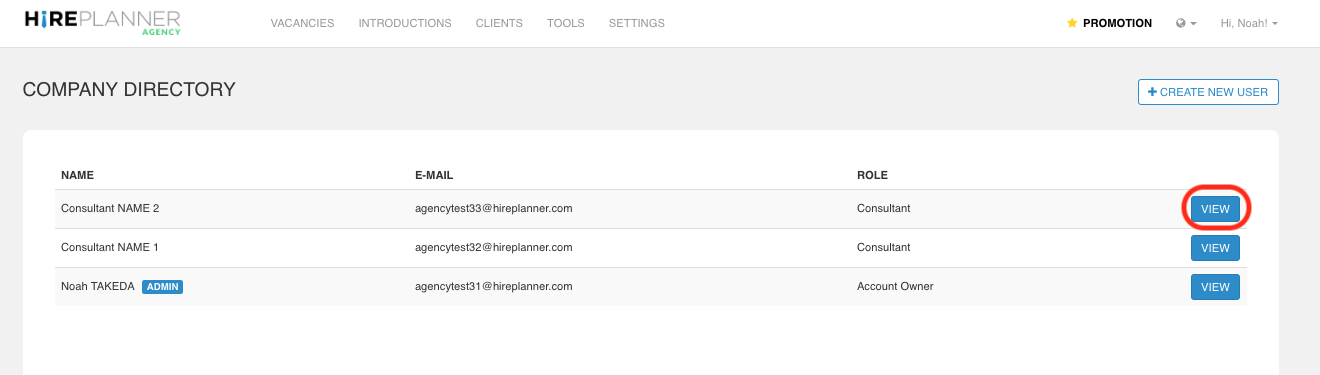
- STEP 3: Select the consultant profile you would like to update by clicking on the “VIEW" button.
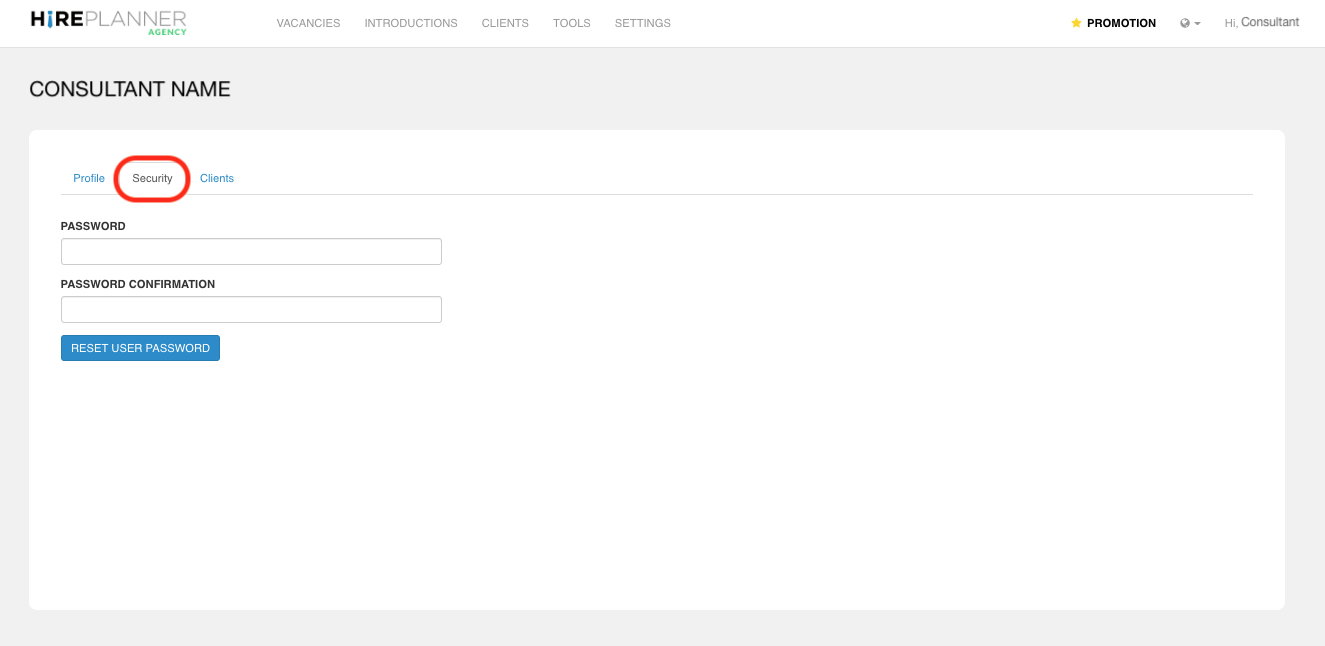
- STEP 4: Click on the "SECURITY" tab and reset the password of the consultant account. Please note that when you reset the password of your consultant's account, the consultant will NOT be notified.
Comments
0 comments
Please sign in to leave a comment.