
PLEASE NOTE THAT ONLY THE ACCOUNT OWNER (MASTER USER) CAN ADD/CREATE NEW USER ACCOUNTS FOR YOUR AGENCY CONSULTANTS.
IF YOU ARE LOGGEDIN AS A REGULAR USER (CONSULTANT), YOU WILL NOT BE ABLE TO ACCESS THE "SETTINGS" AREA TO ADD/CREATE NEW USERS.
THE BELOW INFORMATION IS ONLY APPLICABLE TO AGENCY ACCOUNT OWNER
- STEP 1: Please log into your agency account
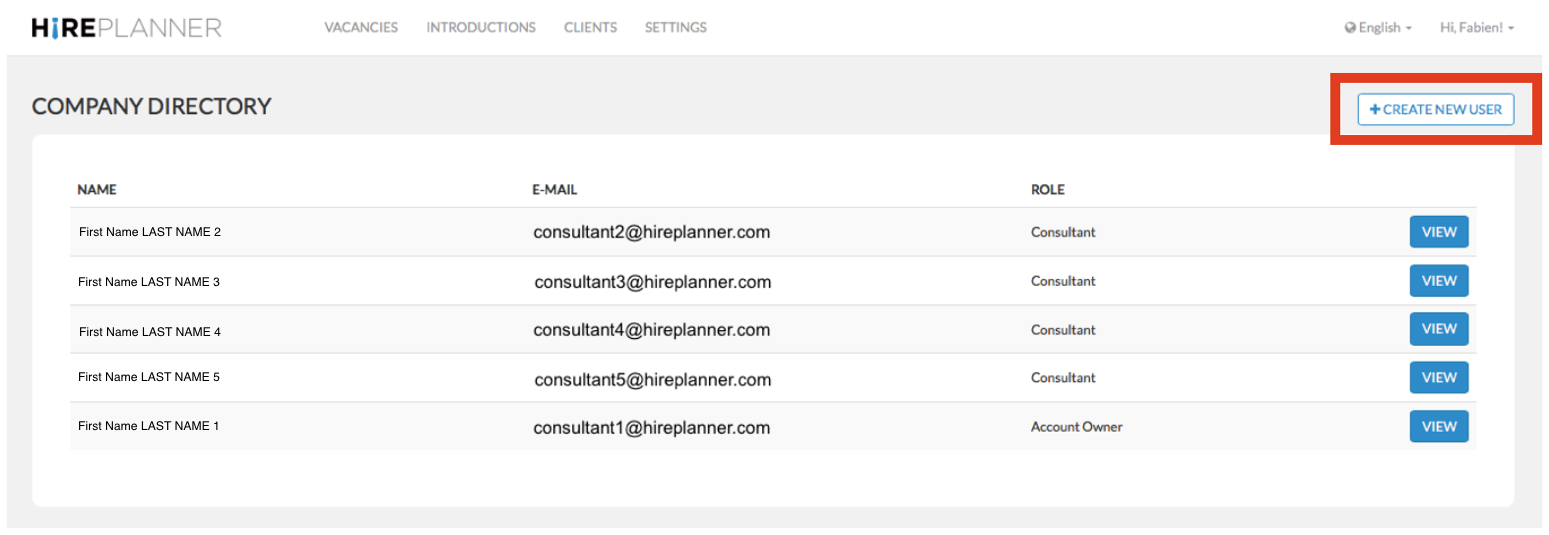
- STEP 2: Please click on “Settings” and select the “Company Directory” category.

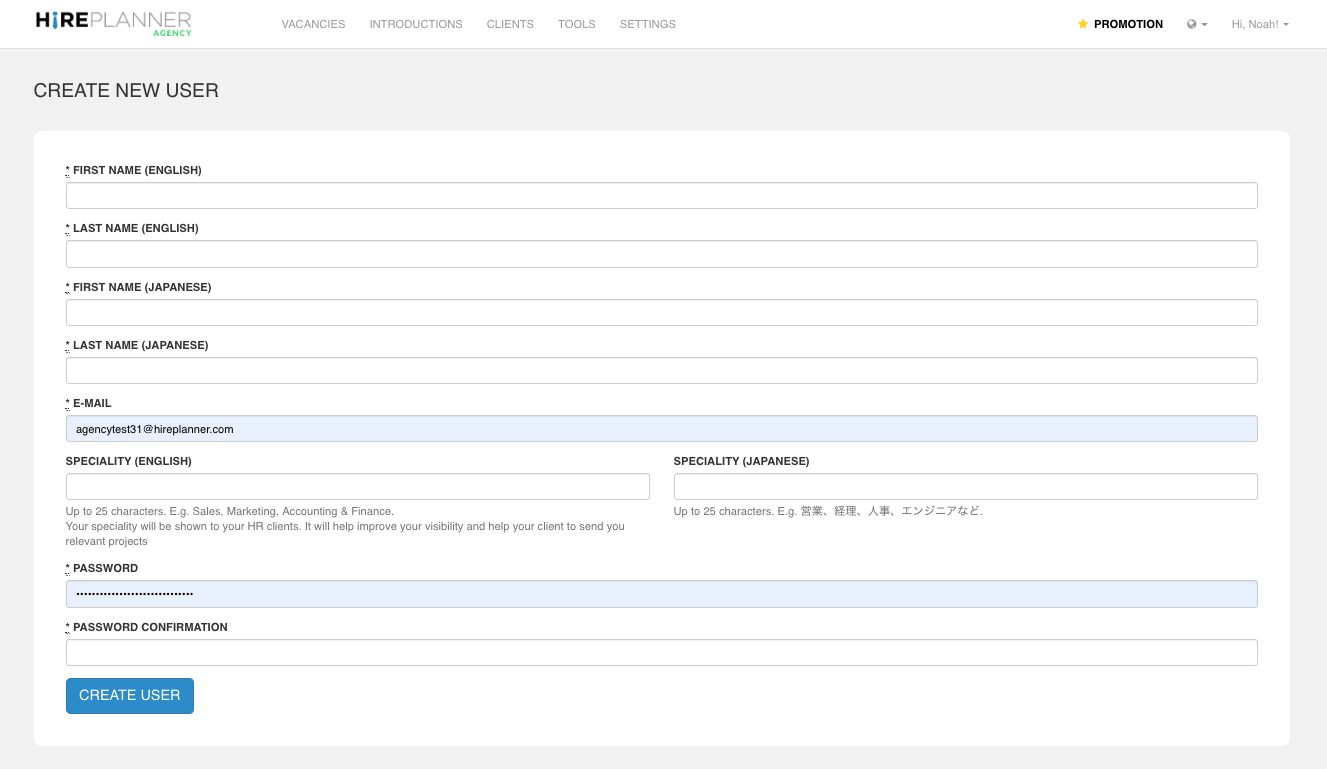
- STEP 3: From there, click on the “Create New User” button and fill out the new user form by including all the necessary details (see screenshot below).
- STEP 4: Once your users are properly registered, please invite them to login at www.hireplanner.com/ap/ and:
a) To reset their password (to make it as secure as possible)
b) To review their profile and make sure their full name (in both English and Japanese), email address and specialities are properly set. More information available here.
c) To select and activate their clients (companies they are allowed to represent and support). More information available here.
OTHER ACTIONS YOU CAN PERFORM
=========================
- If you wish to UPDATE YOUR CONSULTANT'S PROFILE & SPECIALITY, please click HERE
- If you wish to RESET THE PASSWORD OF A CONSULTANT'S ACCOUNT, please click HERE
- If you wish to ACTIVATE A CLIENT FOR ONE OF YOUR CONSULTANT, please click HERE
- If you wish to DISABLE YOUR CONSULTANT'S ACCOUNT, please click HERE
Comments
0 comments
Please sign in to leave a comment.