
To help you keep track of all your HR recruiting tasks, in addition to the email notifications you will be receiving, we have created a Task Management Tool for you to more easily distinguish between the tasks you need to perform (To Do) and the tasks you have already completed (Done).
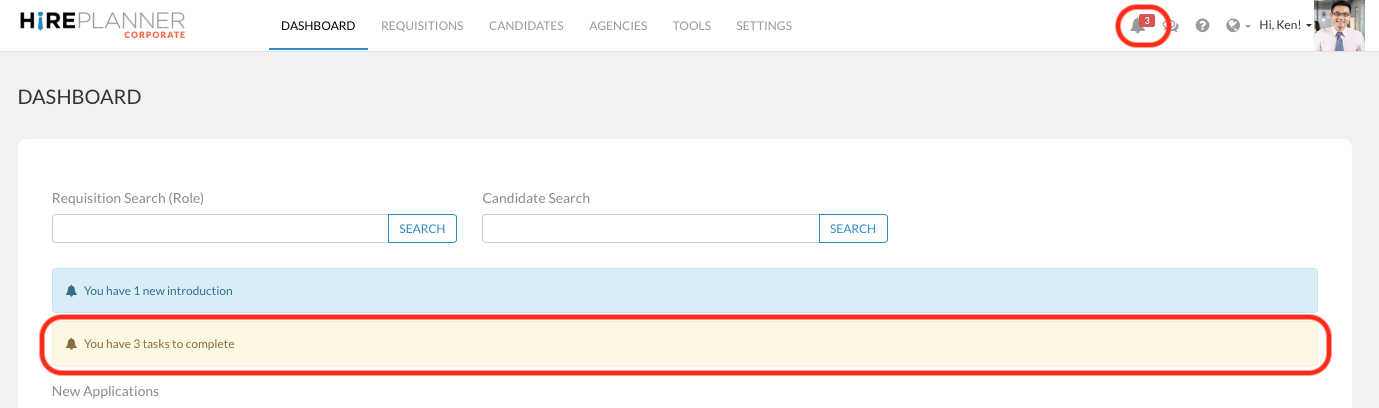
You can access all your notifications and list of tasks to complete by clicking on the bell icon  located on the top navigation menu bar on the right hand side or from the dashboard when you have tasks pending at you (see screenshot displayed below).
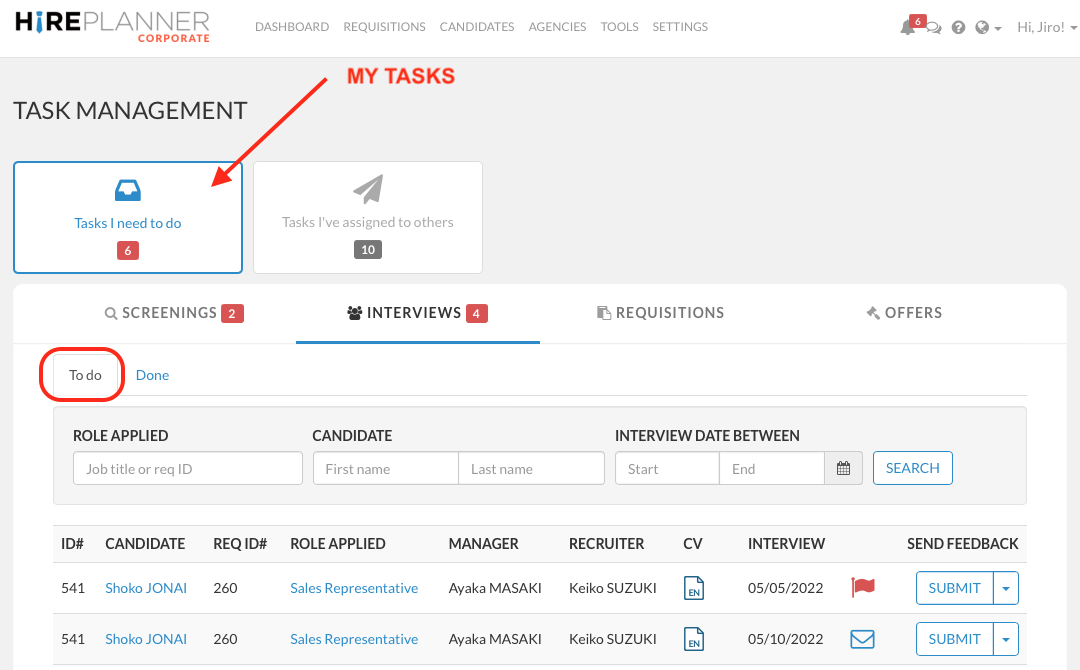
Once you are in the TASK MANAGEMENT area, you can click on the button called "Tasks I need to do" to view the list of tasks you must perform
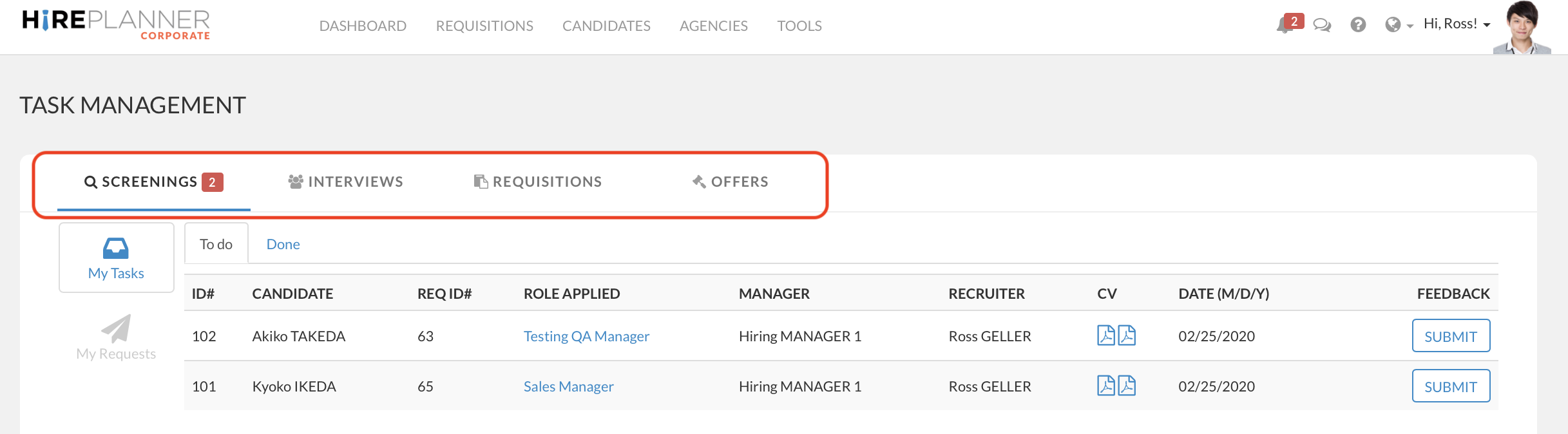
From the TASK MANAGEMENT TOOL, you will be able to access 4 types of tasks you can perform:
- Candidate Screening Requests: When HR sends you a request to screen a candidate resume
- Interview Feedback Requests: When HR sends you a request to submit your feedback after a candidate interview
- Requisition Approval Requests: When HR sends you a request to approve a requisition
- Offer Approval Requests: When HR sends you a request to approve an offer for a candidate to hire
Comments
0 comments
Article is closed for comments.