
SITUATION:
From time to time, you may need to disconnect some users' calendar from HirePlanner.com. When a user retires from your company or if they get transferred to another department, they may not be involved in recruiting activities anymore, which is why you will need to disconnect their calendar from the site.
HOW TO DISCONNECT SOMEONE'S CALENDAR
Only the ADMIN user of a company can disconnect company's users' calendar from HirePlanner.com.
To disconnect the calendar of a user, please follow the steps below:
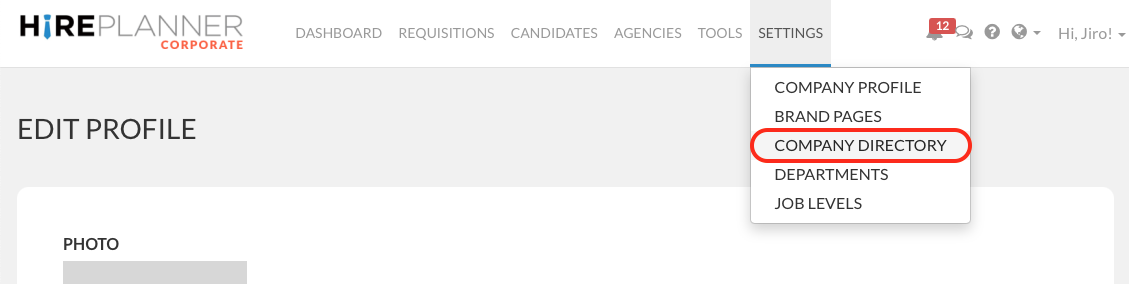
1) Go to "SETTINGS" (top navigation bar).
2) Select "COMPANY DIRECTORY".
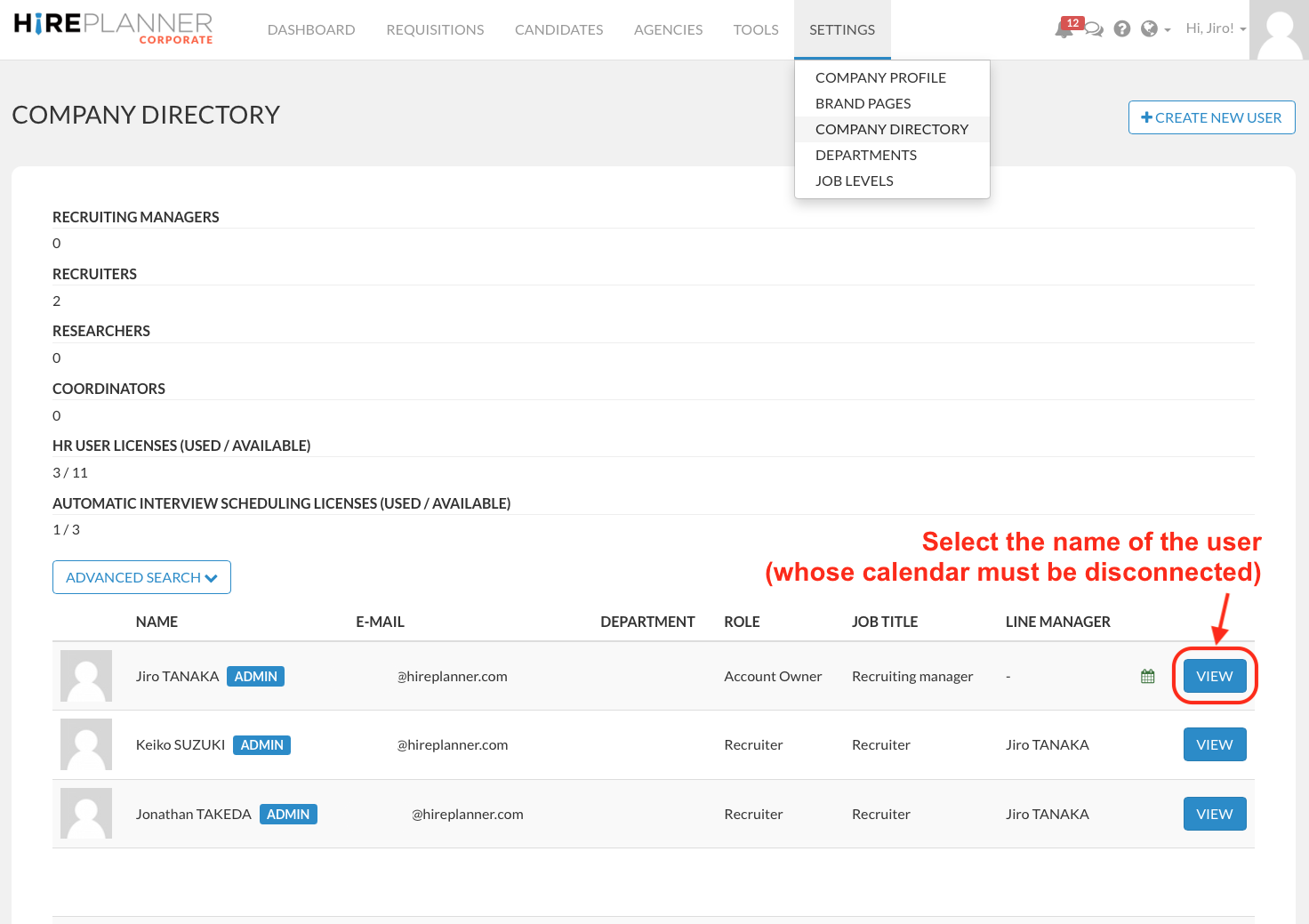
3) Select the name of the user (whose calendar must be disconnected) and click the "VIEW" button.
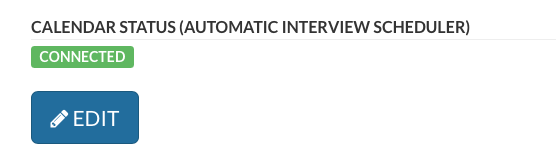
4) Click "EDIT" at the bottom of the user profile.
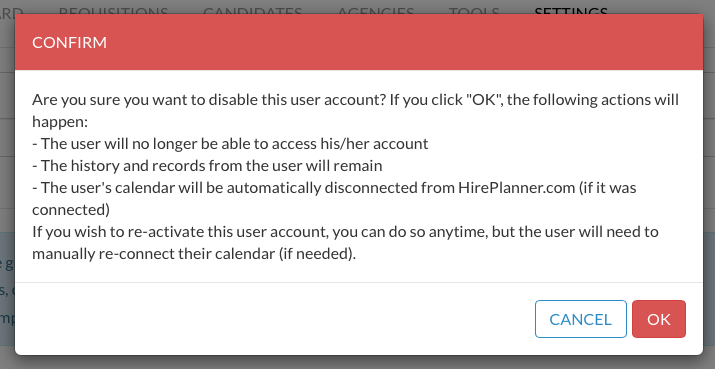
5) Click "DISABLE ACCOUNT" and then "OK" to disabled (temporarily) the account and disconnect the calendar.

6) ATTENTION:
- If the user has left your company and no longer needs access, you can keep the account disabled.
- If the user is still working for your company and need to continue to access to HirePlanner (without the calendar feature), please re-activate his/her account by clicking on the "ENABLE ACCOUNT" (green button).

If you have any questions or need support, please contact us at: support@hireplanner.com
Comments
0 comments
Please sign in to leave a comment.