
In HirePlanner, the "Account Owner" or "Admin" user can create and update all user profiles from your company. However, you can still change your own corporate profile and adjust your name, photo or reset your password.
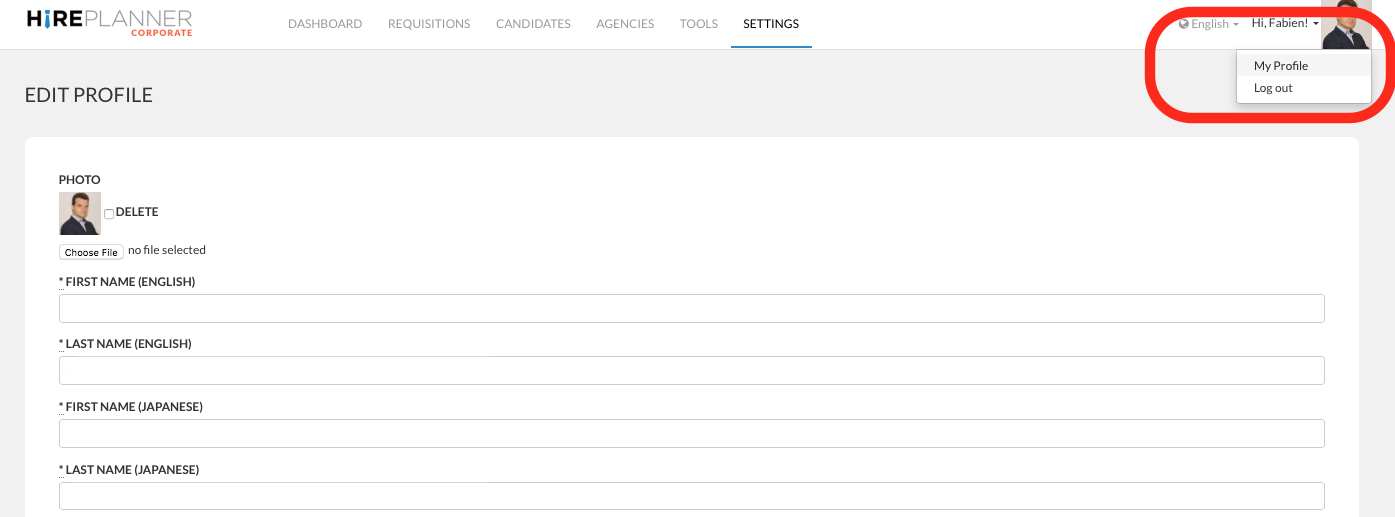
1) To access your user profile, click on the "Hi Name!" located on the right side of the top menu and click on "My Profile"
2) From your profile, make the necessary changes and click on "Update User" when you are done.
Comments
0 comments
Article is closed for comments.