
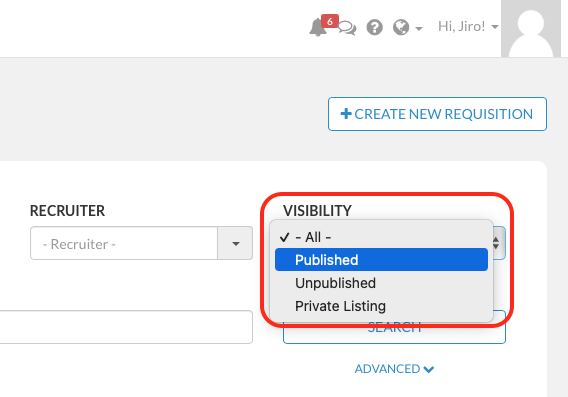
We have added some new search filters for you to more easily search for jobs (requisitions) based on their visibility status:
- Published (Publicly)
- Published (Privately)
- Not Published
To search for requisitions based on visibility filters, please follow the steps described below:
1) Sign in from your employer account HERE
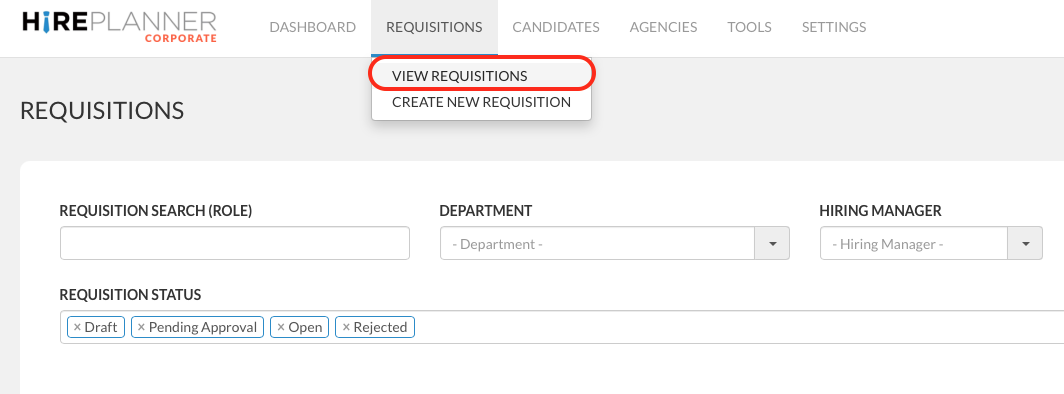
2) Click on "REQUISITIONS" (on the top navigation bar)
3) Select "VIEW REQUISITIONS" (on the drop down)
4) Select the "VISIBILITY" filter and select the type of requisition you would like to see
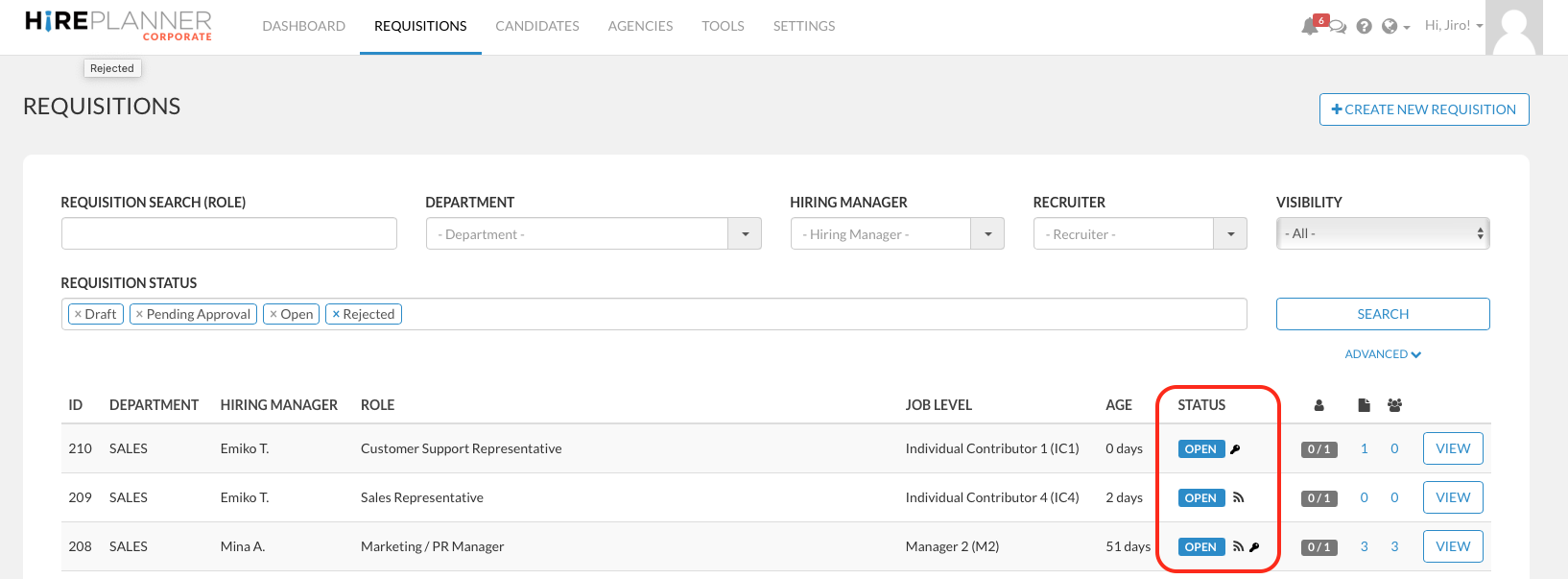
5) Click on the "SEARCH" button to see the search results appear
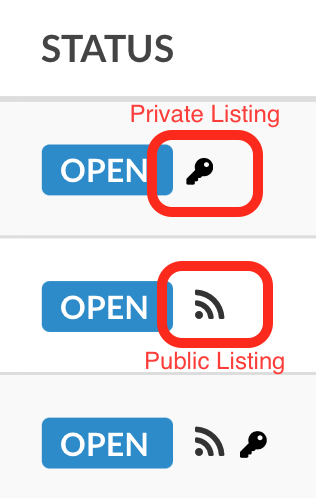
6) The jobs (requisitions) that are publicly published will appear with the following icon  and
and
the jobs that are privately posted (unlisted) will appear with the following icon 
Comments
0 comments
Please sign in to leave a comment.