
We are pleased to inform you that we have refreshed and optimized the UX of our TASK MANAGEMENT section. From the TASK MANAGEMENT area, you will be able to keep track of all your own tasks you need to complete and / or monitor all the tasks you have assigned to other colleagues involved in the hiring process.
Example of tasks:
- Provide candidate screening updates
- Share interview feedback
- Track new requisitions that need your approval
- Track new candidate job offers that need your approval
The most recent updates include the following improvements:
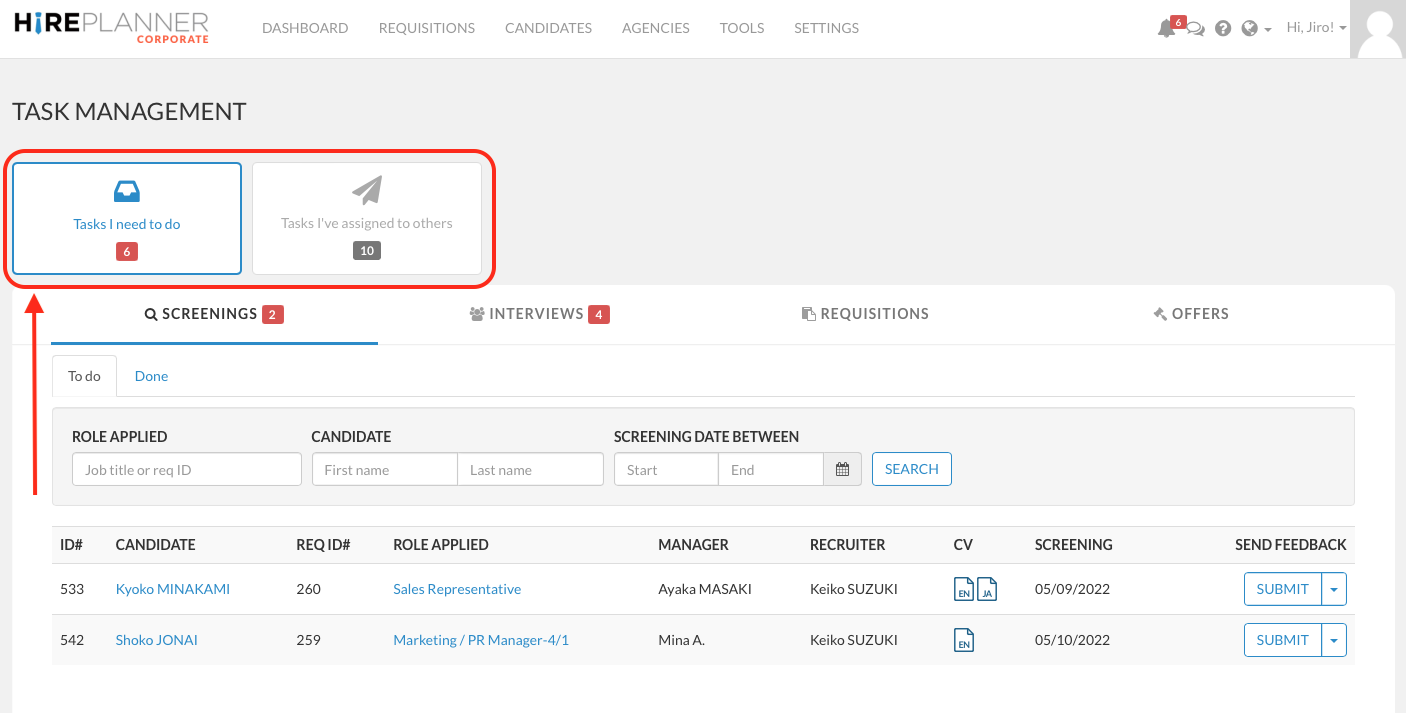
1) TASK MANAGEMENT NAVIGATION:
We moved the two buttons ("Tasks I need to do" "Tasks I've Assigned to other") above the table in order gain space and display more data in the table (previously, those 2 buttons were displayed on the left side of the table).
2) SEARCHING THROUGH TASKS:
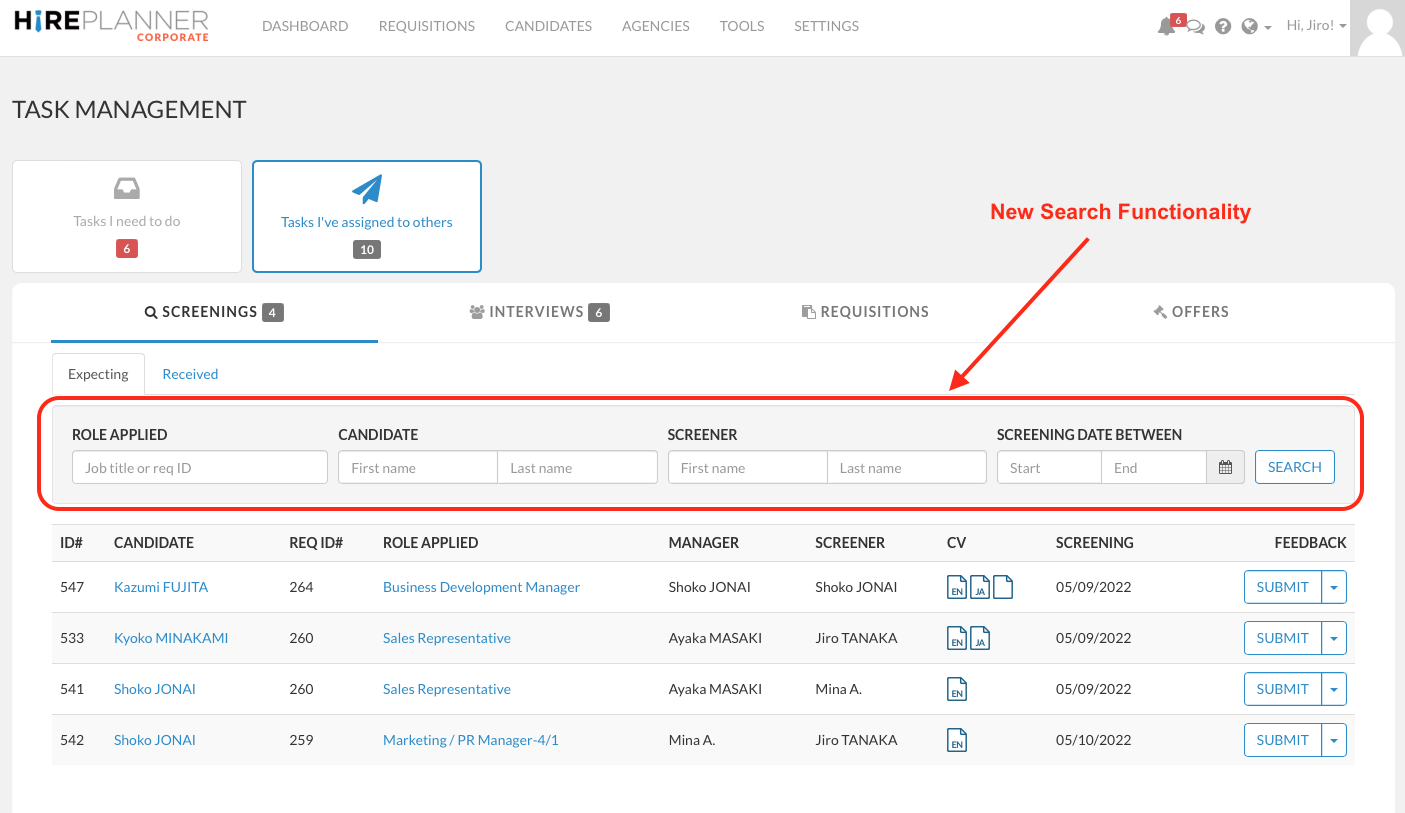
We added a search functionality for you to search your tasks by:
- Req ID#
- Req Job Title and
- Candidate's Name
- Screener / Interviewer's Name
- Screening / Interview Date Range
3) ARCHIVE YOUR TASKS:
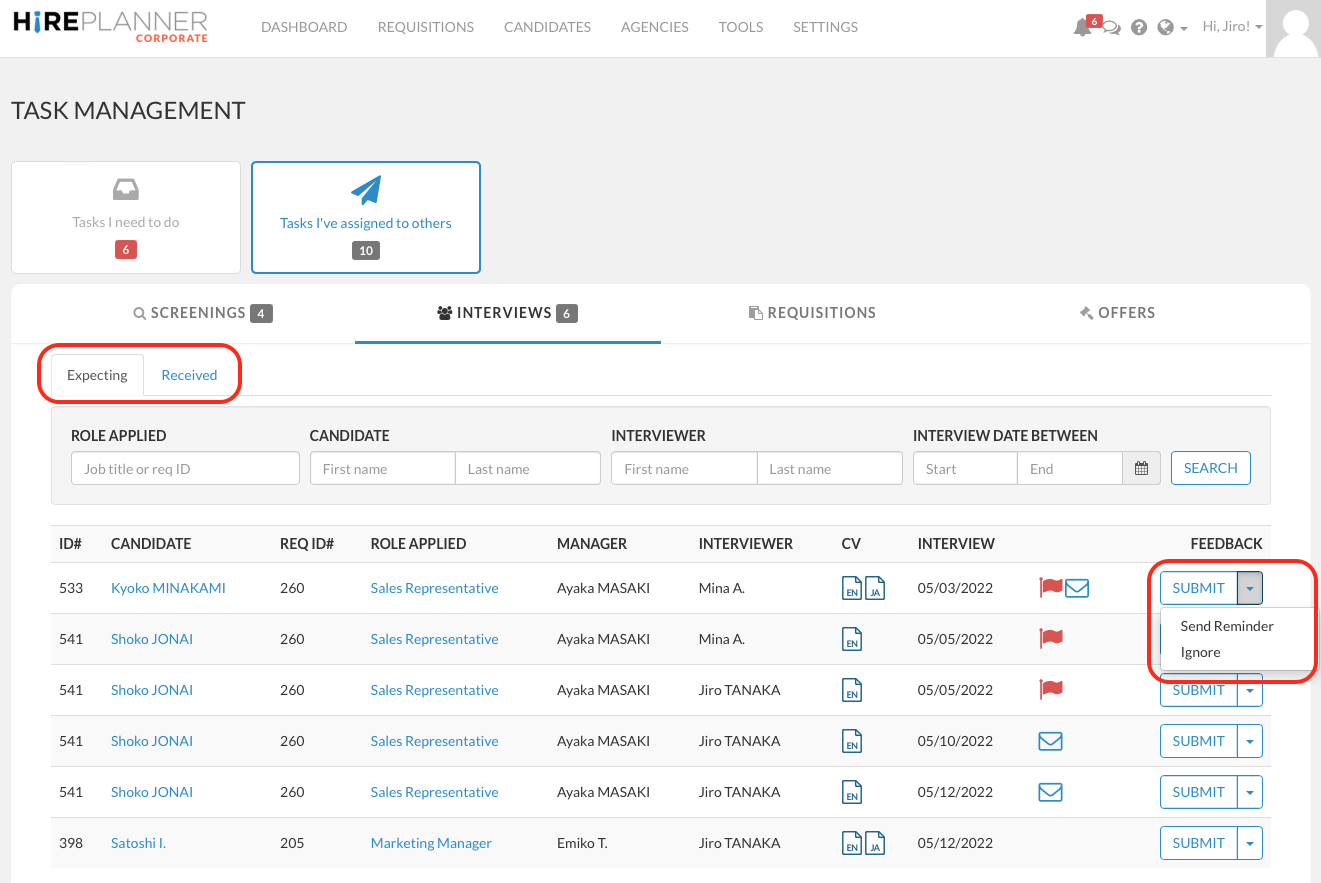
You can now archive certain old tasks and remove them from your list by clicking on the "ignore" drop down menu beside the "SUBMIT" button. If you choose to ignore a task, it will be automatically moved from the "Expecting" tab to the "Received" tab without feedback.
4) AUTOMATIC ARCHIVING WHEN REQUISITIONS ARE CLOSED:
When you close a requisitions (Job Posting), the tasks attached to your role will be automatically removed from list of tasks to perform.
5) SEND AUTOMATIC REMINDER:
Instead of having a dedicated "Send Reminder" button beside the "Submit" button, you can now send reminders to screeners and interviewers by clicking on the "Send Reminder" drop down menu beside the "SUBMIT" button.
To access your TASK MANAGEMENT area (TO DO LIST), please sign-in and click on the link below:
https://www.hireplanner.com/backend/tasks
Comments
0 comments
Article is closed for comments.