
To create a candidate application, you need to ATTACH A CANDIDATE TO AN EXISTING REQUISITION.
You can do so:
1) From the candidate profile by clicking on the "+ ATTACH CANDIDATE TO REQUISITION" button located just above the application history of the candidate.
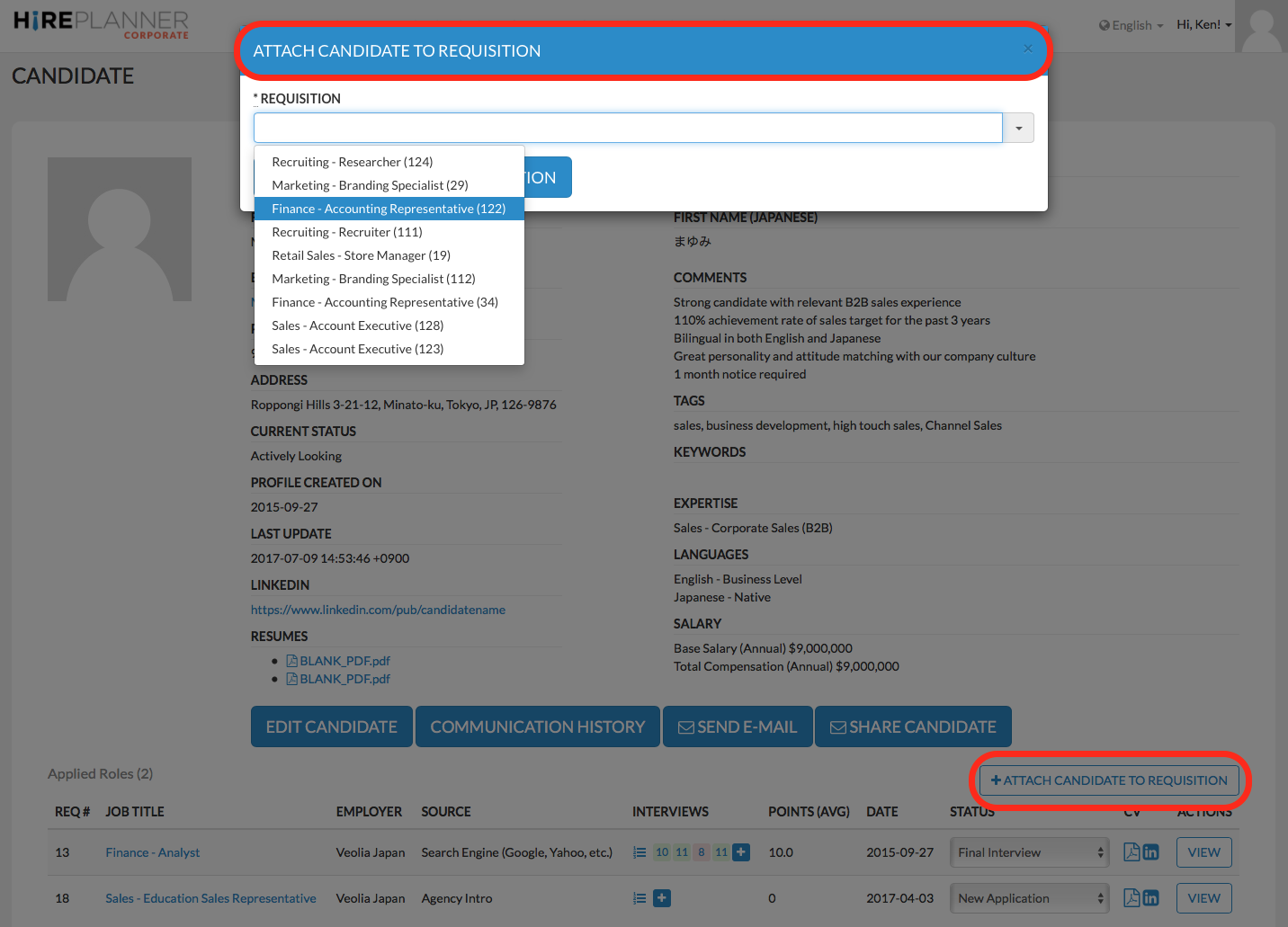
or
2) From the requisition project itself by clicking on the "+ ATTACH CANDIDATE TO REQUISITION" button located on the candidate pipeline of the requisition (see below)
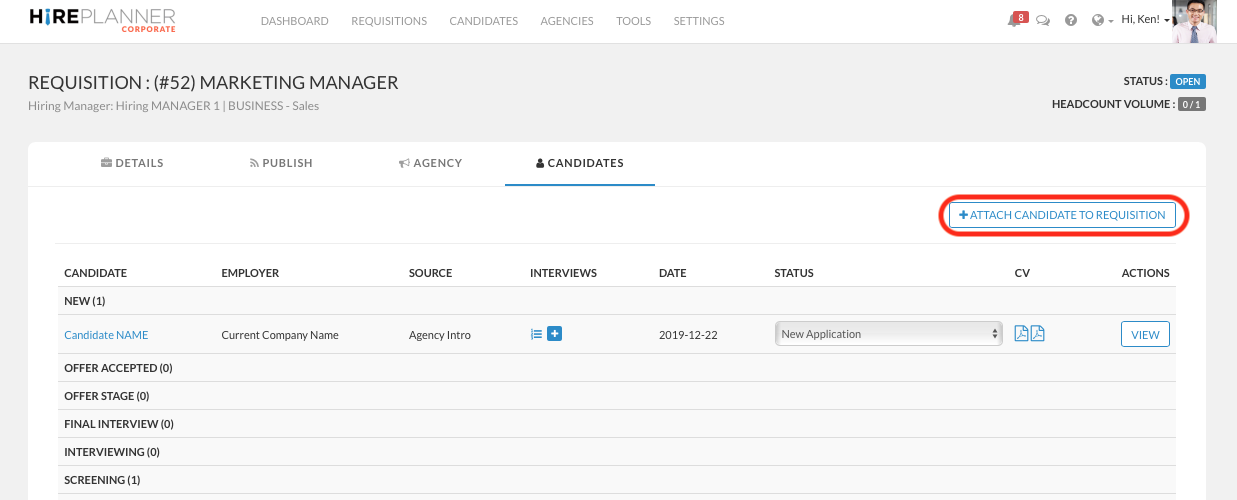
REMINDER: Please keep in mind that if your requisition is not approved (or officially “Open), it will be listed as "DRAFT" and therefore will not appear on the list of requisition you can choose from and you will therefore not be able to have candidates connected to it. You can only attach candidates to requisitions once they are officially approved (open).
Comments
0 comments
Article is closed for comments.