
If you wish to edit one of your candidate's profile details,
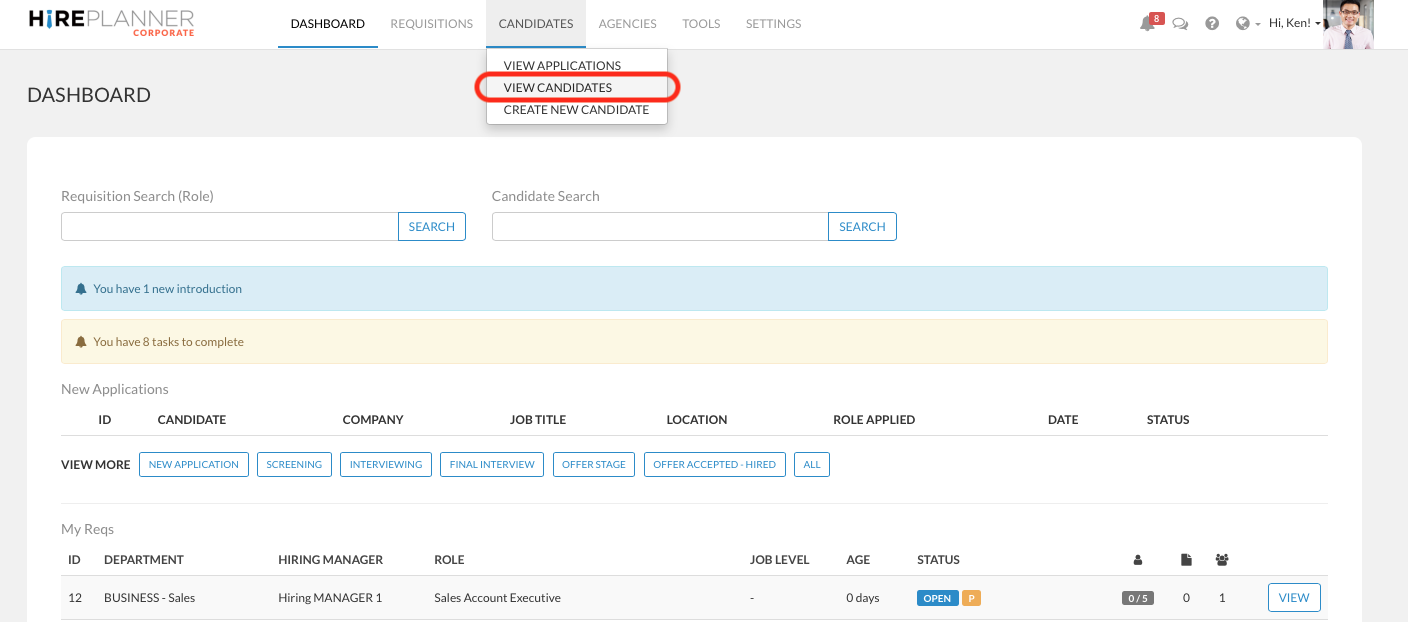
1) Click on "VIEW CANDIDATES" section located under the "CANDIDATES" link on the top navigation menu.
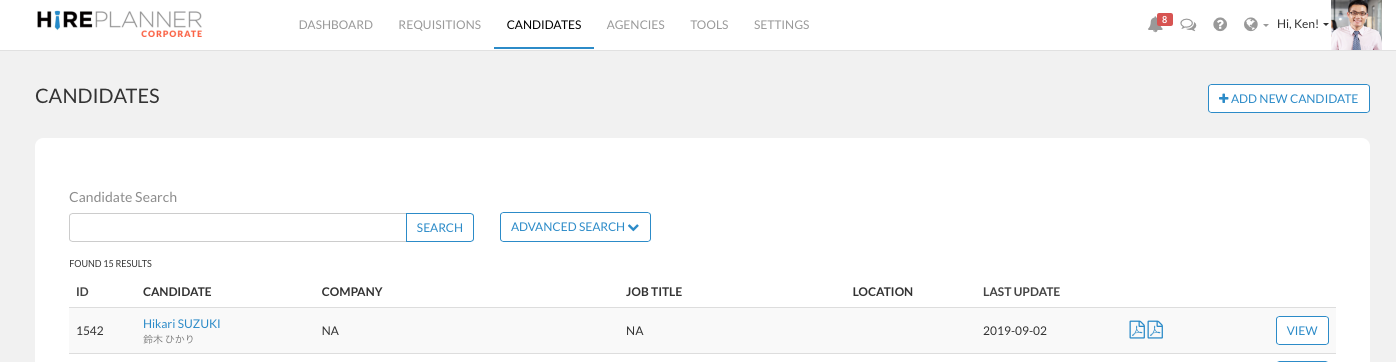
2) Search and locate the candidate of your choice and click on the "VIEW" button located on the right side of the candidate row you wish to select.
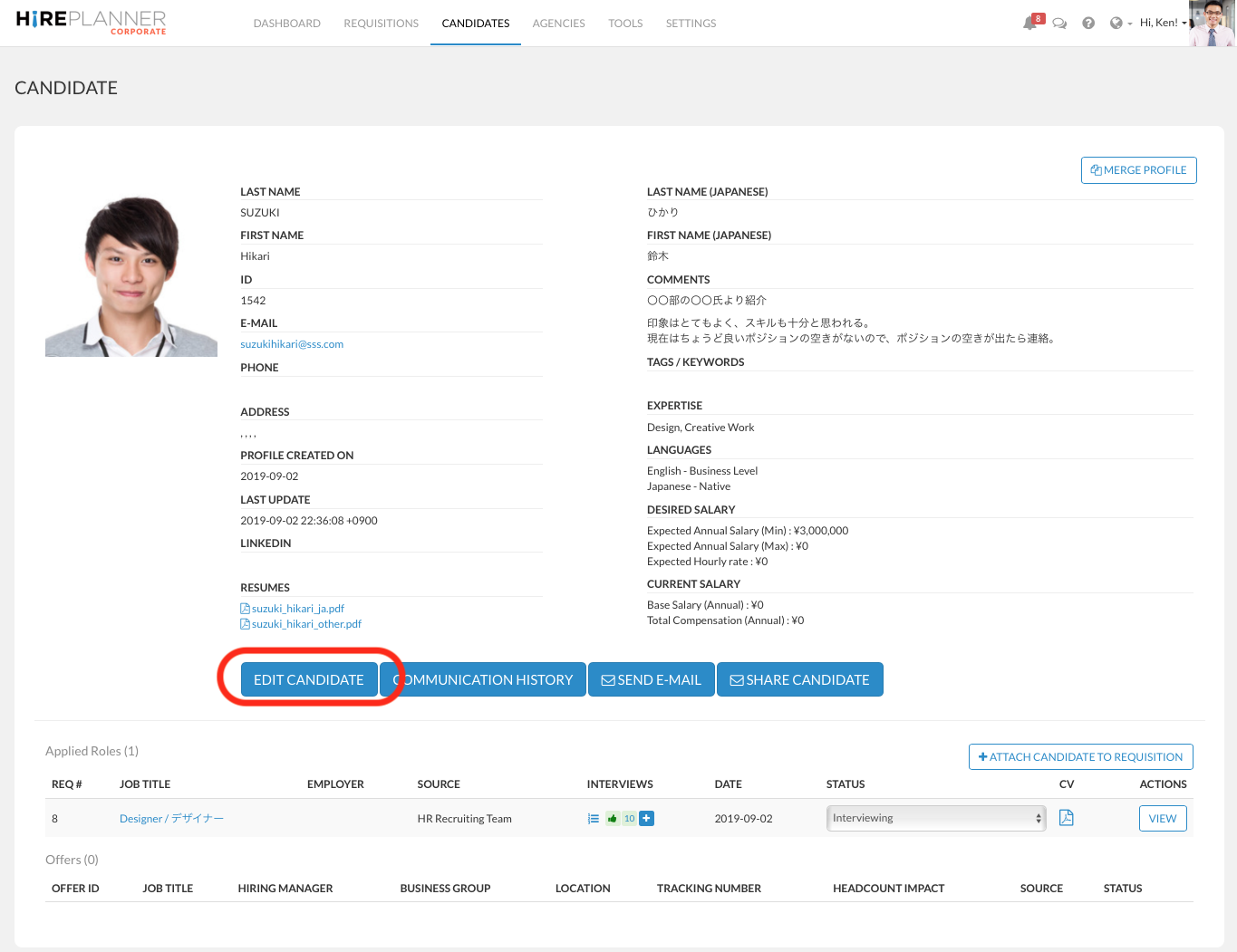
3) From the candidate profile, click on the "EDIT CANDIDATE" blue button
4) From there, you can make any adjustment to the candidate profile as you please.
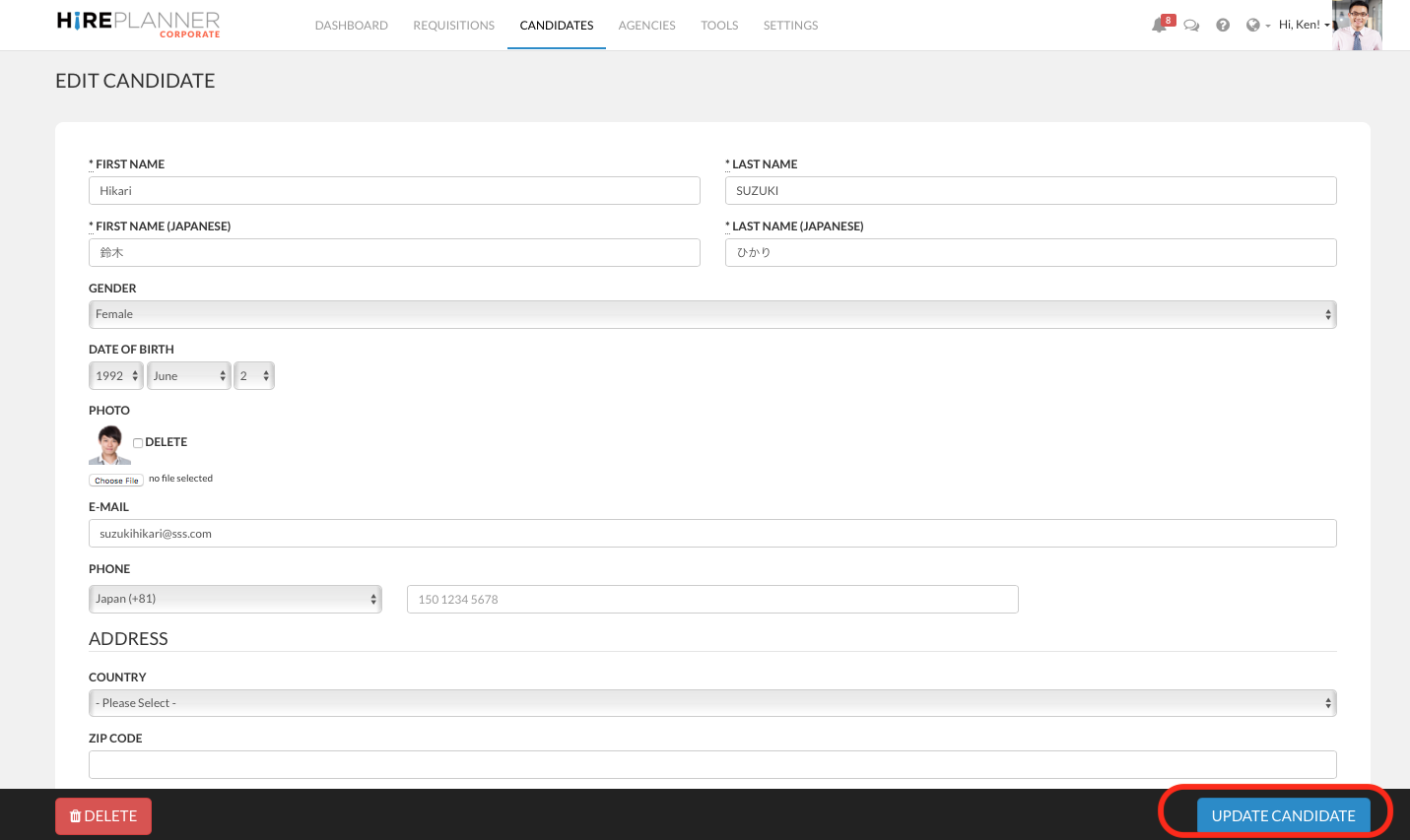
5) Don't forget to click on the "UPDATE CANDIDATE" blue button in order to save your changes.
or
6) If you wish to completely delete the candidate profile and any information related to it, please click on the "DELETE" red button. Before careful, once you delete a candidate profile, you cannot retrieve it anymore.
Comments
0 comments
Article is closed for comments.