
When an agency submits a candidate through the system,
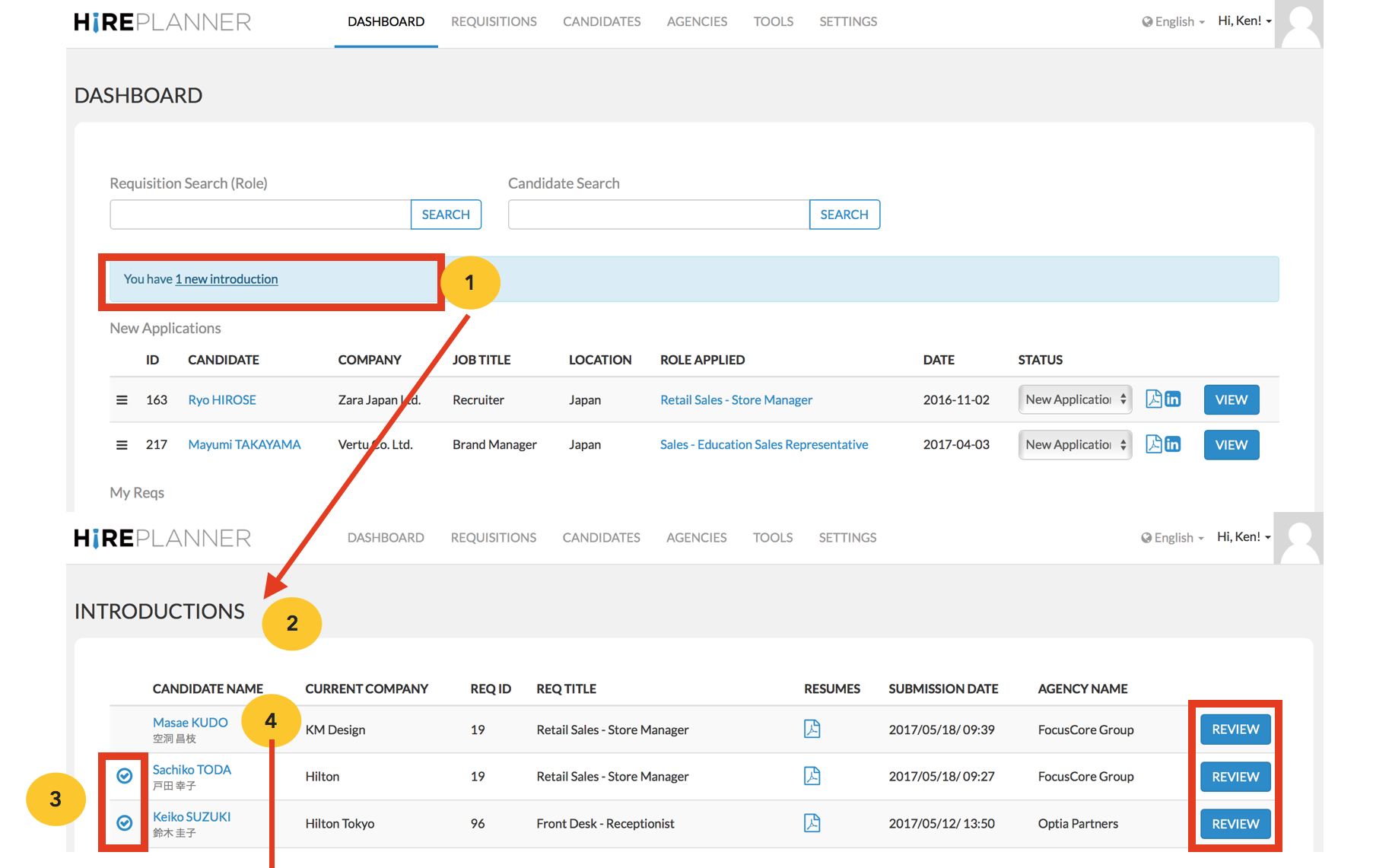
1) You will receive a notification via email and on the top of your dashboard.
2) When you click on it, you will be re-directed to the “Introductions” section of the site where you can review and process all new candidate introductions coming from agencies.
3) Introductions that have already been processed will be marked with a blue check mark displayed on the left side of the candidate’s name.
4) Introductions that are still pending and need to be reviewed and processed will be listed without the blue check mark.
5) To process a candidate introduction, click on the “PROCESS APPLICATION” button or the candidate’s name to access the agency intro and click “Process Application”.
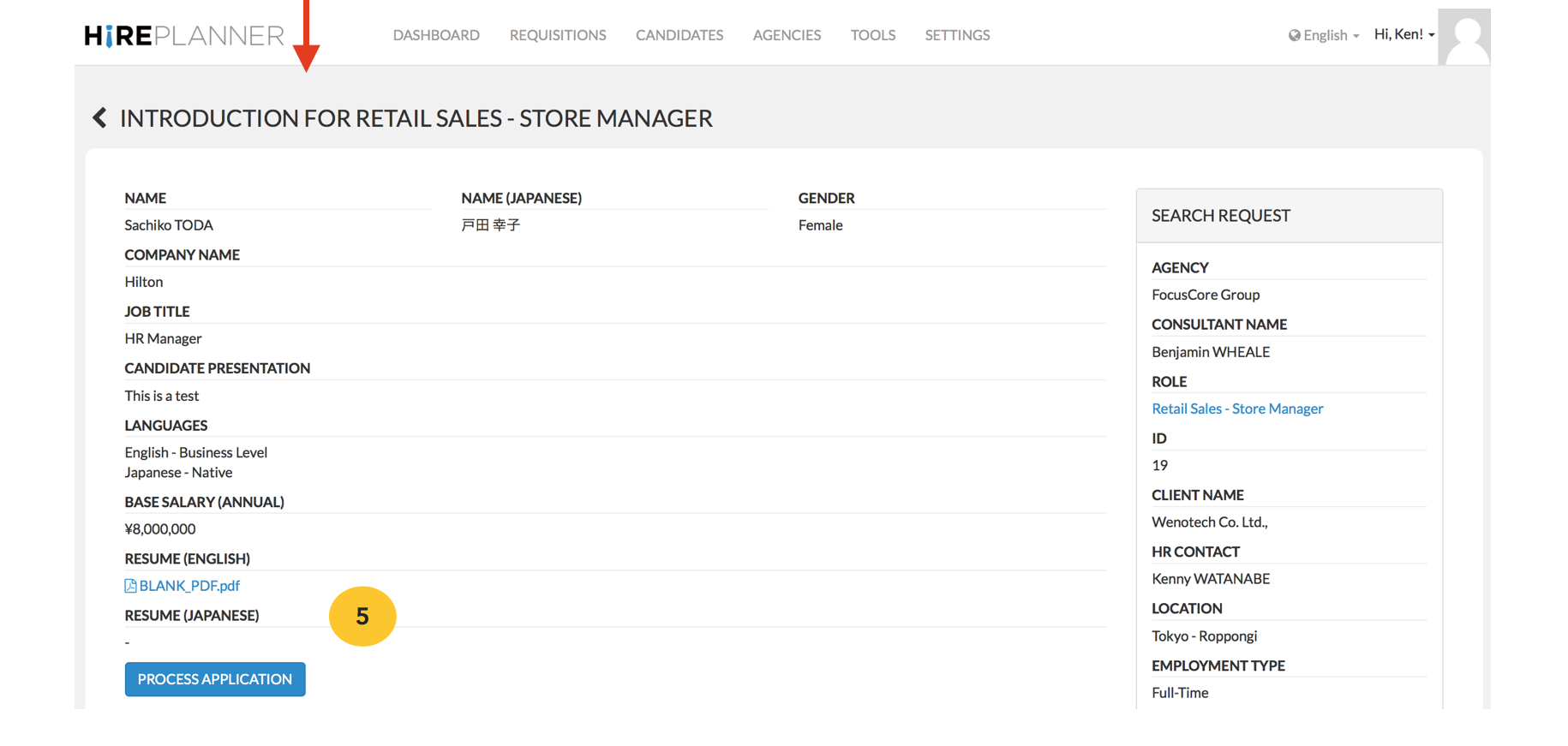
HOW TO PROCESS AN APPLICATION:
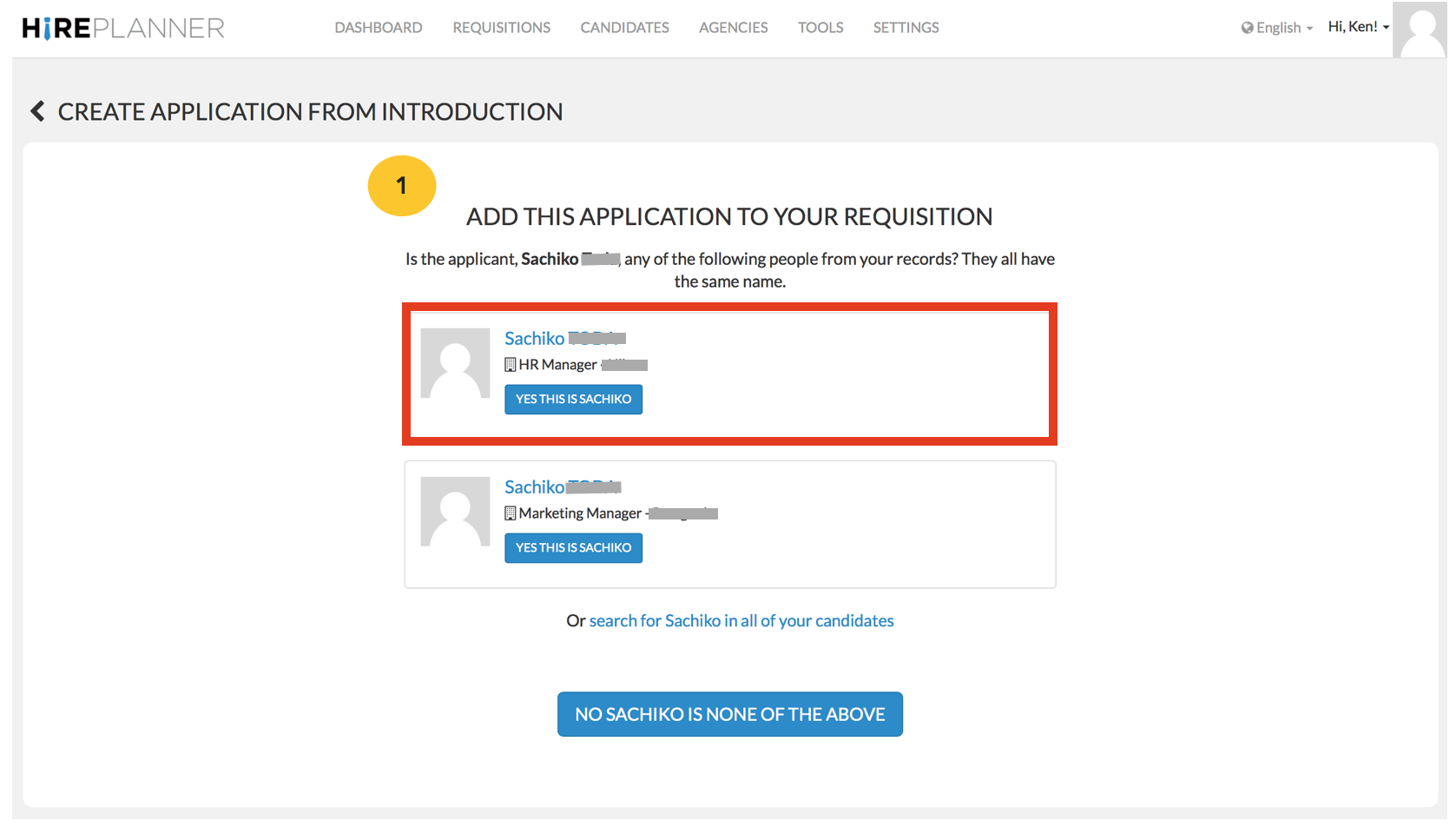
When you click on “Process Application”, the system will trigger a search within your database in order to identify candidates with the same name and to avoid creating duplicated profiles.
1) If the candidate introduced by the agency is already into your system, the system will detect it for you and request you to add the application record under the corresponding candidate (see example attached below).
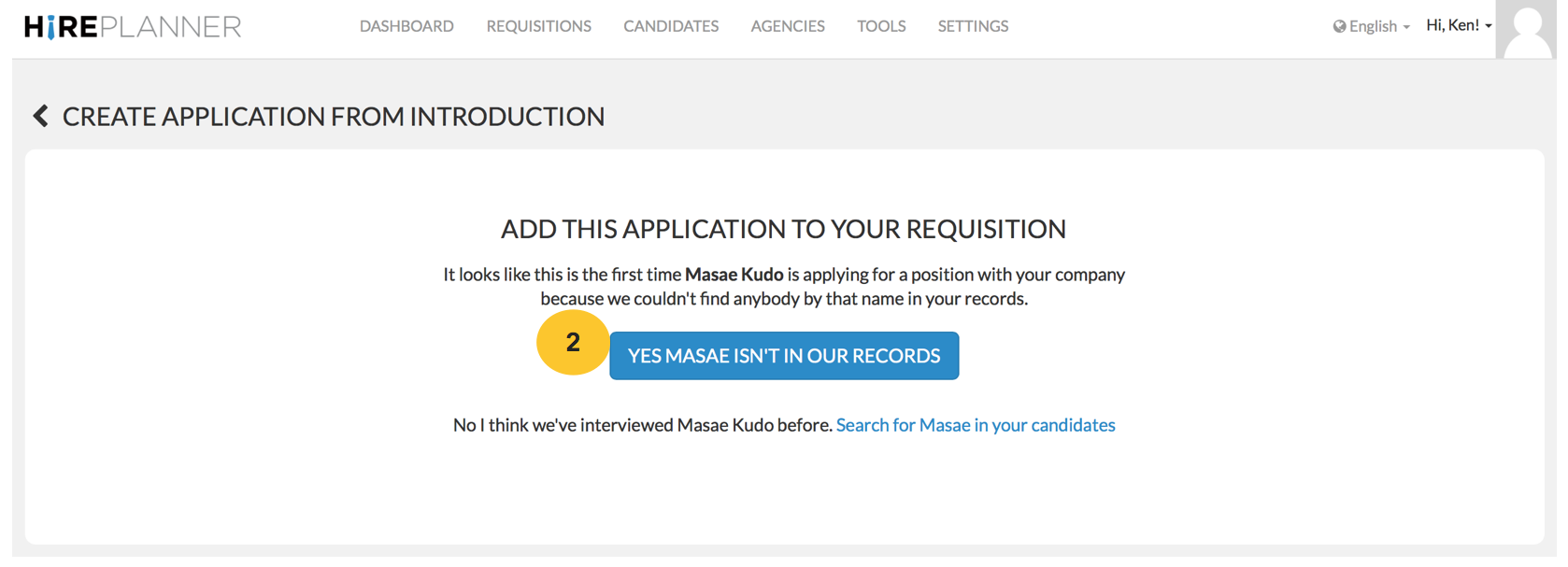
2) On the other hand, if the candidate introduced by the agency is not yet available in your database, the system will automatically create a new candidate profile for you and generate an application attached to the appropriate requisition it has been submitted for.
Comments
0 comments
Article is closed for comments.