
To customize the agency source of your candidate application, please follow the steps listed below:
1) Access the application details page (see below)
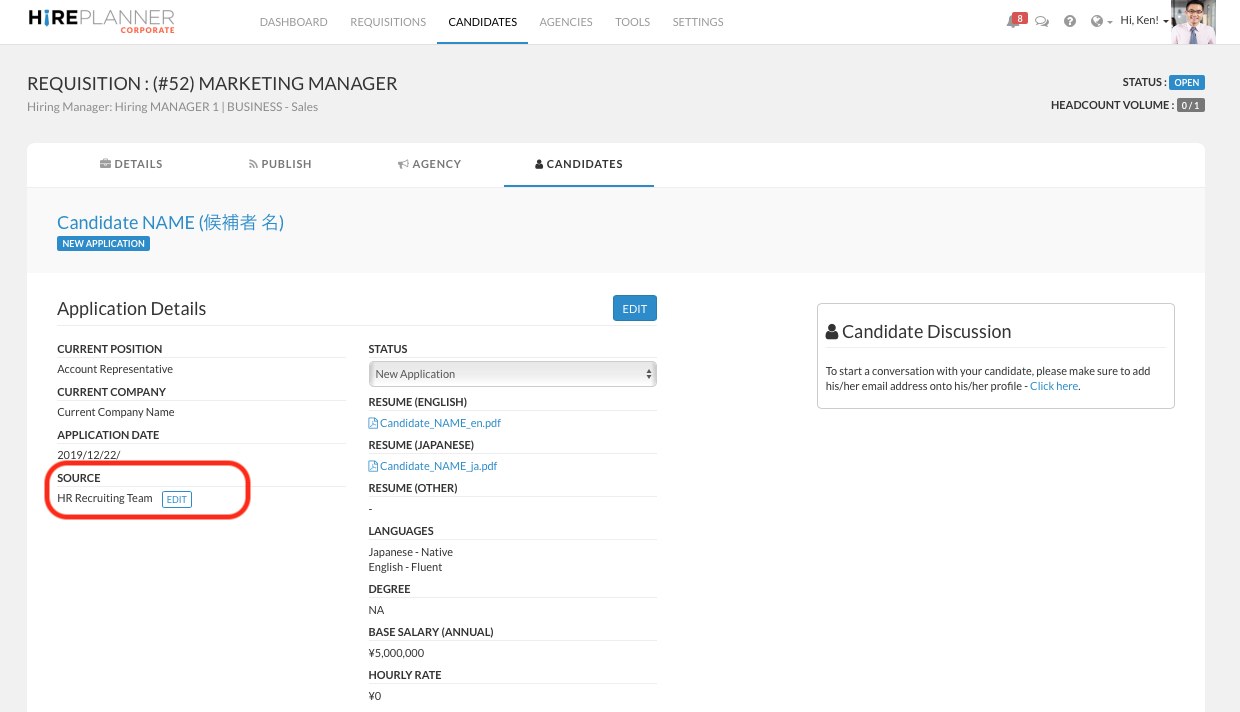
2) Click on "EDIT" under the SOURCE category (as illustrated below)
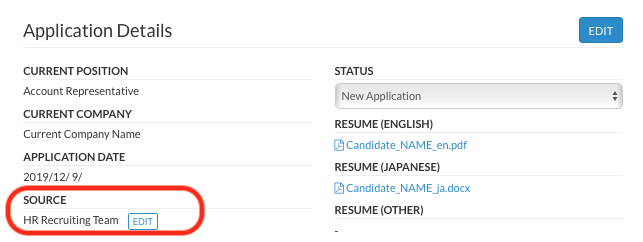
3) Select "AGENCY INTRO" in the drop down menu that appears under "Edit Application Source" (see below)
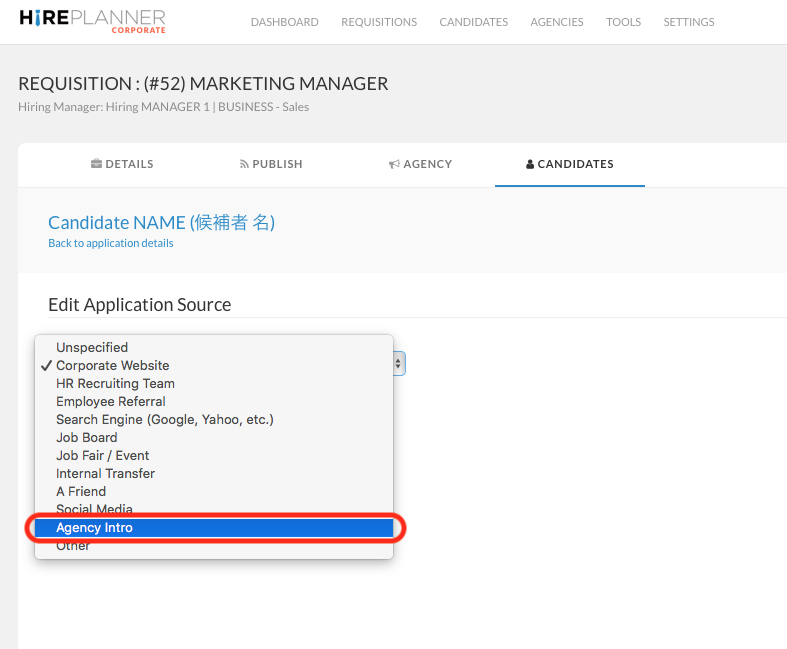
4) Select the agency and consultant who made the candidate introduction and/or who you wish to communicate with going forward. (see below)
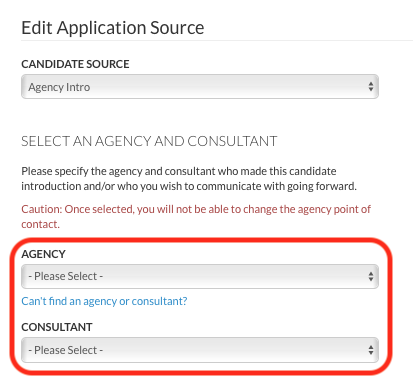
5) Select carefully the resume files you wish to share with the select agent and make sure the CV files are the same as the ones he/she submitted originally.
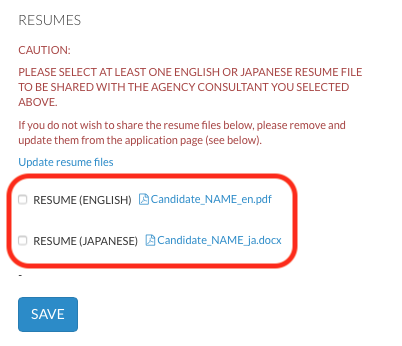
!!! IMPORTANT!!!
ONCE SELECTED AND SAVED, YOU WILL NOT BE ABLE TO EDIT AND CHANGE THE NAME OF THE AGENCY CONSULTANT ON ONE APPLICATION. IF FOR ANY REASON, YOU NEED TO CHANGE THE NAME OF THE AGENT, YOU WILL NEED TO CREATE A NEW APPLICATION RECORD UNDER A DIFFERENT SOURCE
6) Once you click "SAVE", the agency consultant you have selected will be automatically added onto the list of agents that support you with the requisition.
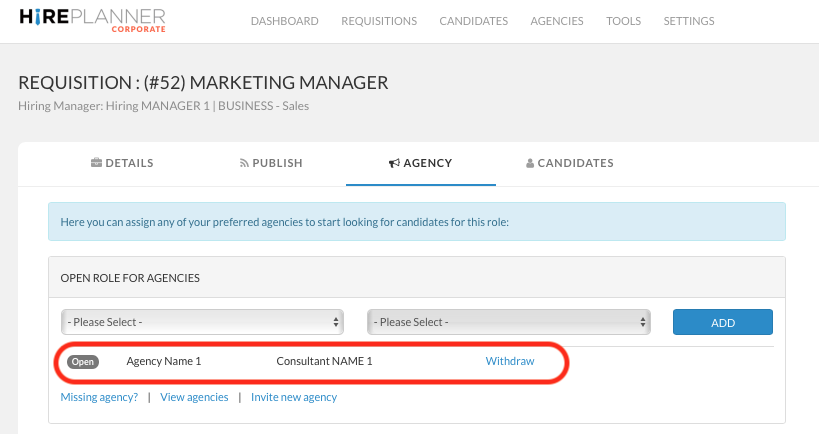
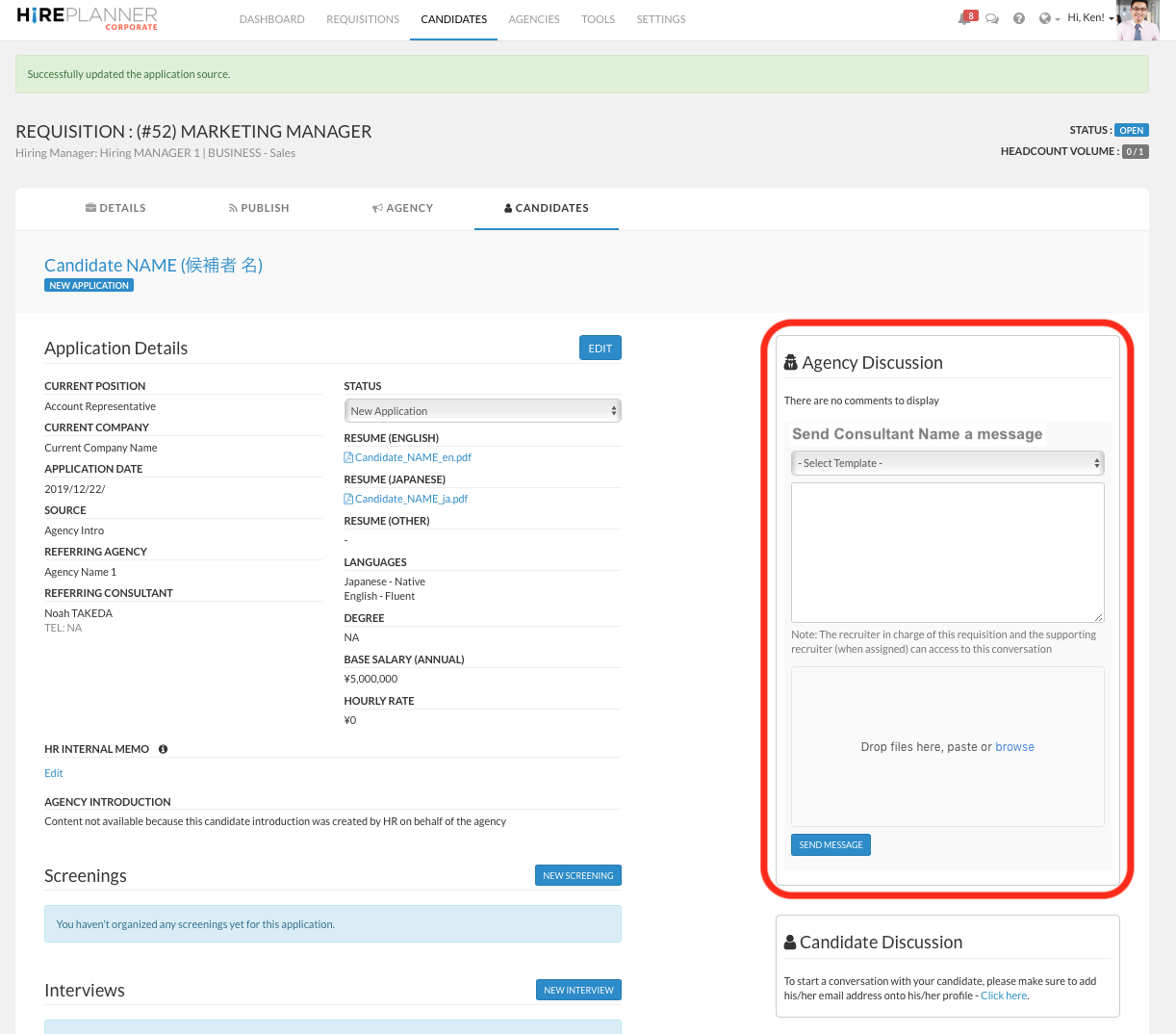
7) Once you have selected the appropriate agency and consultant and clicked "SAVE", the "AGENCY DISCUSSION" window will appear on the right side of the application page and you (HR user) will be able to communicate with the agent you have selected.
Comments
0 comments
Please sign in to leave a comment.