
Most of the time, HirePlanner.com should be able to prevent candidate profile duplicates (when a candidate applies directly or when a recruiting agent makes the candidate introductions).
However, when HR internal recruiters create their candidate profile(s) manually (or via CSV. import), it may happen that some duplicated candidate profiles may be created by mistake.
Not to worry: it is possible to either delete or merge 2 duplicated profiles together
IF/WHEN you wish to merge two candidate profiles together, please follow the steps below:
1) Click on "CANDIDATES" and select "VIEW CANDIDATES" in the drop down category
2) Search for the candidate profile you would like to keep as your "MASTER PROFILE".
3) Please make sure that the candidate profile you would like to keep includes all the updated contact details and information.
4) From the candidate profile (you wish to retain), please click on the "MERGE PROFILE" button (located on the top right of the candidate profile).
⚠️ Read carefully the process below and please keep in mind that the next actions CANNOT BE UNDONE.
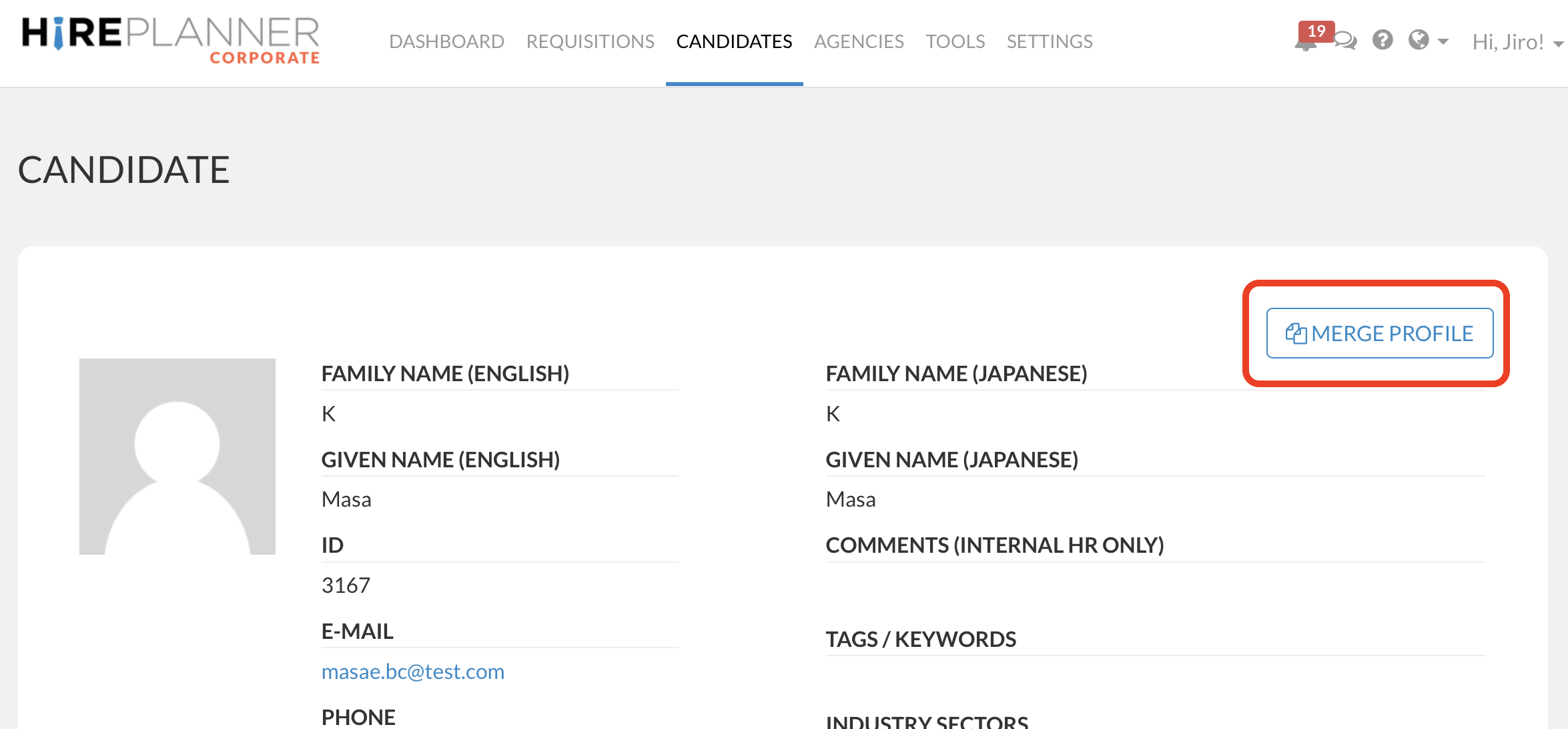
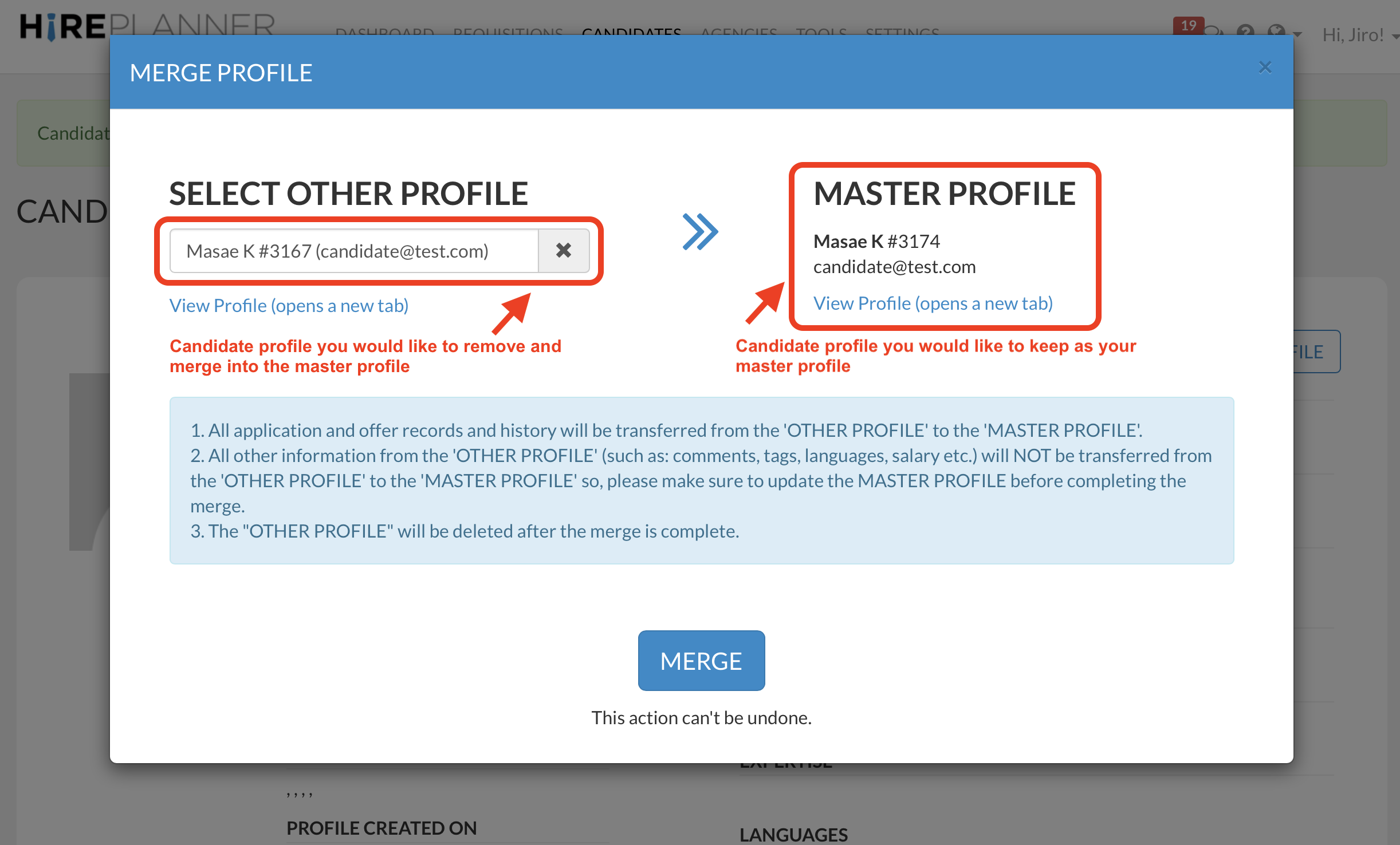
5) Select the candidate profile you wish to remove and merge into the master profile.
⚠️ The profile ID located on the right will be kept and become the master profile of your candidate; and the profile located on the left side will be deleted and merged into the master profile (see screenshot below).
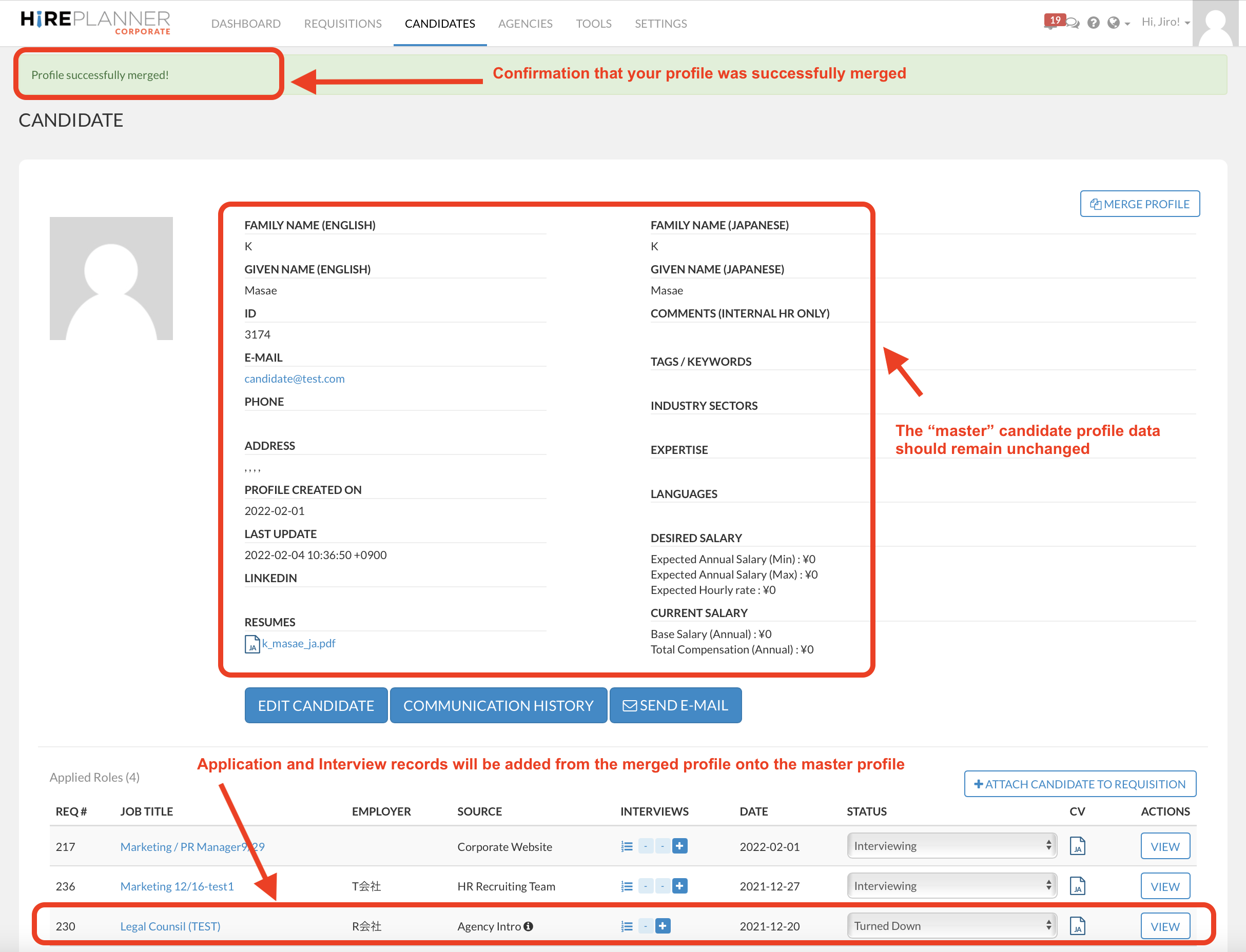
- All application and offer records and history will be transferred from the 'OTHER PROFILE' to the 'MASTER PROFILE'.
- All other information from the 'OTHER PROFILE' (such as: comments, tags, languages, salary etc.) will NOT be transferred from the 'OTHER PROFILE' to the 'MASTER PROFILE' so, please make sure to update the MASTER PROFILE before completing the merge.
- The "OTHER PROFILE" will be deleted after the merge is complete.after its application history, offer history and interview history will be transferred to the master candidate profile.
Comments
0 comments
Please sign in to leave a comment.