
ONLY Requisitions that have been CLOSED can be RE-OPENED.
If you requisitions was CANCELLED, you will not be able to RE-OPEN IT. You will need to re-create a brand new one.
RE-OPEN A REQUISITION:
- Select the requisition you wish to RE-OPEN
- Select the "DETAILS" Tab on top of the requisition page
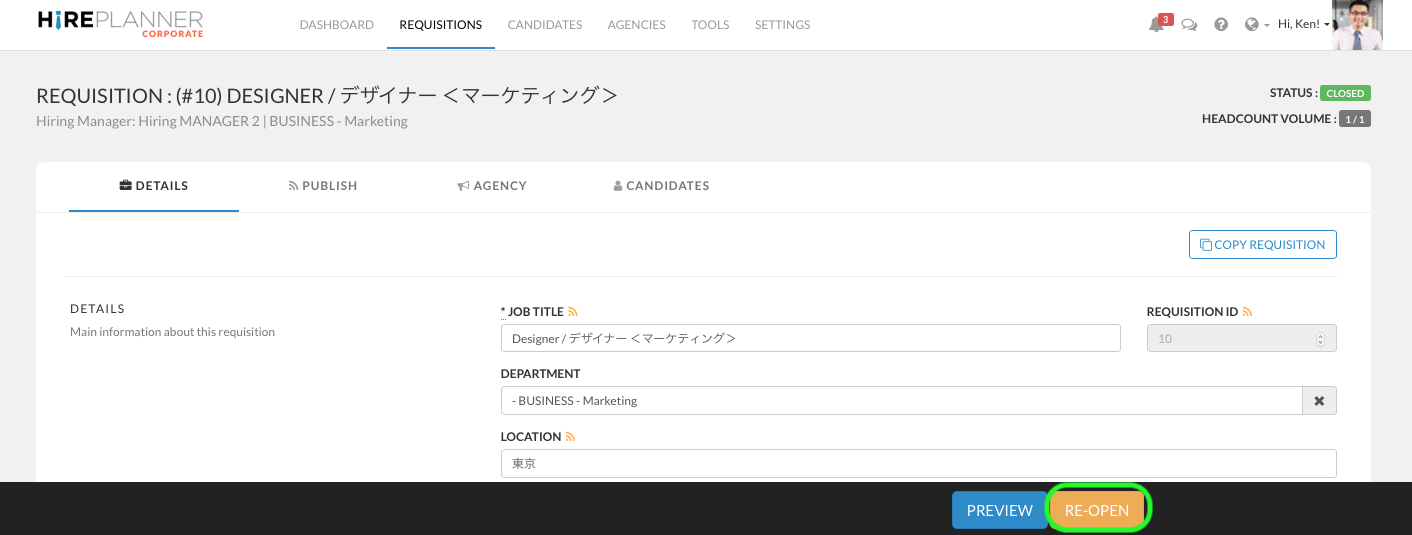
- Click on the "RE-OPEN" button  (Yellow button located at the bottom of the page). This will automatically mark the requisition as "OPEN" again.
IMPORTANT - AFTER YOU RE-OPEN A REQUISITION:
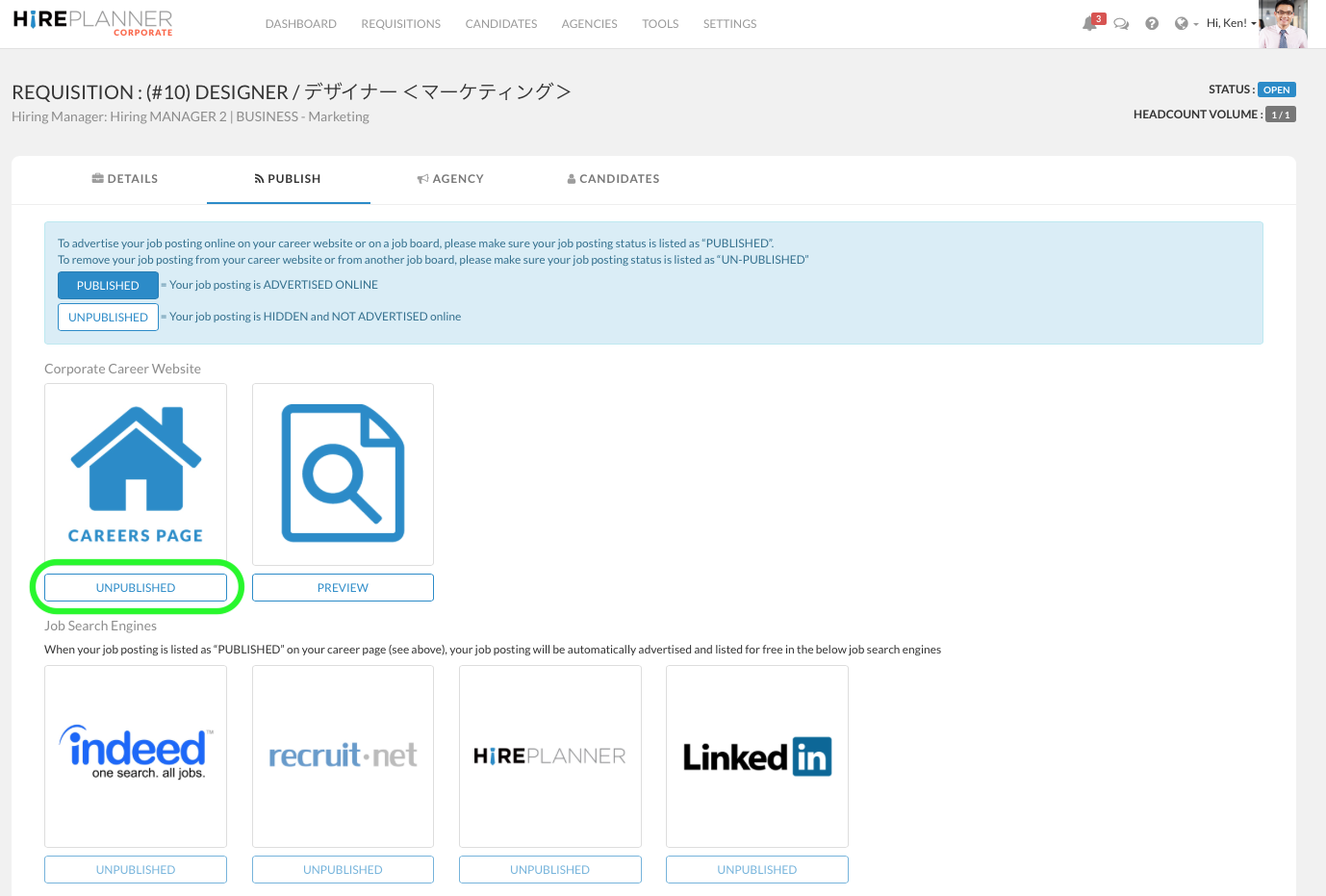
JOB POSTINGS: Your job postings WILL NOT be automatically re-published and advertised online. If you wish to re-publish your job and advertise it online, you will need to click on the "PUBLISH" tab and "Re-publish" it
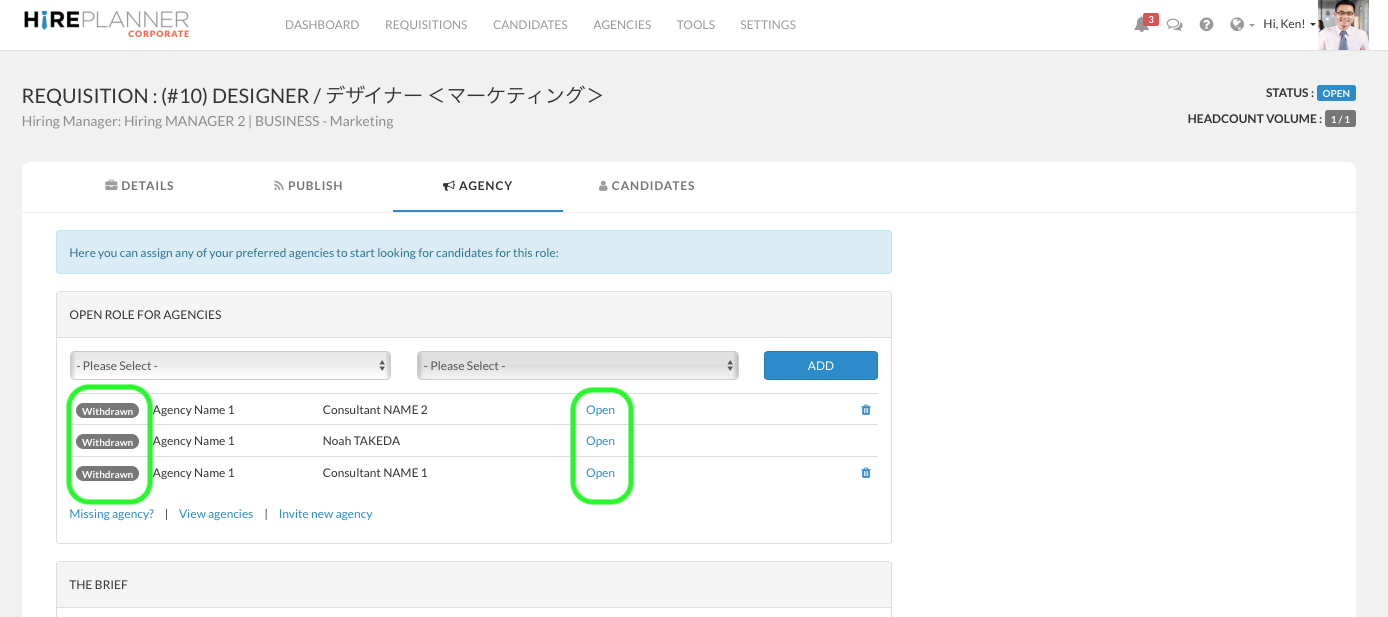
ASSIGNED AGENCY CONSULTANTS: Once a requisition has been closed, even if it is re-opened, all the agency consultants who were previously assigned will remain set as "Withdrawn". In other words, they will not be automatically re-assigned to work on the open role which means they will not be able to introduce new candidates nor communicate with you via the messenger service.
If you wish to re-assign an agency consultant in particular, please click on the "OPEN" link located on the row of the consultants you would like to collaborate with again. Once you do, the consultants will be able to introduce you new candidates and communicate with you via messenger.
Comments
0 comments
Article is closed for comments.