
Before publishing your job posting online, please make sure that you have created a role (how to create a requisition) in the system and that this one has been approved.
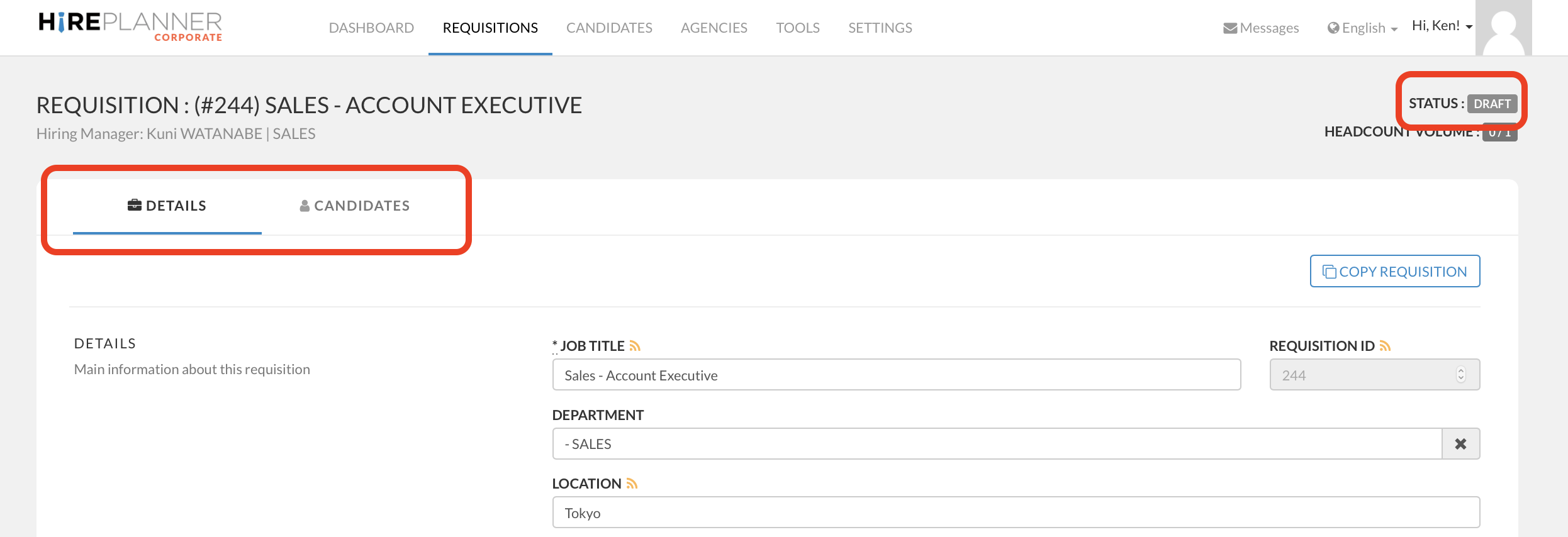
For example, if your requisition is still listed as "DRAFT" or "PENDING APPROVAL", you will NOT be able to publish your role online (see screenshot attached below).
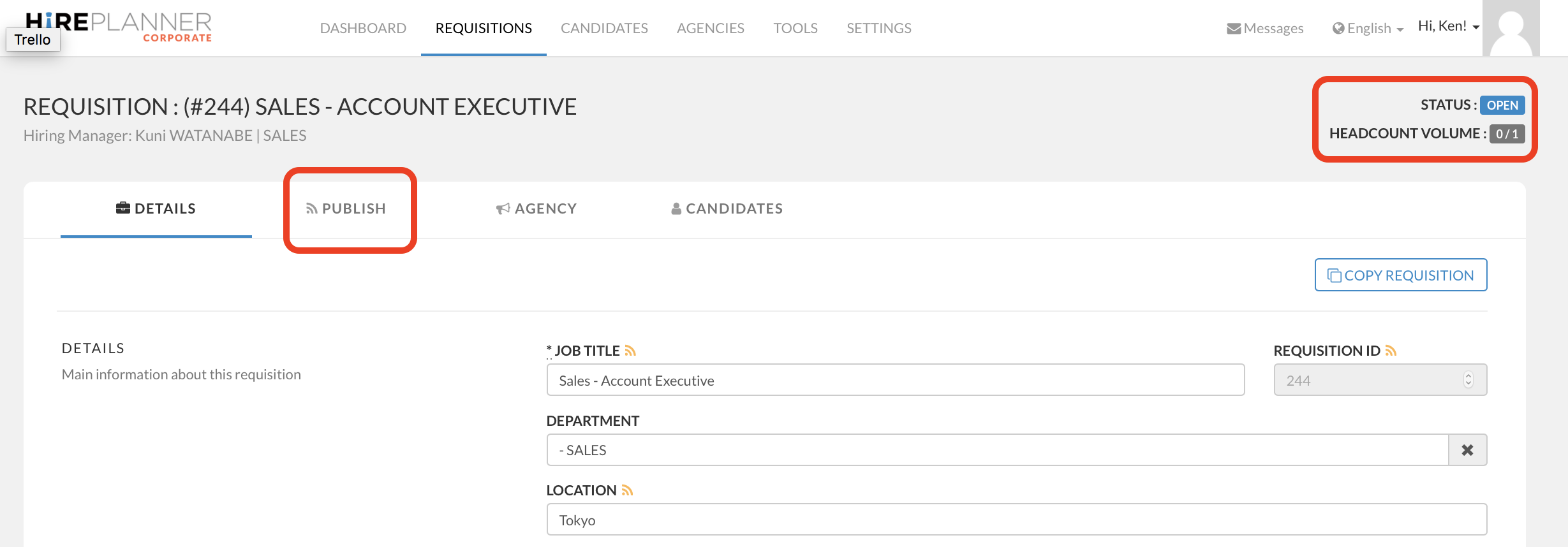
Once your requisition is approved and listed as "OPEN", you will see a new tab called "PUBLISH".
1) To advertise your jobs online, please click on "PUBLISH"
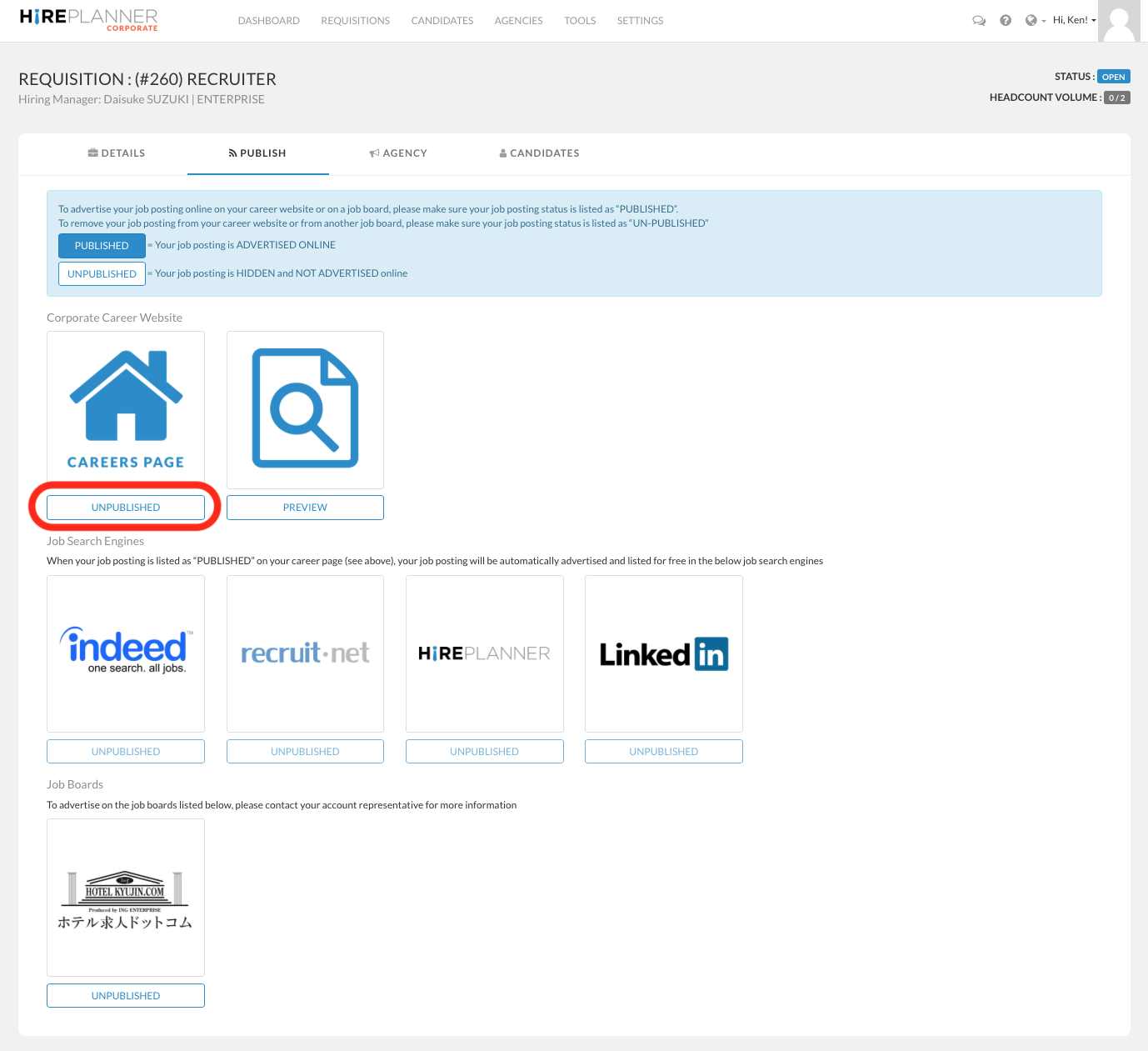
2) From the "PUBLISH" tab, click on the "UNPUBLISHED" button located just below the "CAREERS PAGE" icon (see screenshot below). This will change the status of the job from "UNPUBLISHED" to "PUBLISHED".
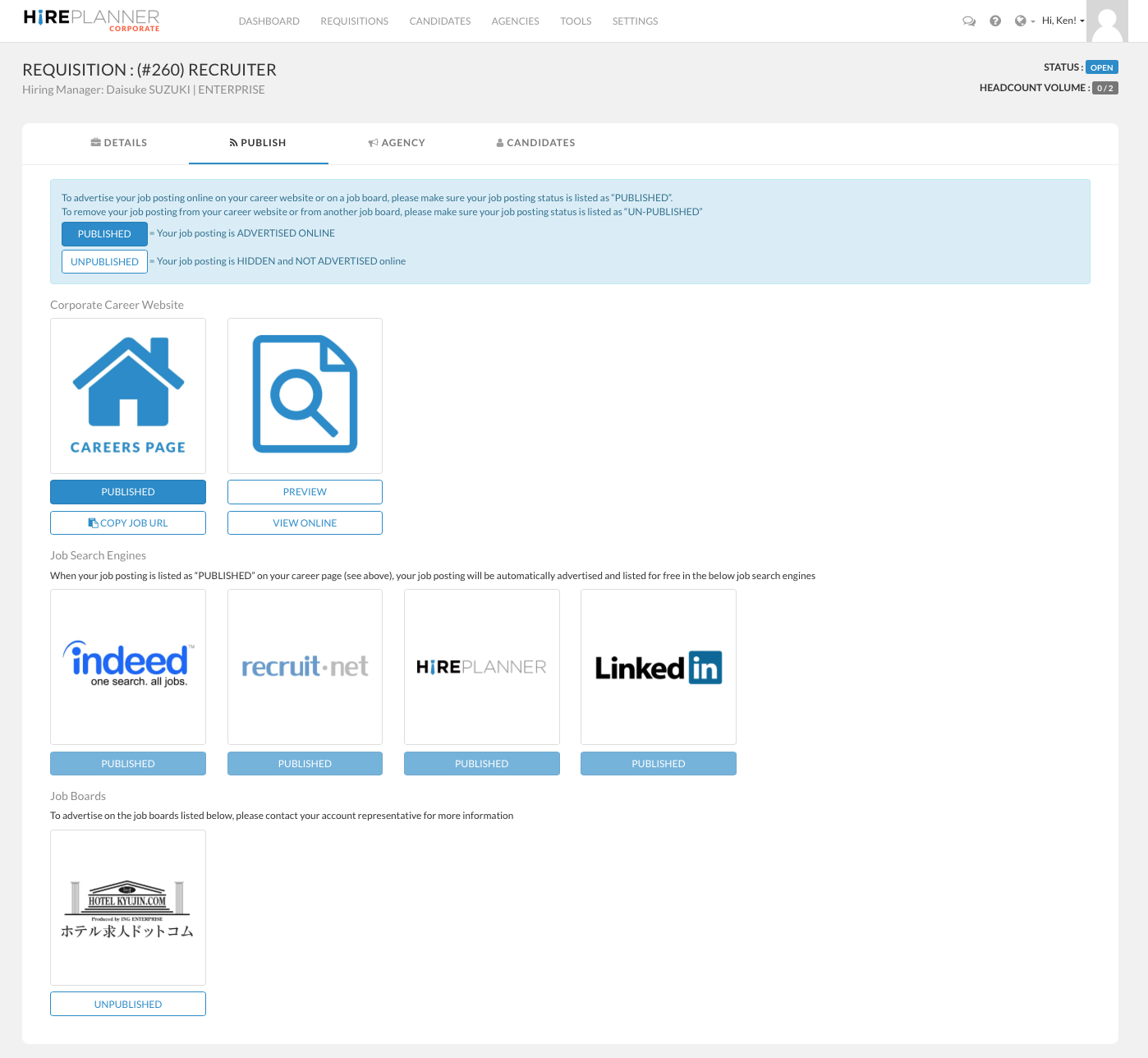
3) Once your job posting (requisition) is marked as PUBLISHED, your vacancy will be automatically advertised online on your career website and listed for free on multiple Japanese job search engines such as Indeed.com, Recruit.net, HirePlanner.com and LinkedIn.com to maximize your visibility (see screenshot below).
Note regarding your job postings: to make sure your job posting is properly listed on our job search engines partners, please make sure to provide as much details as possible in your job descriptions such as your company name, job location, salary range etc. Providing too little details may make it difficult for candidates to find your job postings or even prevent your job listing from being searchable (depending on the rules from each job search engine partners).
ADVERTISING ON ANY OF OUR PARTNERING JOB SEARCH ENGINES IS 100% FREE
If you decide to hire anyone who applied to your role from of one of those job search engines, no cost or recruiting fee will be required.
4) Advertising on Japanese Job Boards is also available but REQUIRES YOU TO HAVE A CONTRACT WITH THE SELECTED JOB BOARD. If you wish to publish automatically your jobs from HirePlanner onto another Japanese job board, please contact us at: support@hireplanner.com.
To learn more about how to access your career website and how to connect it to your website, please click HERE
Comments
0 comments
Article is closed for comments.