
If you do not wish to advertise your roles publicly, you can now choose to publish your roles secretly and choose the new option called "PRIVATE POSTING" instead of "PUBLIC POSTING".
If you choose to publish your roles privately, your job posting will ONLY be accessible by people who you have shared the JOB URL link with. This type of job posting is for private use only. It will not be advertised publicly and will not be searchable on search engines.
To post a job privately, please follow the steps listed below:
1) Select your open requisitions (approved job postings)
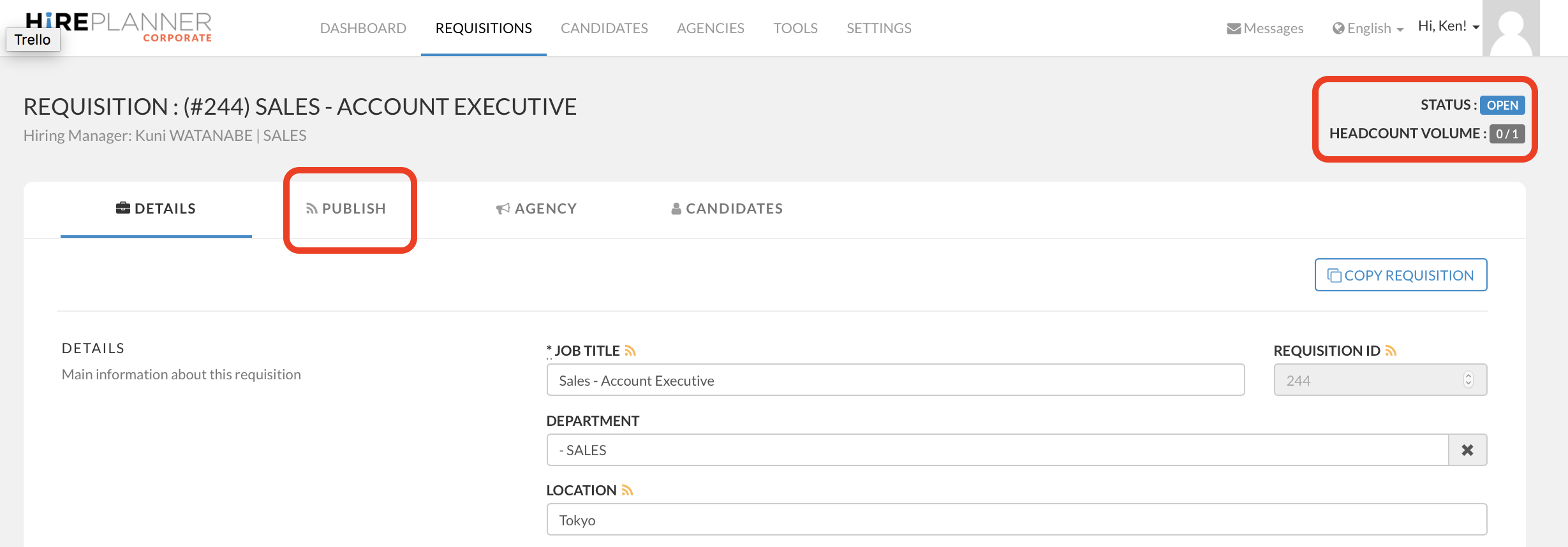
2) Click on the "PUBLISH" tab.
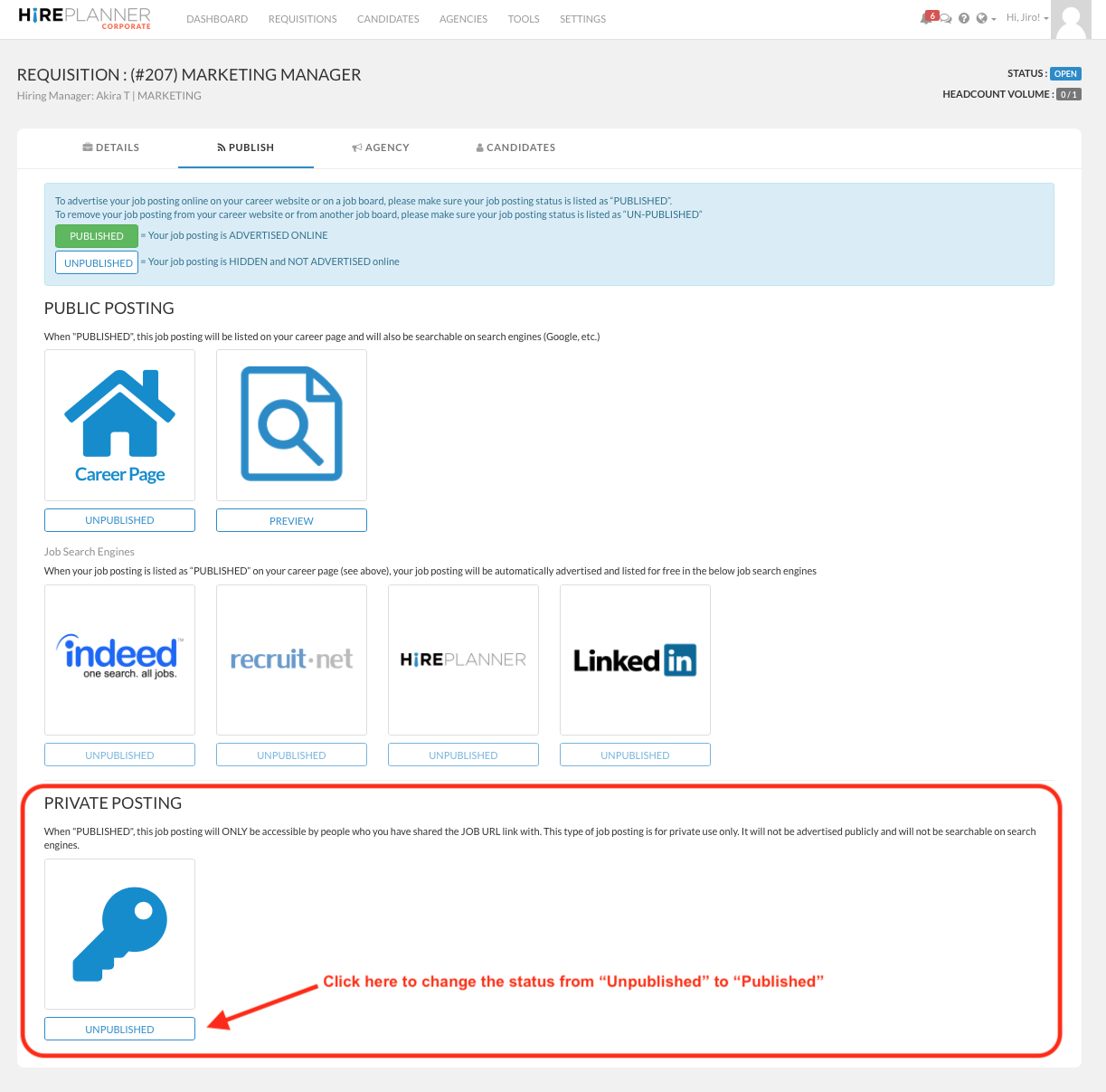
3) Scroll down the screen until you see the key mark below the PRIVATE POSTING section, then click on the "UNPUBLISHED" button to change the status to "PUBLISHED".
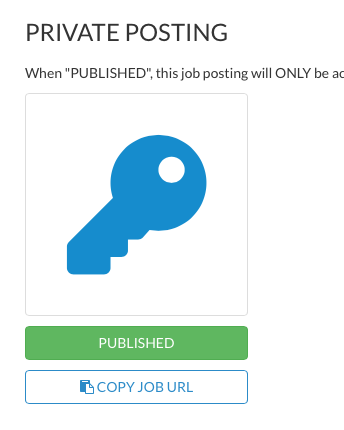
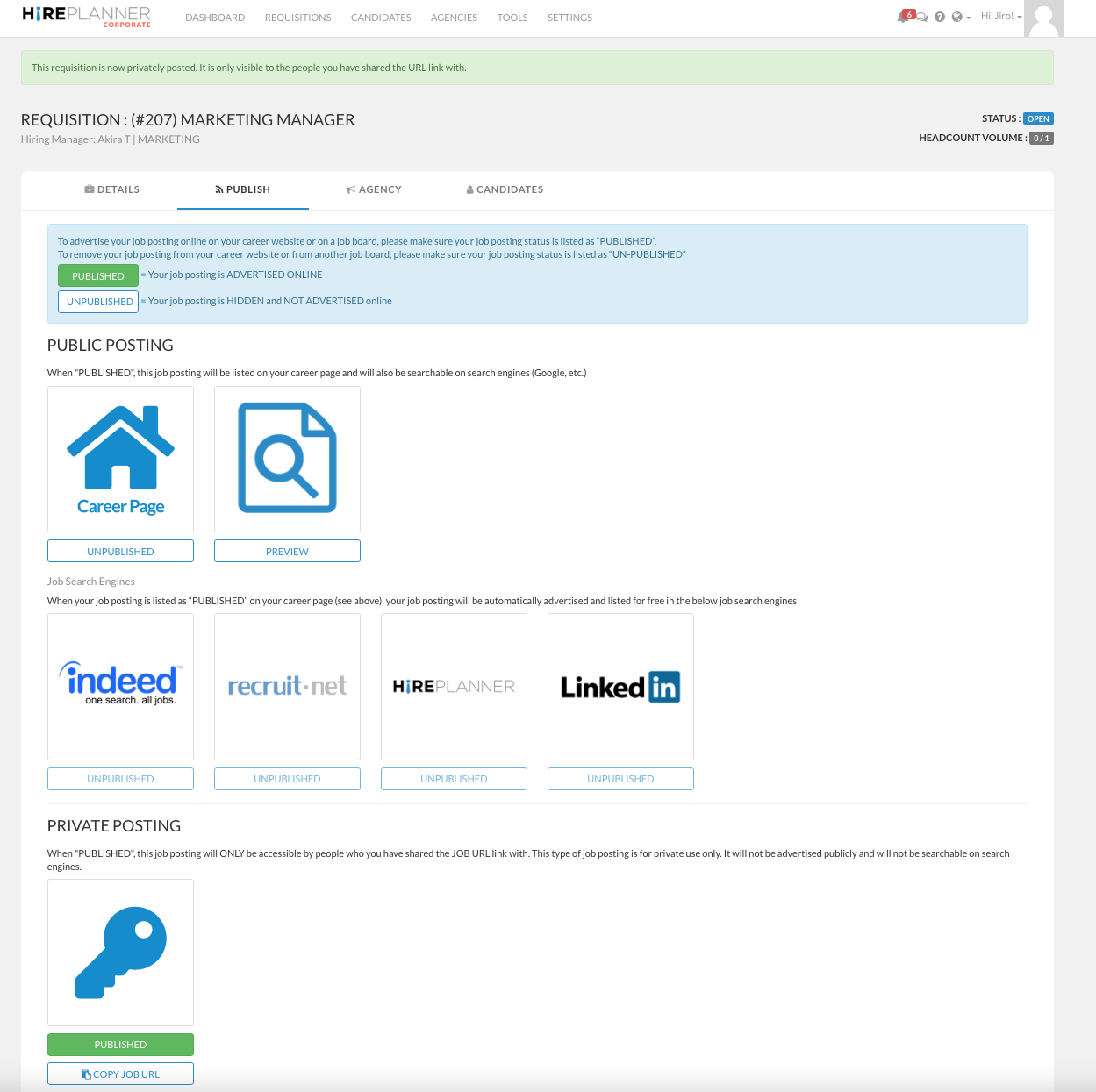
4) When the button turns to green and is showing "PUBLISHED", your job posting is posted online. Since it is a secret URL, it will NOT be searchable on Google and nobody will be able to apply for your role unless you copy the URL link and share it with potential candidates to apply. This feature is quite convenient for internal mobility and employee referrals and/or confidential roles that cannot be advertised publicly.

Comments
0 comments
Please sign in to leave a comment.